When exporting the Activity Table from Primavera P6 to Excel, it can be difficult to visually distinguish between different WBS (Work Breakdown Structure) levels. In this guide, I’ll show you how to automatically color-code WBS levels in Excel, making your report easier to read—similar to how it appears in P6. Step 1: Add the WBS... Continue Reading →
Which Fields can be imported into Primavera P6 from Excel (XLS) Spreadsheet?
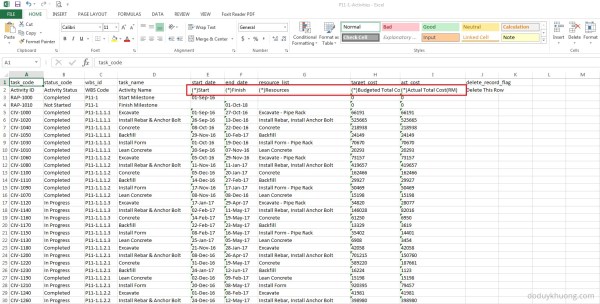
When you export data from Primavera P6 to Excel, you may notice that some column headers include an asterisk (*). What does this mean? Columns marked with an asterisk (*) in the exported Excel file indicate non-importable fields. This means: You cannot modify these fields in Excel and import them back into Primavera P6. These fields are typically calculated or rolled-up values,... Continue Reading →
Primavera SDK Excel File to import / export data
Even Oracle stop supporting the Excel File to import / export data, sometimes we still need to use it. The latest version it can support is P6 version 8.3 You can download it here: https://drive.google.com/open?id=0ByHnieTJNwKGRGpoMnJBS25HU28

You must be logged in to post a comment.