How does “Top Down Estimation” in Primavera P6 work?

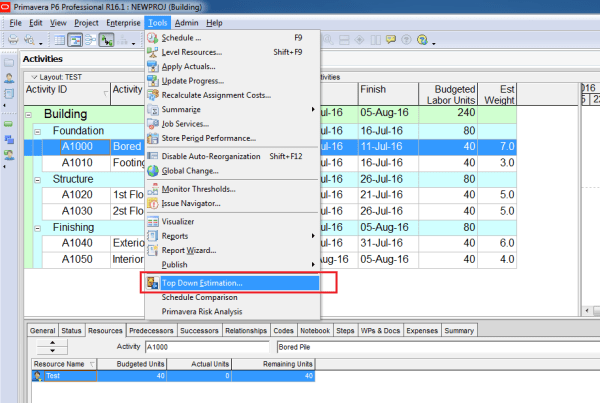
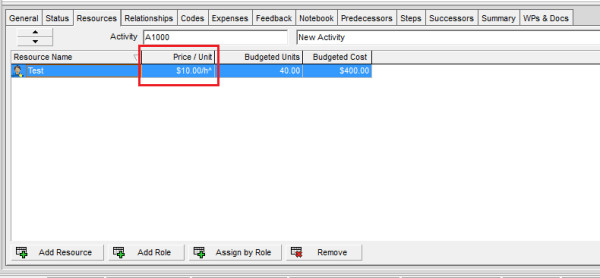
Primavera P6 includes a feature called Top-Down Estimation, which helps calculate estimated labor and non-labor units based on estimation weights. This method can be applied at both the WBS and Activity levels to distribute units more realistically. Scenario We have a simple project where each activity is assigned the resource Test, and by default, each... Continue Reading →

How does “Level Resources” in Primavera P6 work?

Resource leveling in Primavera P6 is a powerful feature that helps resolve resource overload issues in your project schedule. When multiple activities require the same resource at the same time, Primavera can automatically adjust activity start dates to ensure resources are not over-allocated. In this article, we’ll explain how resource leveling works and how you... Continue Reading →

Automatically update progress in Primavera: The difference between Apply Actuals and Update Progress

When you need to quickly update a project in Primavera P6 (assuming everything is going as planned), there are two options for automatically applying progress: Apply Actuals Update Progress (Progress Spotlight) Both options update activities automatically, but they work differently. Let’s explore. Apply Actuals The Apply Actuals function updates activities that have the Auto Compute... Continue Reading →

How does Retained Logic, Progress Override and Actual Dates in Scheduling Options work?

Primavera P6 provides three key options in the Scheduling Options dialog that control how the software handles Out-of-Sequence Progress: Retained Logic Progress Override Actual Dates Understanding these options is essential for accurate schedule calculations. Let’s explore how each works with an example. Primavera P6 Scheduling Options dialog What is Out-of-Sequence Progress? Out-of-sequence progress occurs when... Continue Reading →

Create a website or blog at WordPress.com

Up ↑