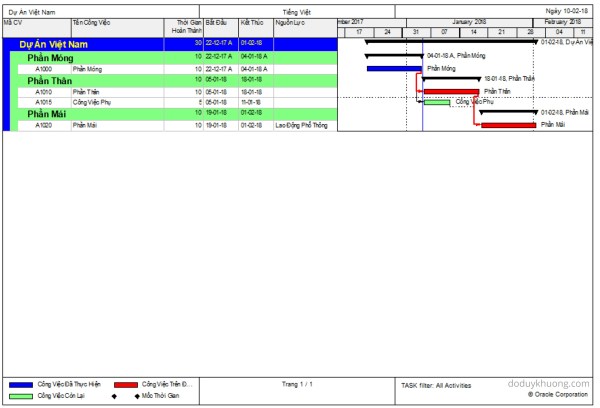
When exporting the Activity Table from Primavera P6 to Excel, it can be difficult to visually distinguish between different WBS (Work Breakdown Structure) levels. In this guide, I’ll show you how to automatically color-code WBS levels in Excel, making your report easier to read—similar to how it appears in P6. Step 1: Add the WBS... Continue Reading →
Primavera P6 export to Excel. How to identify WBS level for activity
After exporting the activity table from Primavera P6 to Excel, it's very hard to identity the level of the WBS structure. The activity table without WBS level information This article describes how to identify the WBS level. The first step is to add one column to show the WBS level and enter the following formula... Continue Reading →
Primavera P6 Professional version 16.2.11 fully support Vietnamese using Unicode character set. Phần mềm Primavera P6 version 16.2.11 đã hỗ trợ đầy đủ Tiếng Việt Unicode
From version 16.2.11, Primavera P6 now fully support Vietnamese language using Unicode character set. If we don’t have Primavera in our laptop, we can install it following instruction here : https://doduykhuong.com/2016/06/11/how-to-install-primavera-p6-professional-16-1-stand-alone/ If we already had P6, we have to create a SQLite database. The above “How to install Primavera P6” article also show us how to create SQLite... Continue Reading →
Primavera P6 Professional : “Unable to connect to the database” error
When connect SQL database in Primavera P6 Professional, we usually have problem like: Error Message: Bad public user Name or password. SQL Server Error: [DBNETLIB][ConnectionOpen(Connect()).]SQL Server does not exist or access denied. Error message: Bad public user name or password. SQL Server Error: [DBNETLIB][ConnectionOpen (Invalid Instance()).] Invalid connection.;" Error Message: Bad public user name or password. Database Server... Continue Reading →
How to assign resource / resource loading / make resource plan in Primavera P6
After creating your project schedule in Primavera P6, the next step is to assign resources to activities in order to develop a comprehensive resource plan. In this guide, I’ll walk you through the process step-by-step. Step 1: Prepare Your Schedule Let’s assume you already have a schedule created, as shown in the image below: Step 2:... Continue Reading →
How to install Primavera P6 Professional 16.1 Stand-alone
After downloading the installation file from Oracle, unzip it. Click on Setup Select "Typical" and click OK Click Install After installation complete, click OK. In Driver type drop-down list, select "P6 Pro Stand-alone (SQLite)", then click Next Select "Add a new standalone database and connection". Click Next Enter new password. For example "admin". Click Next... Continue Reading →
How to Download Primavera P6 Professional
Go to the following website: https://edelivery.oracle.com Select "Sign In". Enter your username and password In Search by box, type "primavera professional". An suggestion dialog appear, select "Primavera P6 Professional Project Management 16.1" Select the Platform of your computer Click Continue Click Continue again Check "I have reviewed..." and click Continue. Click on the first file to... Continue Reading →

You must be logged in to post a comment.