Sometimes, we work on projects that use a currency other than the US Dollar (USD). In this guide, I’ll show you how to create a new currency in Primavera P6 and use it in a project. Example Scenario Let’s say we have a new project that will use Malaysian Ringgit (MYR) as its currency. Step... Continue Reading →
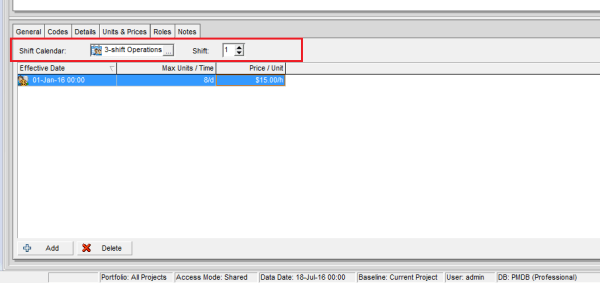
How does Resource Shift Calendar in Primavera P6 work?
In the Resources window under the Units & Prices tab, you’ll find a field called Shift Calendar. What does it do? Let’s explore. Purpose of the Shift Calendar The Shift Calendar controls the Price/Unit for a resource based on the time an activity starts and finishes. This is useful when a resource has different rates... Continue Reading →
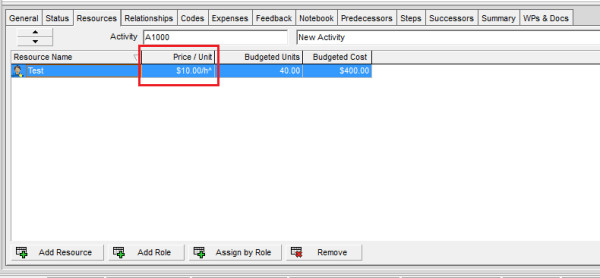
What does The Asterisk (*) Symbol next to the Resource Price/Unit in Primavera P6 mean?
In Primavera P6, you may sometimes notice an asterisk (*) next to the Price/Unit of a resource. What does this mean? Let’s break it down. Reason for the Asterisk The asterisk indicates that the resource has multiple price rates during the activity’s duration. This usually happens when: A resource’s rate changes on a specific date... Continue Reading →
What does The Carat (^) Symbol next to the Resource Price/Unit in Primavera P6 mean?
When assigning a resource to an activity in Primavera P6, you may sometimes notice a carat (^) symbol next to the Price/Unit value. What does this mean? Let’s break it down. Reason for the Carat (^) The carat symbol indicates that the resource does not have a defined Price/Unit at the resource level. In this... Continue Reading →

You must be logged in to post a comment.