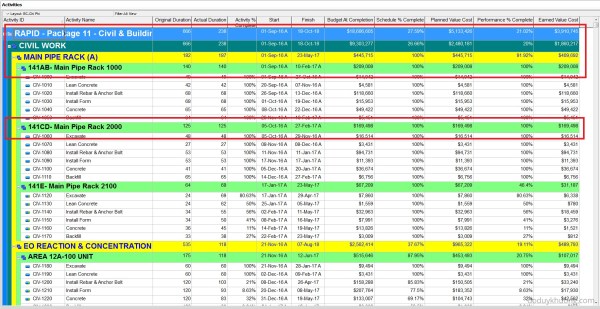
After three months of hard work, we completed a schedule using a 5-day workweek calendar, as shown in the image below. Then came the twist. The construction team said: “6 March 2018, is the correct project finish date—but we’re using a 7-day workweek, not a 5-day one. Sorry, must’ve been a misunderstanding.” Wait, what? Changing... Continue Reading →
Renumber / Change Activity ID for all activities to be ascending perfectly in Primavera P6
When creating an activity list for a project in Primavera P6, we often add activities in a non-sequential manner. As a result, the final list of Activity IDs may not follow a clean ascending order, as shown in the example below: To organize the Activity IDs in ascending order, follow these steps: Select all activities in... Continue Reading →
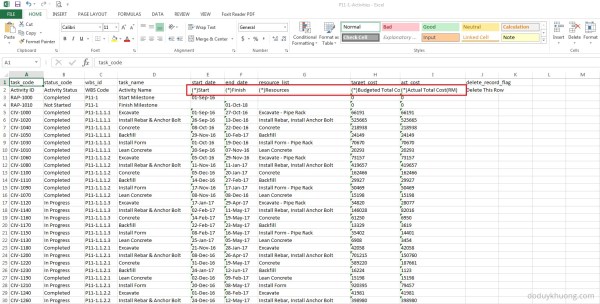
Which Fields can be imported into Primavera P6 from Excel (XLS) Spreadsheet?
When you export data from Primavera P6 to Excel, you may notice that some column headers include an asterisk (*). What does this mean? Columns marked with an asterisk (*) in the exported Excel file indicate non-importable fields. This means: You cannot modify these fields in Excel and import them back into Primavera P6. These fields are typically calculated or rolled-up values,... Continue Reading →
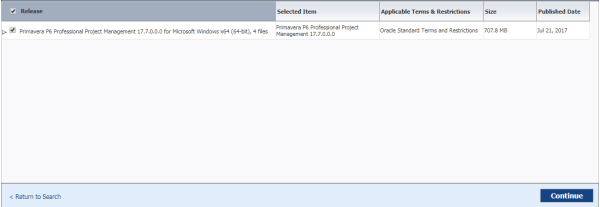
What’s new in Primavera P6 Professional version 17.7
Well, in fact there is not any feature update on P6 Professional version 17.7. They just improve performance on Cloud version. So we don't have to worry about it. New Features: How to Check Out a Cloud Project to a Local Database in P6 Professional: https://youtu.be/pklutuWlhys Client System Requirements for Installing version 17.7: Database Client Download... Continue Reading →
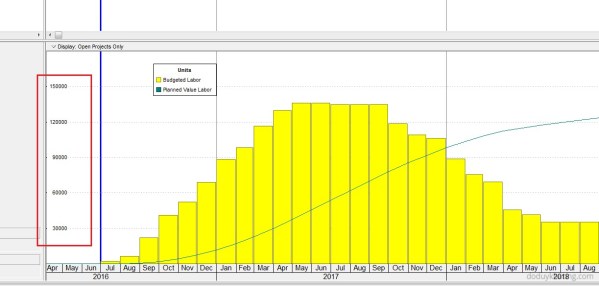
Why is Unit of Measure not showing in Resource Usage Profile in Primavera P6
When using the Resource Usage Profile in Primavera P6, you may encounter an issue where the Unit of Measure (UOM) is not displayed. This can happen for several reasons, depending on the type of resource and your settings. 1. Material Resource Without a Defined Unit of Measure Cause: If the resource is a Material type, the Unit of Measure may not have... Continue Reading →
How to change currency in Primavera P6 and How is data stored when using multiple currencies
Sometimes, we work on projects that use a currency other than the US Dollar (USD). In this guide, I’ll show you how to create a new currency in Primavera P6 and use it in a project. Example Scenario Let’s say we have a new project that will use Malaysian Ringgit (MYR) as its currency. Step... Continue Reading →
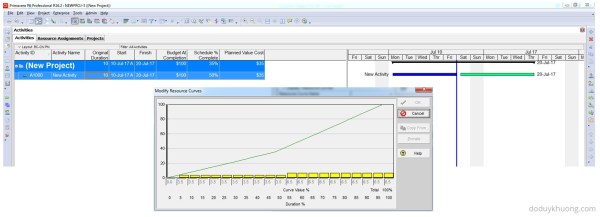
How does Primavera P6 calculate Planned Value Cost for Activities without linear distribution (using Resource Curves or Manual plan) in Earned Value Management
When applying the Earned Value Management (EVM) technique in Primavera P6, one of the key metrics is Planned Value (PV), which is calculated as: Planned Value (PV) = Budget at Completion (BAC) × Schedule % Complete Earned Value (EV) = BAC × Performance % Complete (typically equal to Activity % Complete) Schedule Variance (SV) = EV – PV A positive SV indicates the project is ahead of schedule, making Planned Value a critical... Continue Reading →
How does Primavera P6 summarize data in the Summary / Grouping Band
When working with layouts in Primavera P6, it's important to understand how the software calculates and displays summary information for various data types such as costs, quantities, dates, durations, float, progress, and user-defined fields (UDFs). This article explains how these summaries are derived and what factors influence them. All summary calculations in P6 are based on the currently visible... Continue Reading →
Primavera P6 Professional : “Unable to connect to the database” error
When connect SQL database in Primavera P6 Professional, we usually have problem like: Error Message: Bad public user Name or password. SQL Server Error: [DBNETLIB][ConnectionOpen(Connect()).]SQL Server does not exist or access denied. Error message: Bad public user name or password. SQL Server Error: [DBNETLIB][ConnectionOpen (Invalid Instance()).] Invalid connection.;" Error Message: Bad public user name or password. Database Server... Continue Reading →
How to Print the Legend for Stacked Histogram in Resource Usage Profile in Primavera P6
When creating a stacked histogram in Primavera P6, you may notice that the legend does not appear by default in the printed report. This can make the report difficult to interpret, especially when multiple resources are displayed. For example, in the stacked histogram view (see image below), there is no visible option to include the... Continue Reading →
What is Primavera P6 Professional latest version?
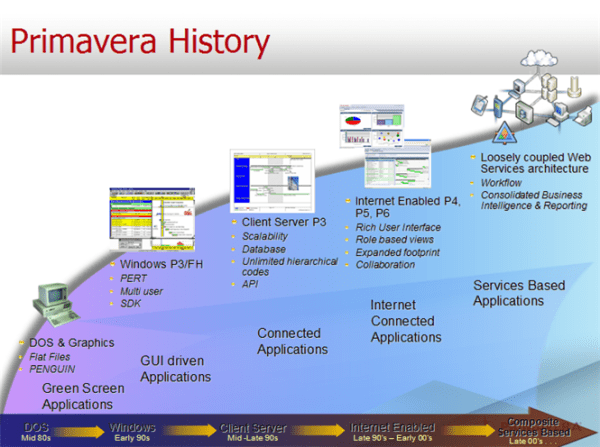
Primavera P6 Version History / Latest Version Version Release Date Detail Information 18.8 06-Aug-2018 What's new in version 18.8 P6 Professional Version 18 Documentation 17.7 21-Jul-2017 What's new in version 17.7 P6 Professional Version 17 Documentation 16.2 30-Sep-2016 What's new in version 16.2 P6 Professional 16 R2 Documentation 16.1 31-Mar-2016 What's new in version 16.1... Continue Reading →
How to define Resource Productivity in Primavera P6 and create schedule
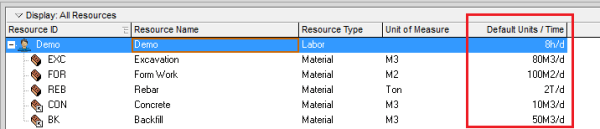
When building a schedule in Primavera P6, you can estimate activity durations based on resource productivity. Here's a step-by-step guide using a concrete example. Example Scenario A construction team can cast 10 m³ of concrete per day (this is the productivity). A foundation requires 100 m³ of concrete. Therefore, the activity duration is calculated as: Now, let’s implement this in Primavera... Continue Reading →

You must be logged in to post a comment.