When you need to quickly update a project in Primavera P6 (assuming everything is going as planned), there are two options for automatically applying progress: Apply Actuals Update Progress (Progress Spotlight) Both options update activities automatically, but they work differently. Let’s explore. Apply Actuals The Apply Actuals function updates activities that have the Auto Compute... Continue Reading →
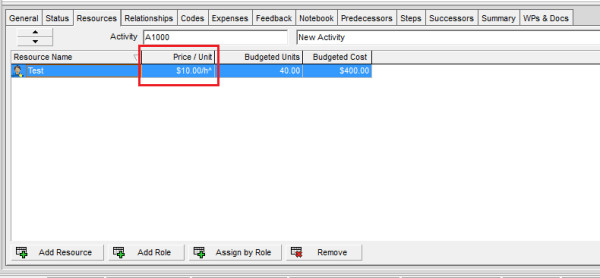
What does The Carat (^) Symbol next to the Resource Price/Unit in Primavera P6 mean?
When assigning a resource to an activity in Primavera P6, you may sometimes notice a carat (^) symbol next to the Price/Unit value. What does this mean? Let’s break it down. Reason for the Carat (^) The carat symbol indicates that the resource does not have a defined Price/Unit at the resource level. In this... Continue Reading →
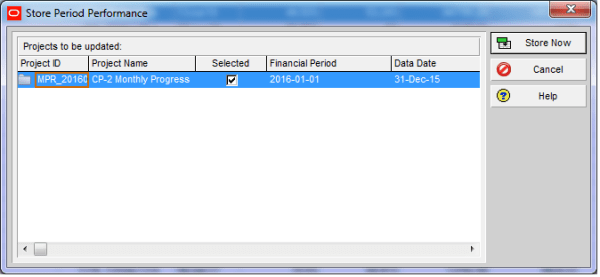
When do we use “Store Period Performance” function?
What Does Store Period Performance Do Using the Store Period Performance feature, you can track actual units and costs to date each time the schedule is updated. For example, if you increase the actual this period by 50, the Project Management module increases the Actual to Date by the same amount. At the end of... Continue Reading →
Turn off Auto Compute Actuals for 1 activity
By default our project check this option like below image so that when you update Duration % complete, P6 will update Actual units for you. When you don't want this happen, you can turn it off. However it will apply to the whole project. How about you want to turn it off for only one... Continue Reading →
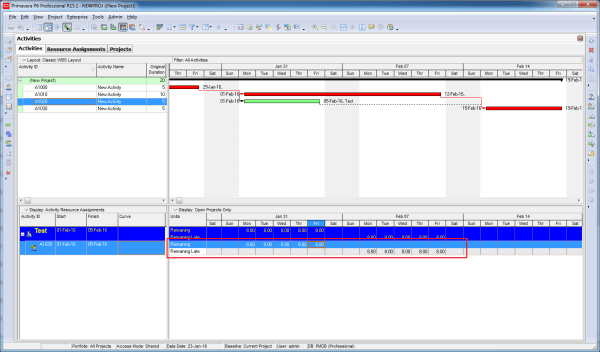
Does Resource Curve affect Remaining Late Unit
The Resource curve obviously affect Remaining Early Unit. How about Remaining Late Unit. The answer is YES. We have a resource assignment window showing Remaining Early and Remaining Late unit. When we apply resource curve. It affect both Early and Late unit.
How does “Resource curve” work?
Let say we have an activity with 100 days duration and 100 labor units. By default it use Linear spread. It mean, when you reach 5% of duration (5th day in this example) you have 5% of total unit (5 unit in this example). And it spread evenly to that period. So resource spreadsheet will... Continue Reading →
How does “Actual units” spread when you use Resource curve
We have an activity which is applied "Back Loaded" resource curve. When we update progress, the Actual unit will spread just like we plan.

You must be logged in to post a comment.