Primavera P6: Cannot change Remaining Duration of an Activity

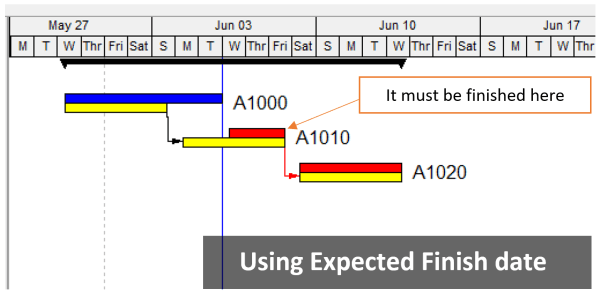
Problem When attempting to change theĀ Remaining DurationĀ of an activity, the value reverts to its original state. Change the Remaining Duration value of an activity Causes & Solutions 1. Expected Finish Constraint If the activity has an Expected Finish constraint, the Remaining Duration is automatically calculated as the time between the Data Date and the Expected Finish date. This prevents manual updates... Continue Reading →

Primavera P6 Constraint: How does it work?

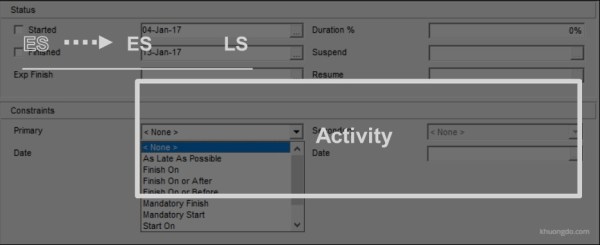
1. Purpose of Constraints in Primavera P6 Date restrictions used to reflect project requirements that cannot be built into the network logic.More accurately reflect real-world aspects of a project.Provide added control of a project.Apply to the entire project or to individual activities.Commonly used project-level constraint: Must Finish ByCommonly used activity-level constraint: Start On or AfterNo... Continue Reading →

How does Primavera P6 determine a driving relationship between activities?

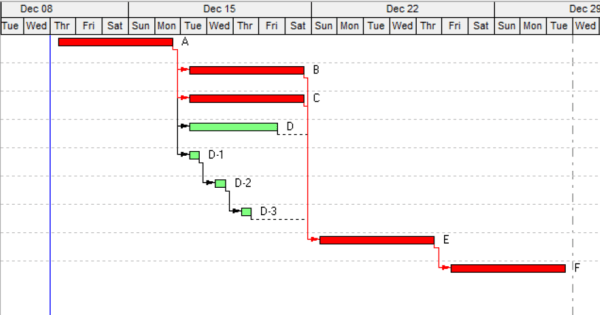
The Driving Relationship is determined based on the Relationship Free Float and the business rules for Driving Relationships. Relationship Free Float Relationship Free Float (Rel FF): The Free Float on the relationship. Calculated as Successor Early Start (assuming a Finish to Start relationship) - Relationship Early Finish on the predecessors' calendar. This field is computed... Continue Reading →

What is Expected Finish Date in Primavera P6 used for?

When scheduling a project in Primavera P6, you might notice that theĀ Original DurationĀ of an activity changes unexpectedly. This often happens when theĀ Expected Finish DateĀ is being used. What Is the Expected Finish Date? TheĀ Expected Finish Date acts like a constraint in Primavera P6—but only ifĀ the scheduling optionĀ ā€œUse Expected Finish Datesā€Ā is enabled in your project settings. This... Continue Reading →

What is the difference between Activity type: Task Dependent and Resource Dependent in Primavera P6

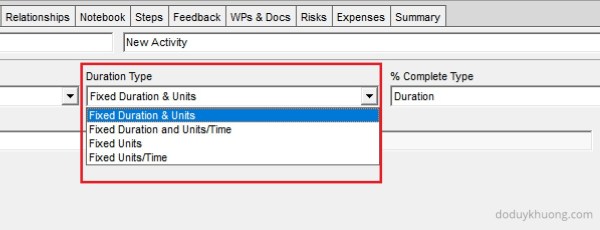
In Primavera P6, there are two commonly used activity types: Task Dependent and Resource Dependent. The key difference between them lies in how the software determines the calendar used to calculate the activity’s finish date. Task Dependent: P6 uses theĀ Activity CalendarĀ to calculate the finish date. Resource Dependent: P6 uses theĀ Resource CalendarĀ to calculate the finish date. This choice directly impacts... Continue Reading →

How to Change 5 Day Workweek to 7 Day Workweek calendar but keep Project Finish Date unchanged in Primavera P6

After three months of hard work, we completed a schedule using a 5-day workweek calendar, as shown in the image below. Then came the twist. The construction team said: ā€œ6 March 2018, is the correct project finish date—but we’re using a 7-day workweek, not a 5-day one. Sorry, must’ve been a misunderstanding.ā€ Wait, what? Changing... Continue Reading →

How does Primavera P6 summarize data in the Summary / Grouping Band

When working with layouts inĀ Primavera P6, it's important to understand how the software calculates and displaysĀ summary informationĀ for various data types such as costs, quantities, dates, durations, float, progress, and user-defined fields (UDFs). This article explains how these summaries are derived and what factors influence them. All summary calculations in P6 are based on theĀ currently visible... Continue Reading →

Create a website or blog at WordPress.com

Up ↑