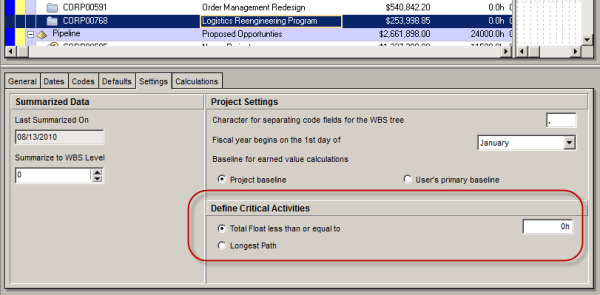
Oracle Primavera P6 offers two ways to define a critical activity in a project schedule. These are: Total Float less than or equal to [0.0h] Longest Path Which one you use depends on three things. 1. the setting you choose in the Project view’s Settings tab: 2. the setting you choose in the Schedule Options... Continue Reading →
Turn off Auto Compute Actuals for 1 activity
By default our project check this option like below image so that when you update Duration % complete, P6 will update Actual units for you. When you don't want this happen, you can turn it off. However it will apply to the whole project. How about you want to turn it off for only one... Continue Reading →
Does it matter calculating the total float from the start dates or finish dates in P6?
We were taught that the total float is the amount of time that the activity can be delayed without affecting the overall project duration. And the calculation of the total float is the difference between the late dates and the early dates. Either the Late Start – Early Start or Late finish – Early Finish.... Continue Reading →
Create critical path for “any activity”
In Primavera when we use the default "Critical" filter, it will show the critical path for the whole project (for the last activity). How about if we want to show critical path for an activity which is somewhere in middle of project, not the last one. In this case we can use "Multiple float paths"... Continue Reading →

You must be logged in to post a comment.