Primavera P6 provides a built-in function to renumber Activity IDs and modify prefixes. But what if you need to add a suffix instead? Here’s how you can do it using the Global Change feature. Scenario We have a simple project with default Activity IDs like this: Step 1: Open Global Change Go to Tools →... Continue Reading →
How to Trim Activity ID or Activity Name in Primavera P6
When we think about trimming data, most people export to Excel and clean it there. However, Primavera P6 provides a built-in tool to trim text directly within the application using Global Change. For example, let’s say you want to remove the first character (e.g., the letter “A”) from all Activity IDs. Here’s how: Step 1:... Continue Reading →
Renumbering Activity ID in Primavera P6
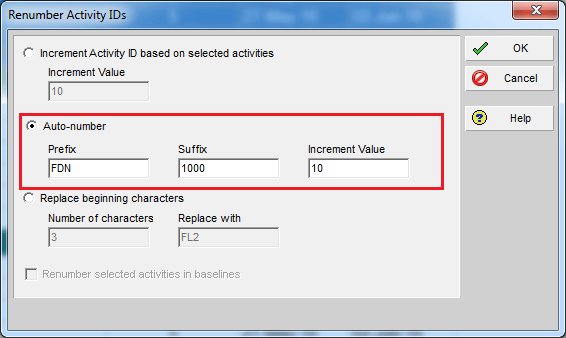
By default, Primavera P6 assigns activity IDs in a generic format like A1000, A1010, A1020, and so on. While functional, these IDs don’t provide much context. A better approach is to make IDs meaningful by including information such as the WBS they belong to. Here’s how you can do it using the Renumber Activity IDs... Continue Reading →
How to backup and restore Primavera P6 Oracle Express (XE) database
How to backup: From the command prompt (go to 'Start' > 'Run' > type 'cmd' and click 'OK') using the format below exp system/<password>@XE full=y file=<path>\xedump.dmp log=<path>\exp_xedump.log Where: <password> is the password you used when you installed P6 Standalone or Oracle XE manually. <path> is the complete path to the folder where the log file... Continue Reading →
How to backup and restore Primavera P6 SQL database
How to Backup: Go to Start -> SQL Server Management Studio Enter Login information. The default username is "sa" and password is "Prima123Vera" Select the database, right-click, go to Task -> Back Up Click on "Add" button Select the backup file destination Enter backup file name Click OK to start the backup Then we've got... Continue Reading →
Primavera become slow – Limitations of SQL Server Express Edition
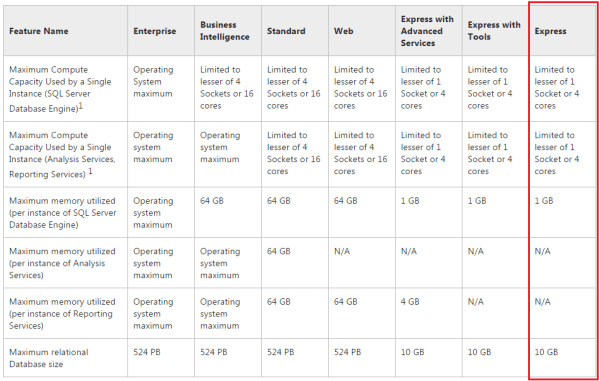
A lot of people are using Primavera with SQL Express database. And after using Primavera for a long time, we may realize the software become slow. Our database is become bigger and bigger. And the slow performance is may be because of the limitations of SQL Server Express Edition, not because of the CPU or RAM. ... Continue Reading →
Show relationship between group of activities
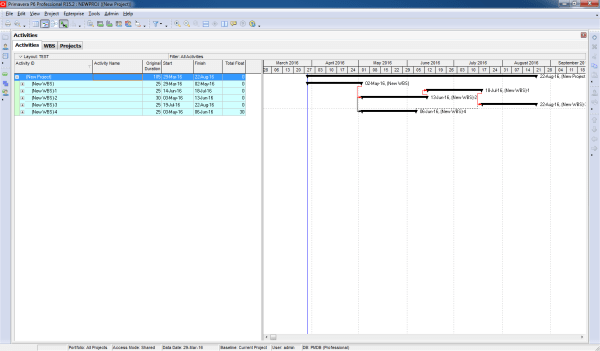
Gantt charts in Primavera P6 often display all activity relationships, which can make the report look cluttered and hard to read—especially for managers who only need a high-level view. Default View By default, Primavera shows all relationships between activities: Simplified View We want to collapse activities and show only relationships between summary bars: Instead of... Continue Reading →
Print report show predecessors in Gantt chart
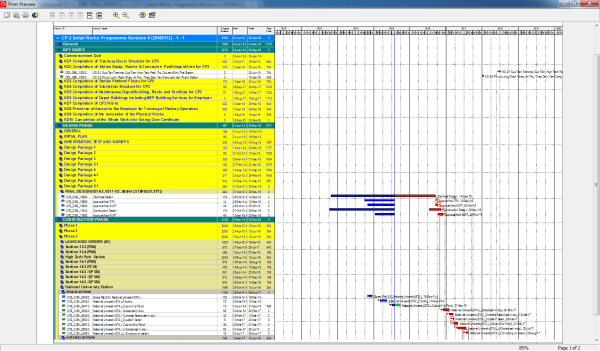
When working in Primavera P6, the Relationship tab is the standard way to view the predecessors of an activity. However, identifying those activities in the schedule can be challenging. Wouldn’t it be easier if we could see them directly in the Gantt chart? Here’s how you can do it: Step 1: Collapse All Go to... Continue Reading →
Create activity list report include predecessors and successors
Sometimes, you need a report that not only lists activities but also displays their predecessors and successors. Primavera P6 makes this possible through its reporting feature. Here’s how to do it: Step 1: Open the Report Window Go to the Reports window and click the “+” button to create a new report. Step 2: Select... Continue Reading →
Make report to Show only some WBS in Gantt chart
Sometimes, you need to create a report that focuses on specific WBS elements only. For example, you want the Gantt chart to show just the relevant activities without all the extra bars cluttering the view. By default, the Gantt chart displays all bars, which can be distracting. Here’s how to make it clean and focused:... Continue Reading →
Critical path by Total Float is wrong in multiple calendar project
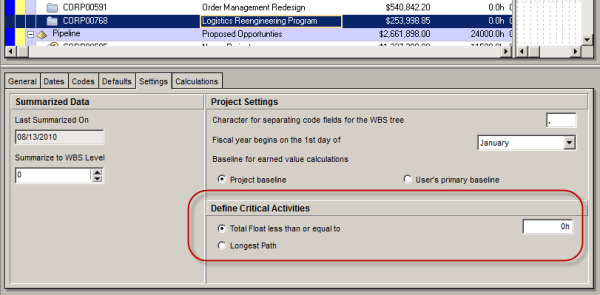
In Primavera we can define Critial activities by 2 option: There are many reasons why we should choose Longest Path instead of Total Float. One of the reason is that when our project has multiple calendar. We have 4 activities which have same calendar : Standard 5 day workweek. We use Total Float to calculate... Continue Reading →
Critical path: Total Float vs Longest Path
Oracle Primavera P6 offers two ways to define a critical activity in a project schedule. These are: Total Float less than or equal to [0.0h] Longest Path Which one you use depends on three things. 1. the setting you choose in the Project view’s Settings tab: 2. the setting you choose in the Schedule Options... Continue Reading →

You must be logged in to post a comment.