

How to Backup:
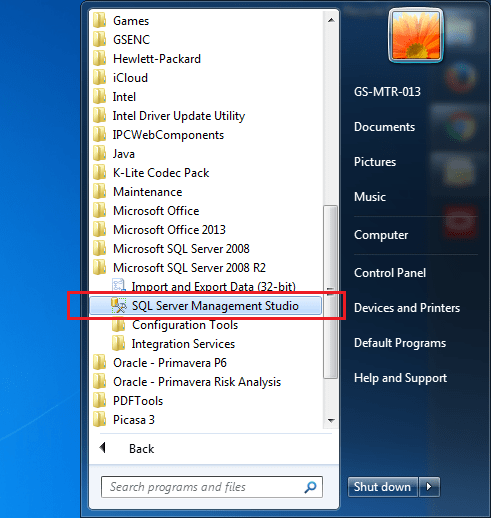
Go to Start -> SQL Server Management Studio
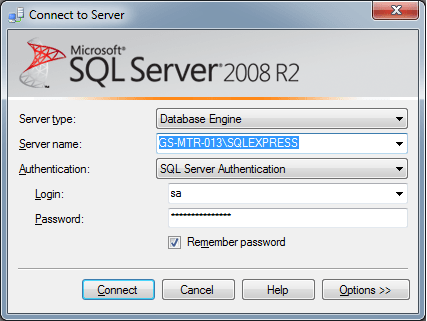
Enter Login information. The default username is “sa” and password is “Prima123Vera”
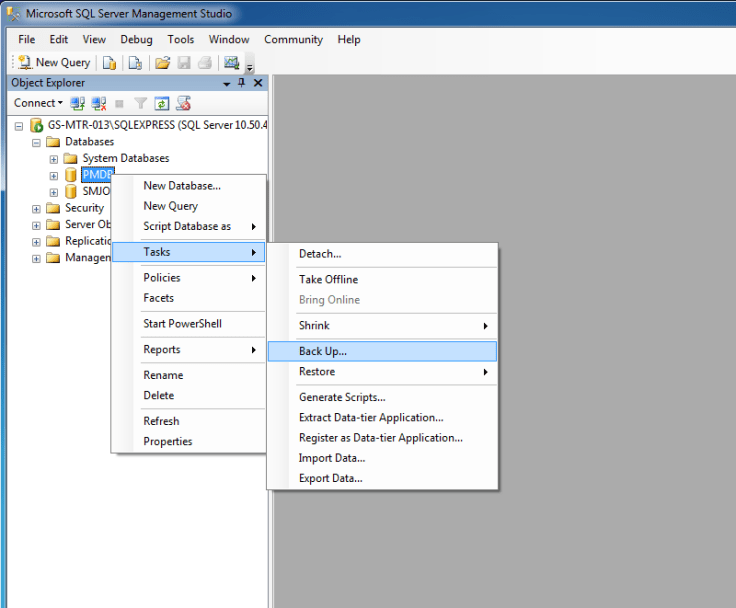
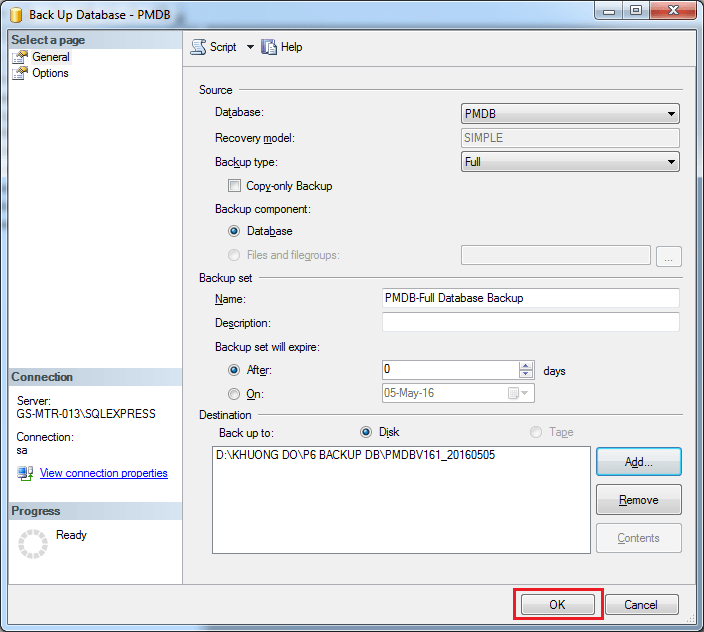
Select the database, right-click, go to Task -> Back Up
Click on “Add” button
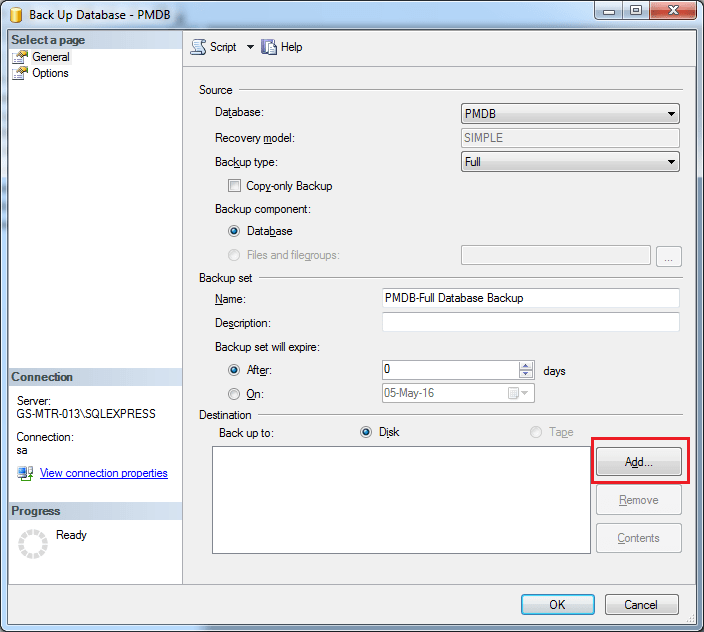
Select the backup file destination
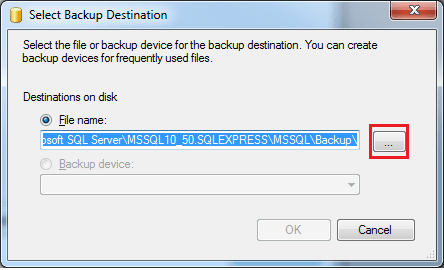
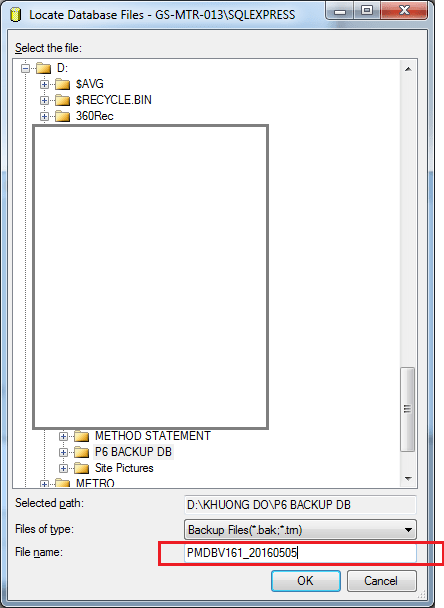
Enter backup file name
Click OK to start the backup
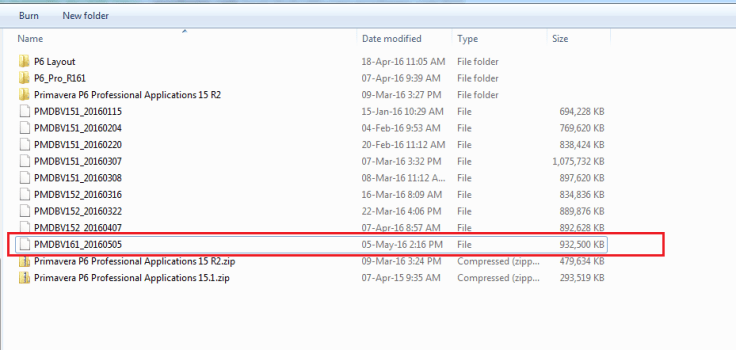
Then we’ve got the backup file in our hard-drive
How to restore database:
Right click on Database and select Restore database
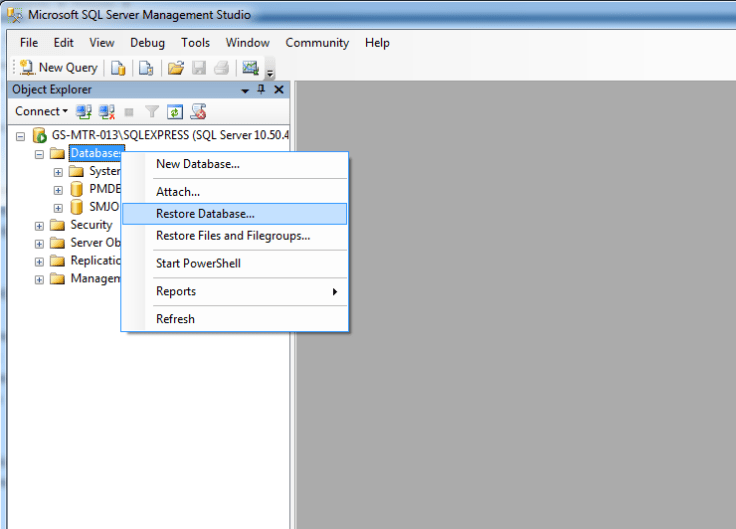
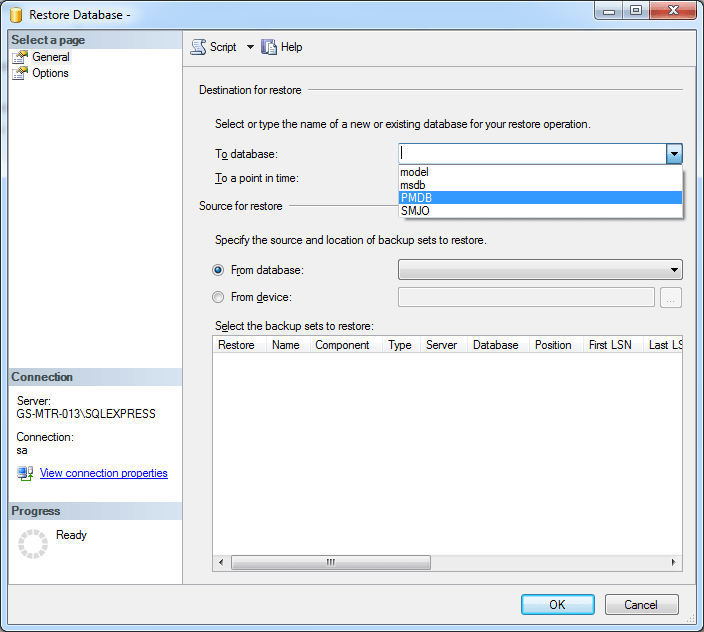
Select database to overwrite or enter a new name to create a new database from the backup file.
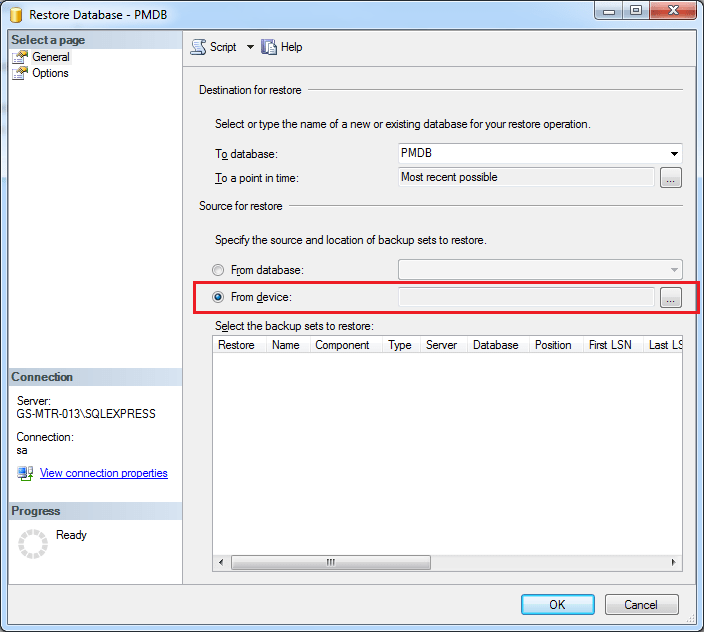
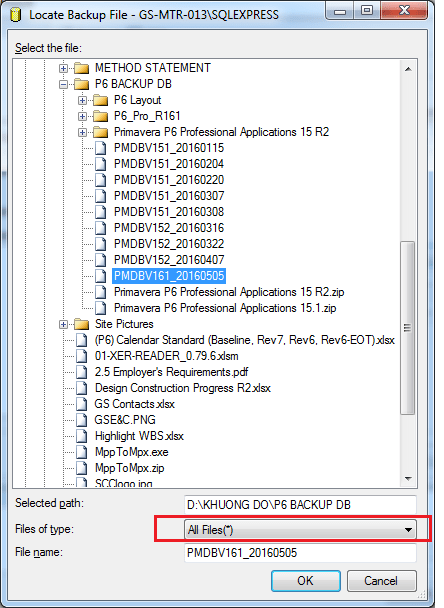
Select “From device” and choose backup file
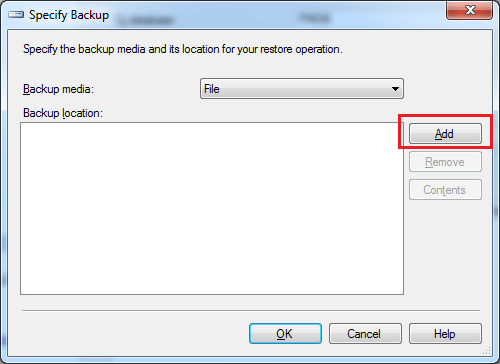
Change Files of type to “All files” then you can see your backup file. Select the backup file
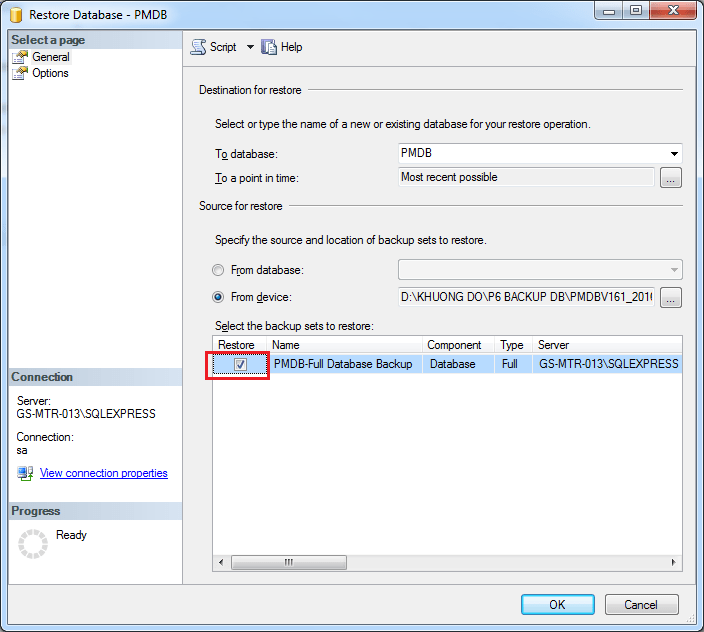
Check on “Restore”
Go to “Option”. Check on “Overwrite the existing database”
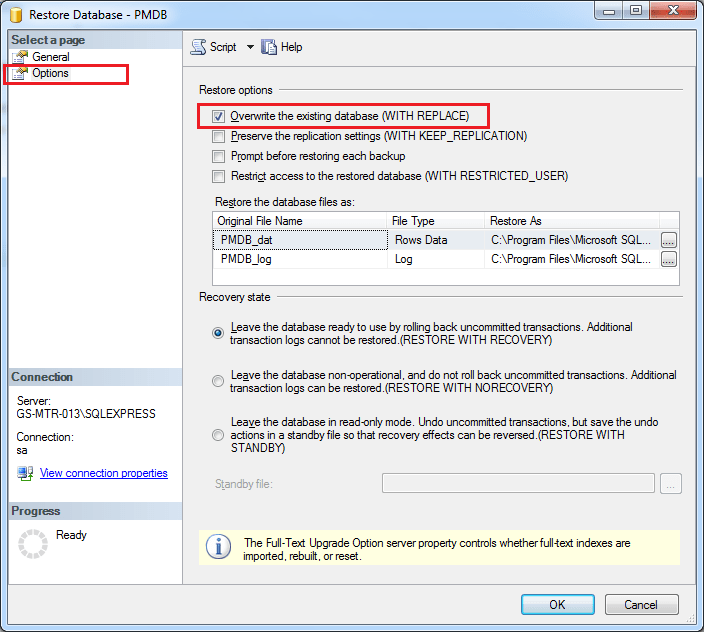
Click OK. And database will be restored.


Mr. Doduy khuong, thank you very much for sharing information. Really appreciate!!!
LikeLiked by 1 person
I cannot open primavera as it is showing unable to connect to database (oracle 10g). I tried all options and my IT team is saying that it has to be re-installed. I have unsaved programs. Is there any option to backup the programs so that I can use the program when I reinstall the primavera p6.
Thanks & Regards
LikeLike