Graphing a P6 Resource S-Curve in Excel

Tutorial Files Excel Spreadsheet (Excel 2007+): P6_Scurve_Example.xlsx – 1.5Mb Step 1 – Export Primavera P6 Resource Assignments to Excel Following the steps from our previous tutorial, you now have all the resources and assignments in an Excel sheet. You can modify the primary sheet for better graphical features. Step 2 – How to Use the Data To draw... Continue Reading →

Convert Microsoft Project MPP to MPX to import to Primavera

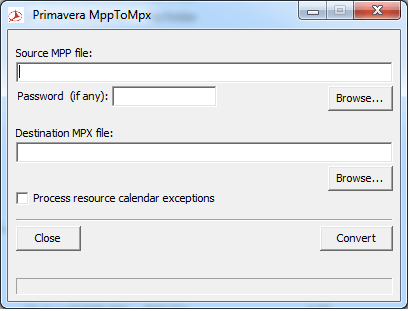
Usually Microsoft Project saves file as MPP format. However, Primavera allows us to import Microsoft Project files in MPX format. So, here is the tool help you to convert MPP to MPX. Download from Google Drive: https://drive.google.com/file/d/0ByHnieTJNwKGdGVybE5LaElOcnM/view?usp=sharing&resourcekey=0-9JeuQrLavBI1ix781GGGRQ Download from Onedrive: https://1drv.ms/u/s!Air459YMTPJdkMEVJTjjyOf6L-1QCg?e=Xqusjj

Turn off Auto Compute Actuals for 1 activity

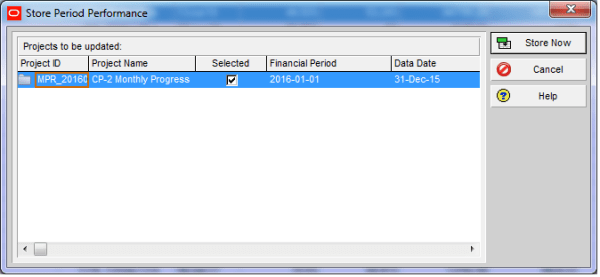
By default, most Primavera P6 projects enable the option: “Recalculate Actual Units and Cost when Duration % Complete changes.” With this setting turned on, whenever you update Duration % Complete, P6 automatically recalculates and updates the Actual Units. This is useful in many cases, as it keeps progress and resource usage aligned. In some situations,... Continue Reading →

Shortcut for moving WBS element

In the WBS window, you can build the entire WBS structure using only the keyboard—which is often much faster than using the mouse. Instead of clicking the “Plus” icon to create a new WBS element, simply press the “Insert” key on your keyboard. Then: Enter the WBS ID Press “Tab”, and enter the WBS name... Continue Reading →

Can not import Layout

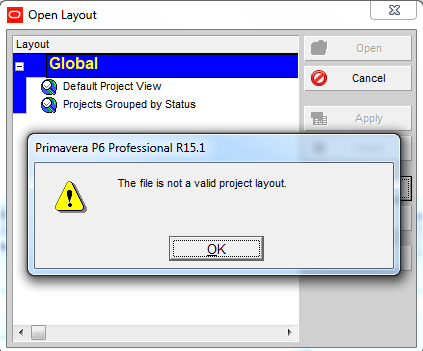
Your colleague sends you a Primavera XER file along with a Layout file. After successfully importing the project, you go to: Layout → Open → Import → Select the layout …and suddenly, an error appears: Your first reaction might be:“The layout file must be corrupted, I should ask them to resend it.” But wait, it’s... Continue Reading →

Remove relationship for multiple activities

If you have a group of activities and need to remove all their relationships, doing it one by one can be time-consuming. Fortunately, there’s a much faster way. Instead of opening each activity and clicking Remove, you can: Select all the activities you want to update Right-click and choose Assign → Predecessors (or Successors) In... Continue Reading →

Can not filter on Start or Finish date

You have a simple requirement: display only the activities that finish on 25-Jan-16. As usual, you create a filter based on that finish date: Then… SURPRISE - the screen is completely blank. To find the answer, you need to check the time component of your activity dates. Go to: Edit → User Preferences → Dates... Continue Reading →

How does “Resource curve” work?

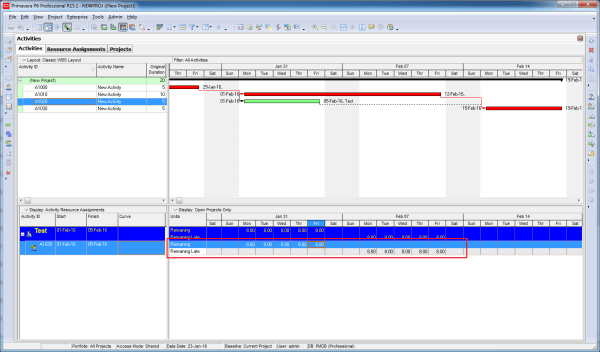
Let’s assume we have an activity with a duration of 100 days and 100 labor units.By default, the resource distribution follows a linear spread. This means that the resources are distributed evenly over time.For example: At 5% of the duration (Day 5), you will have used 5% of the total units (5 units). The resource... Continue Reading →

Create a website or blog at WordPress.com

Up ↑