
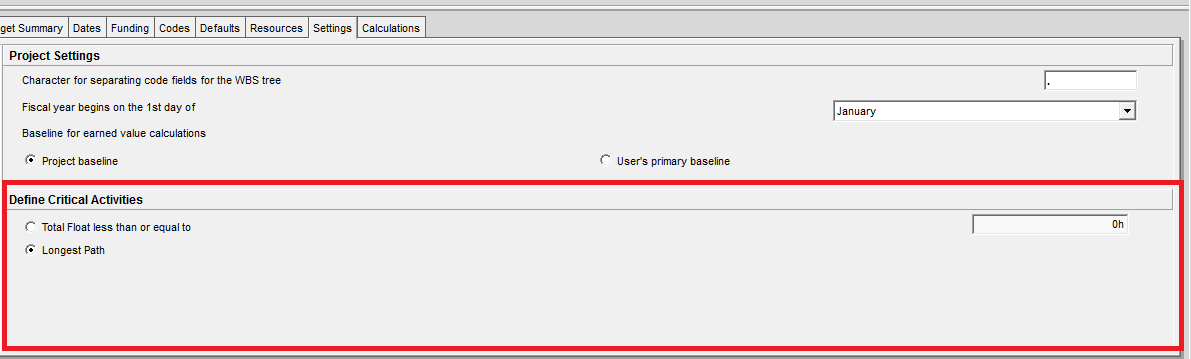
In Primavera P6, we can define critical activities using two options:
- Longest Path (LP):
- Total Float (TF)
While both methods are available, there are several reasons why Longest Path is often the better choice, especially in projects with multiple calendars.
Why Not Always Use Total Float?
One key issue with Total Float arises when your project uses multiple calendars.
Let’s consider an example:
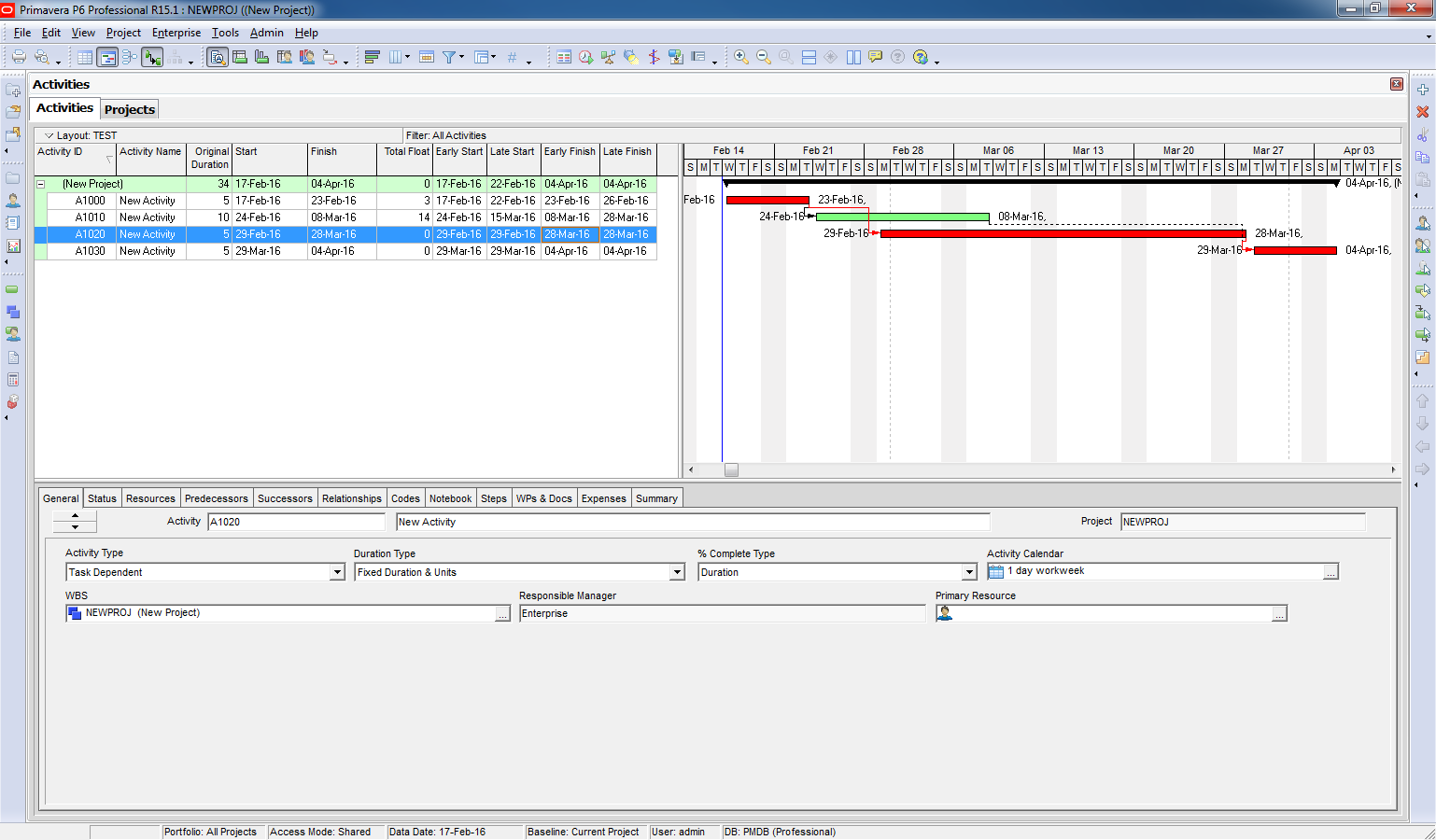
- You have four activities, all initially using the same calendar:
Standard 5-day workweek - You calculate the critical path using Total Float → the result appears correct.
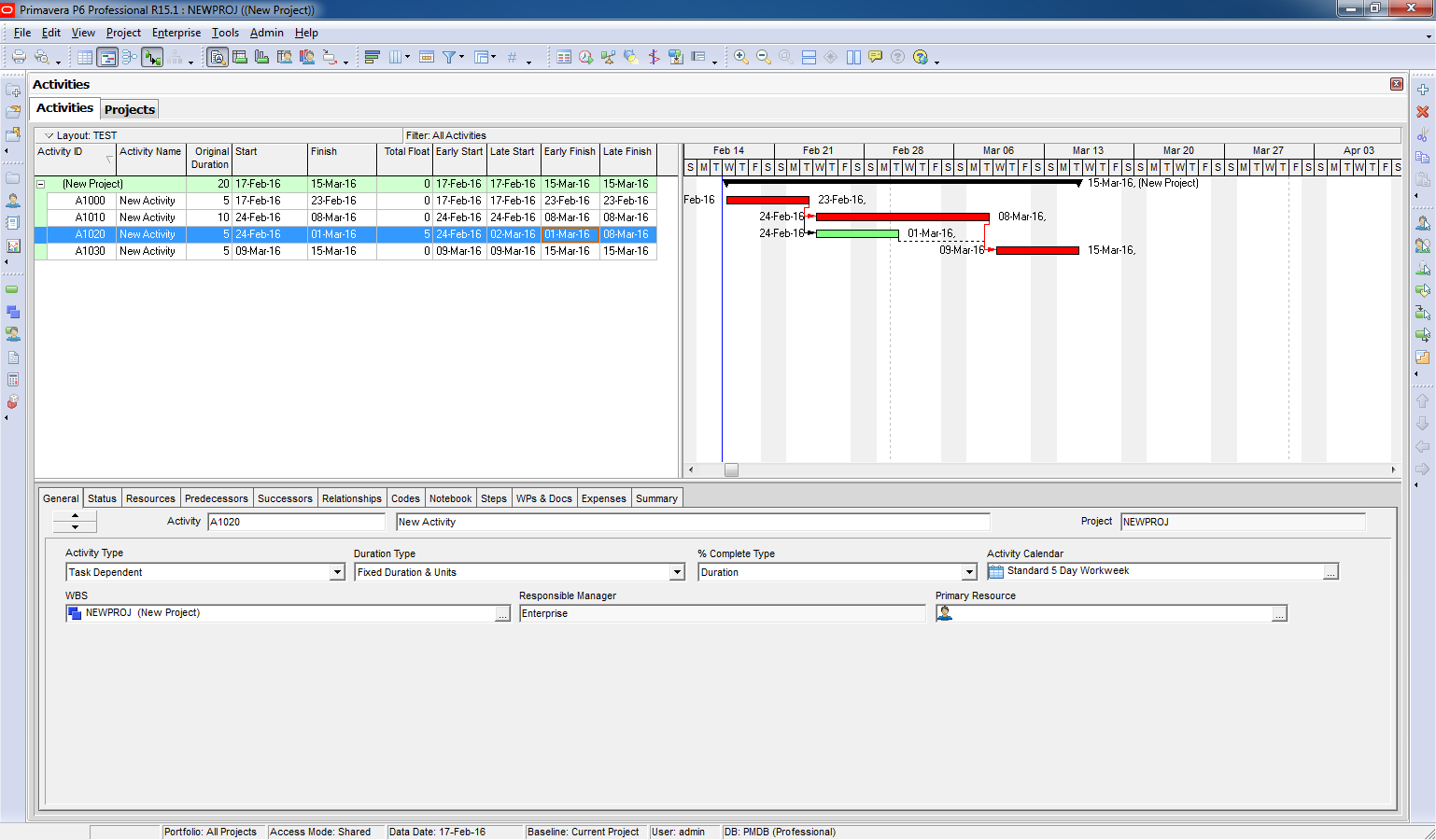
However:
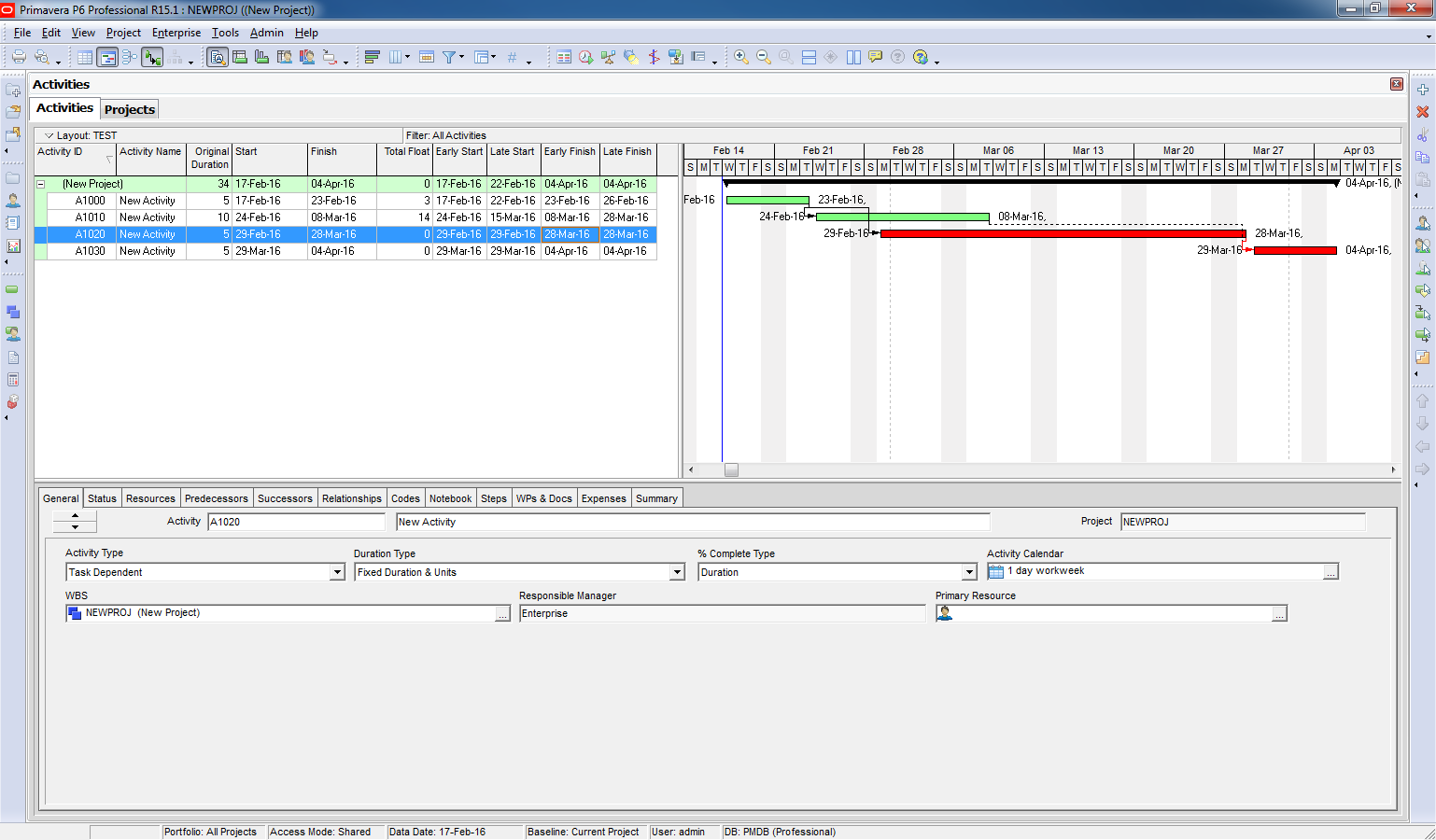
- When you change one activity (e.g., A1020) to a 1-day workweek calendar
- And then recalculate using Total Float
The critical path result becomes misleading or incorrect:
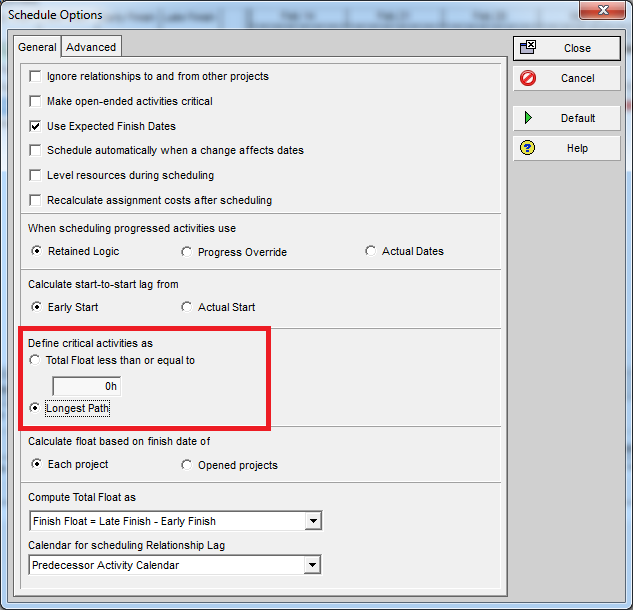
Using Longest Path
Now, if you switch the critical path setting to Longest Path:
- The result is more accurate, even when multiple calendars are used:
- Primavera identifies the true driving path of the project

 Khuong Do Blog
This is what I like to call “An Undocumented Feature”. translation; a Primavera Gotchya that will sneak up and getchya when you least expect it. This explains why I have seen some really odd critical paths on my project.
LikeLike
how would you apply this if you’re using MS project since there’s no “Longest Path” option in it?
LikeLike
That’s why I think P6 is more professional than MS Project. You should change to P6 🙂
LikeLike