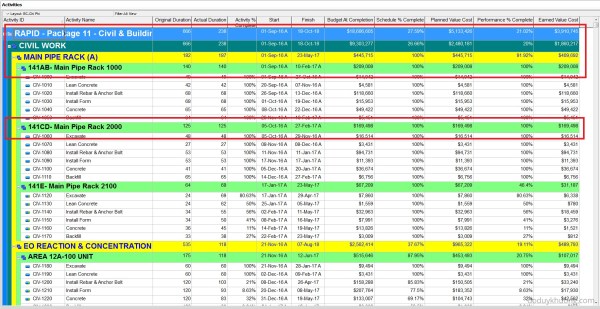
In Primavera P6, there are two commonly used activity types: Task Dependent and Resource Dependent. The key difference between them lies in how the software determines the calendar used to calculate the activity’s finish date. Task Dependent: P6 uses the Activity Calendar to calculate the finish date. Resource Dependent: P6 uses the Resource Calendar to calculate the finish date. This choice directly impacts... Continue Reading →
How does Primavera P6 summarize data in the Summary / Grouping Band
When working with layouts in Primavera P6, it's important to understand how the software calculates and displays summary information for various data types such as costs, quantities, dates, durations, float, progress, and user-defined fields (UDFs). This article explains how these summaries are derived and what factors influence them. All summary calculations in P6 are based on the currently visible... Continue Reading →
How to define Resource Productivity in Primavera P6 and create schedule
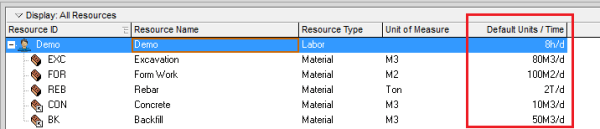
When building a schedule in Primavera P6, you can estimate activity durations based on resource productivity. Here's a step-by-step guide using a concrete example. Example Scenario A construction team can cast 10 m³ of concrete per day (this is the productivity). A foundation requires 100 m³ of concrete. Therefore, the activity duration is calculated as: Now, let’s implement this in Primavera... Continue Reading →
How to assign resource / resource loading / make resource plan in Primavera P6
After creating your project schedule in Primavera P6, the next step is to assign resources to activities in order to develop a comprehensive resource plan. In this guide, I’ll walk you through the process step-by-step. Step 1: Prepare Your Schedule Let’s assume you already have a schedule created, as shown in the image below: Step 2:... Continue Reading →
What is Cost Account in Primavera P6 used for?
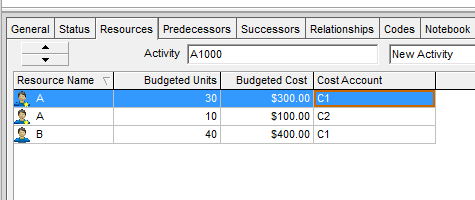
In Primavera P6, we have a feature called Cost Account. When we assign resources to an activity in Primavera P6, it generates associated costs. These costs can be grouped at the activity level—typically by WBS (Work Breakdown Structure) or Activity Codes—allowing for cost roll-ups and summaries. But what if we want to group costs at a more detailed... Continue Reading →
How to make a labor, equipment mobilization plan in Primavera P6
When developing a project plan, it's not enough to define only the Start and Finish dates of each activity. We also need to determine when resources are required and how many are needed at each stage. In this guide, I’ll show you how to create a Labor and Equipment Mobilization Plan using Primavera P6. Project Example We’ll use a simple project with three activities and... Continue Reading →
What is the Resource Currency selection in Primavera P6 used for?
In the Resource window under the Details tab, you’ll find a field called Currency. What does this setting do? Let’s break it down. Purpose of Resource Currency By selecting the currency in that box, it determines in which Currency the Resource will be paid with. The setting locks the Price/Unit in that Currency regardless of change in the... Continue Reading →
How does Resource Shift Calendar in Primavera P6 work?
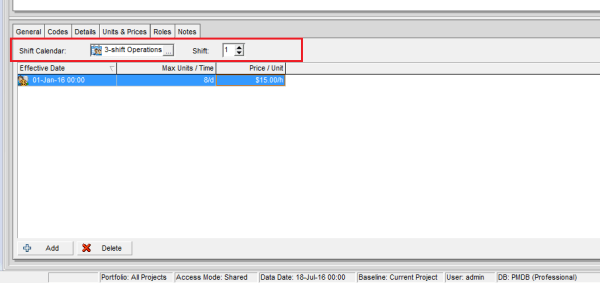
In the Resources window under the Units & Prices tab, you’ll find a field called Shift Calendar. What does it do? Let’s explore. Purpose of the Shift Calendar The Shift Calendar controls the Price/Unit for a resource based on the time an activity starts and finishes. This is useful when a resource has different rates... Continue Reading →
How to Level Resources / Resource Leveling without changing Project Finish date in Primavera P6
When you use Resource Leveling in Primavera P6, the software typically delays activities to avoid resource overload. However, this can push the Project Finish Date beyond its original schedule. So, how can we level resources without affecting the finish date? Let’s explore. Scenario We have a simple project: Two activities assigned to Resource A Two... Continue Reading →
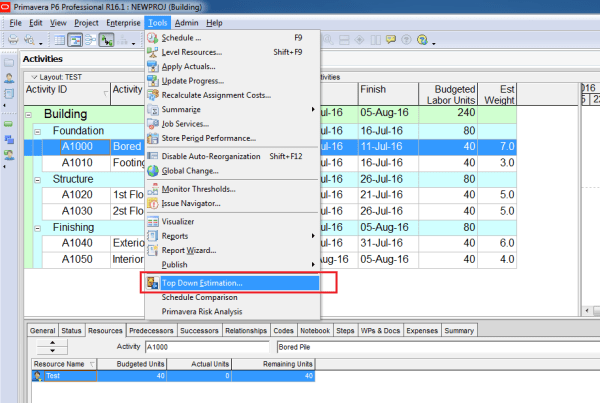
How does “Top Down Estimation” in Primavera P6 work?
Primavera P6 includes a feature called Top-Down Estimation, which helps calculate estimated labor and non-labor units based on estimation weights. This method can be applied at both the WBS and Activity levels to distribute units more realistically. Scenario We have a simple project where each activity is assigned the resource Test, and by default, each... Continue Reading →
How does “Level Resources” in Primavera P6 work?
Resource leveling in Primavera P6 is a powerful feature that helps resolve resource overload issues in your project schedule. When multiple activities require the same resource at the same time, Primavera can automatically adjust activity start dates to ensure resources are not over-allocated. In this article, we’ll explain how resource leveling works and how you... Continue Reading →
What does The Asterisk (*) Symbol next to the Resource Price/Unit in Primavera P6 mean?
In Primavera P6, you may sometimes notice an asterisk (*) next to the Price/Unit of a resource. What does this mean? Let’s break it down. Reason for the Asterisk The asterisk indicates that the resource has multiple price rates during the activity’s duration. This usually happens when: A resource’s rate changes on a specific date... Continue Reading →

You must be logged in to post a comment.