
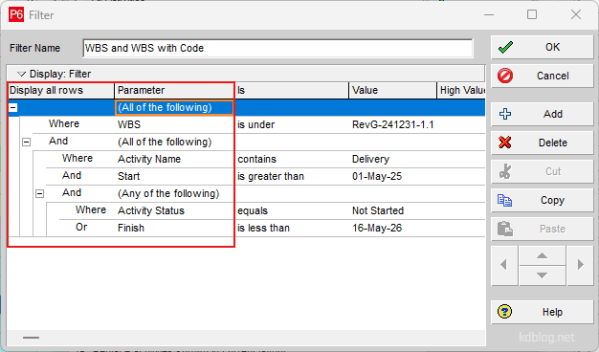
Nested Filters are a powerful feature for refining data by placing one filter inside another. By adding additional levels to the filter hierarchy, you can create complex, layered filters. Follow these steps to build a Nested Filter: Steps to Create a Nested Filter 1. Start with a Basic Filter Create a normal filter using “All of... Continue Reading →
Using Nested (Multi level) Filters in Primavera P6



 Khuong Do Blog
You must be logged in to post a comment.