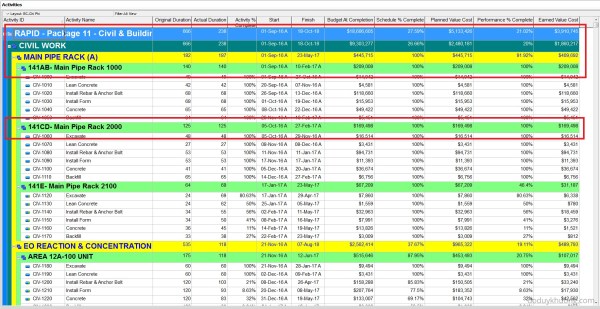
After exporting the activity table from Primavera P6 to Excel, it's very hard to identity the level of the WBS structure. The activity table without WBS level information This article describes how to identify the WBS level. The first step is to add one column to show the WBS level and enter the following formula... Continue Reading →
Primavera P6 Professional version 16.2.11 fully support Vietnamese using Unicode character set. Phần mềm Primavera P6 version 16.2.11 đã hỗ trợ đầy đủ Tiếng Việt Unicode
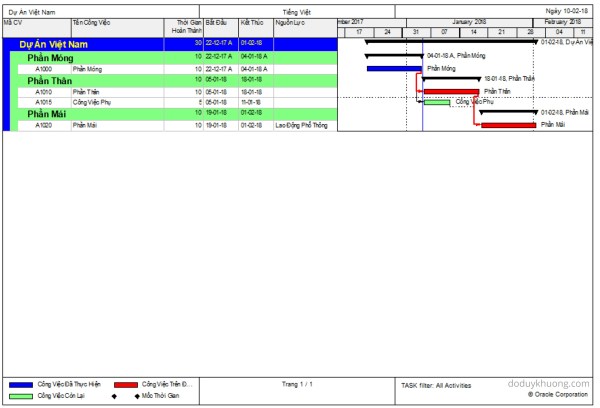
From version 16.2.11, Primavera P6 now fully support Vietnamese language using Unicode character set. If we don’t have Primavera in our laptop, we can install it following instruction here : https://doduykhuong.com/2016/06/11/how-to-install-primavera-p6-professional-16-1-stand-alone/ If we already had P6, we have to create a SQLite database. The above “How to install Primavera P6” article also show us how to create SQLite... Continue Reading →
How to type Chinese character in Primavera P6 Professional / 如何在Primavera P6 Professional中输入汉字
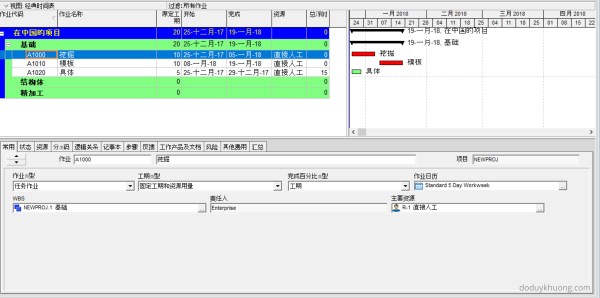
There're lots of way to use Chinese character in Primavera P6. But I will show you the easiest way. If we don't have Primavera in our laptop, we can install it following instruction here : https://doduykhuong.com/2016/06/11/how-to-install-primavera-p6-professional-16-1-stand-alone/ If we already had P6, we have to create a SQLite database. The above "How to install Primavera P6" article also... Continue Reading →
Merry Christmas from Primavera P6
From Primavera P6 with love 🙂 You can download the Picture, the Project and the Layout
Renumber / Change Activity ID for all activities to be ascending perfectly in Primavera P6
When creating an activity list for a project in Primavera P6, we often add activities in a non-sequential manner. As a result, the final list of Activity IDs may not follow a clean ascending order, as shown in the example below: To organize the Activity IDs in ascending order, follow these steps: Select all activities in... Continue Reading →
Why is Unit of Measure not showing in Resource Usage Profile in Primavera P6
When using the Resource Usage Profile in Primavera P6, you may encounter an issue where the Unit of Measure (UOM) is not displayed. This can happen for several reasons, depending on the type of resource and your settings. 1. Material Resource Without a Defined Unit of Measure Cause: If the resource is a Material type, the Unit of Measure may not have... Continue Reading →
How to change currency in Primavera P6 and How is data stored when using multiple currencies
Sometimes, we work on projects that use a currency other than the US Dollar (USD). In this guide, I’ll show you how to create a new currency in Primavera P6 and use it in a project. Example Scenario Let’s say we have a new project that will use Malaysian Ringgit (MYR) as its currency. Step... Continue Reading →
How does Primavera P6 summarize data in the Summary / Grouping Band
When working with layouts in Primavera P6, it's important to understand how the software calculates and displays summary information for various data types such as costs, quantities, dates, durations, float, progress, and user-defined fields (UDFs). This article explains how these summaries are derived and what factors influence them. All summary calculations in P6 are based on the currently visible... Continue Reading →
How to Print the Legend for Stacked Histogram in Resource Usage Profile in Primavera P6
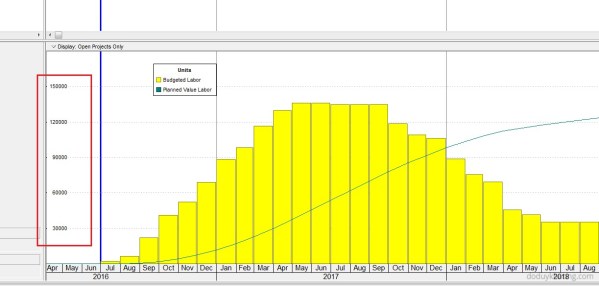
When creating a stacked histogram in Primavera P6, you may notice that the legend does not appear by default in the printed report. This can make the report difficult to interpret, especially when multiple resources are displayed. For example, in the stacked histogram view (see image below), there is no visible option to include the... Continue Reading →
How to quickly identify Behind Schedule and Over Budget activity by Indicator UDF in Primavera P6
Primavera P6 allows users to efficiently track schedule and budget performance using graphical indicators in User Defined Fields (UDFs). This guide will walk you through the steps to create and use these indicators to highlight activities that are behind schedule or over budget. Identify Behind Schedule Activities Assume you have a project with a baseline... Continue Reading →
How to filter based on WBS date in Primavera P6
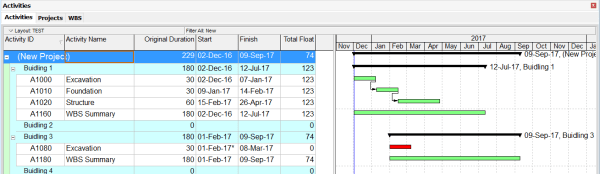
We are working on a project that includes four buildings, as shown in the image below: Our goal is to filter and identify which buildings are scheduled to start within the next three months (December, January, and February). To do this, we can create a filter based on activity dates: Primavera P6 will then display... Continue Reading →
Filter activity by Relationship Type in Primavera P6
Sometimes, we need to filter activities based on their relationship type. For example, you might want to display only activities with a Finish-to-Start (FS) relationship. Unfortunately, the default filter function in Primavera P6 doesn’t support this directly. But don’t worry — I’ll show you how to achieve this using the Report feature. Step-by-Step Guide Go to Tools → Reports. Click the Add button to... Continue Reading →

You must be logged in to post a comment.