As a planner, we usually need a second monitor to be more productive. If you have an iPad, you can easily make it a second monitor. Here are the steps: On our iPad, go to App Store and search for "Duet Display". Buy this app (around 20 USD) and install it on our iPad. On... Continue Reading →
How to Install 2 Primavera P6 versions on the same computer
With Primavera P6 version 18, we can easily install the new version 18 and keep the old version (for example version 16) on the same computer. After download version 18 installation source, click on Setup: We will uncheck the option "Replace existing version": Click Install as usual: After finish installation, on the Start menu we... Continue Reading →
Primavera P6 Error: “SQLite Database Failed to Upgrade” When upgrade SQLite database from version 16.1 to 16.2
Problem: When P6 Professional version 16.2 connect to database SQLite version 16.1, the following notification is shown: When we accept to upgrade a SQLite database from version 16.1 to 16.2, the following error occurs: "SQLite database failed to upgrade" How to fix this problem? Solution: Do not double click on icon to run P6. Instead... Continue Reading →
Oracle releases Primavera P6 version 18.8 – What’s New in this version
OracleĀ has just releasedĀ Primavera P6 18.8Ā and here's a look at what's new inĀ Primavera P6 Professional version 18.8: Performance Percent Complete Field Based On Labor Units. The Performance % Complete - Labor Units field shows the percentage of the activity or project planned work that is currently complete as measured by labor units.Calculated asĀ Earned Value Labor UnitsĀ divided... Continue Reading →
Primavera P6 error when import Microsoft Project XML / Run Update Baseline, Claim Digger
When we importĀ Microsoft Project XML file to Primavera P6 / Run Update Baseline / Claim Digger, an error could appear with Event code: CNFFC- Message: Could not find file \bin\java.exe. Cause: These are scenarios which can cause above error: There is no java.exe file in the \Primavera Common\]ava\jvm\bin directory The JAVA_HOME variable is set to... Continue Reading →
Benefit of using Primavera P6 in Delay Analysis
Primavera P6 is a powerful tool for conducting delay analysis in project management. It offers several features that help identify, evaluate, and present the impact of delays on project schedule. Below are some of the key benefits: 1. Identifying Activities That Impact Critical Milestones In complex projects, multiple delay events may occur, each affecting different... Continue Reading →
Delay Analysis report in Primavera P6: Hide Baseline dates in Delay Event project
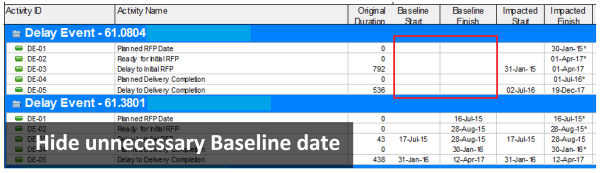
When performing delay analysis in Primavera P6, itās common to compare the Impacted Schedule with the Baseline Schedule. However, displaying baseline dates in the Delay Event project can be misleading and unnecessary, as they do not represent meaningful data in that context. By default, Primavera P6 displays values in the Baseline Start and Baseline Finish... Continue Reading →
What is Expected Finish Date in Primavera P6 used for?
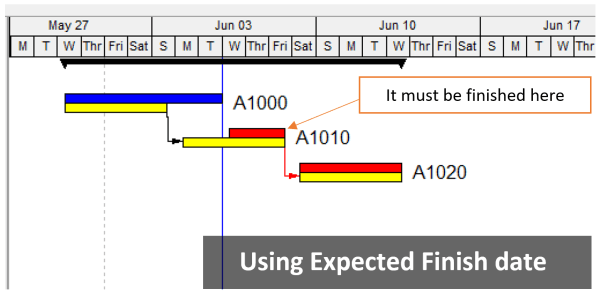
When scheduling a project in Primavera P6, you might notice that theĀ Original DurationĀ of an activity changes unexpectedly. This often happens when theĀ Expected Finish DateĀ is being used. What Is the Expected Finish Date? TheĀ Expected Finish Date acts like a constraint in Primavera P6ābut only ifĀ the scheduling optionĀ āUse Expected Finish DatesāĀ is enabled in your project settings. This... Continue Reading →
Primavera P6 SQL Server database slow loading data, performance issue
When using Primavera P6 with Microsoft SQL Server database, we can have problem like this: Loading Data hangs at 98%. Performance issues in SQL Server. Opening projects is slow. PM.exe not responding after entering username and password. Project Management window disappears after loading data. Cannot login to PM, no error. Here is the solution to... Continue Reading →
Primavera P6 export to Excel. How to color WBS level automatically
When exporting the Activity Table from Primavera P6 to Excel, it can be difficult to visually distinguish between different WBS (Work Breakdown Structure) levels.Ā In this guide, Iāll show you how to automatically color-code WBS levels in Excel, making your report easier to readāsimilar to how it appears in P6. Step 1: Add the WBS... Continue Reading →
Primavera P6 export to Excel. How to identify WBS level for activity
After exporting the activity table from Primavera P6 to Excel, it's very hard to identity the level of the WBS structure. The activity table without WBS level information This article describes how to identify the WBS level. The first step is to add one column to show the WBS level and enter the following formula... Continue Reading →
How to use Activity Duration Type in Primavera P6
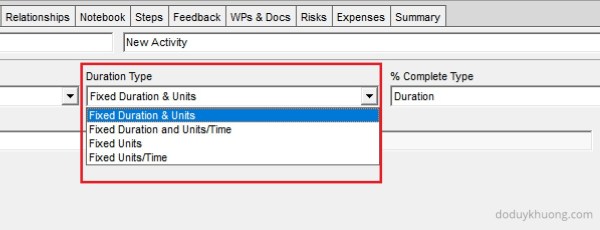
When assigning a resource to an activity in Primavera P6, the following equation always holds true: Original Duration Ć Units/Time = Total Units For example:10 days Ć 8 hours/day = 80 hours This equation is fundamental and must always remain valid, regardless of changes made to the activity. When you modify the duration of an... Continue Reading →

You must be logged in to post a comment.