

If you have a group of activities and need to remove all their relationships, doing it one by one can be time-consuming.

Fortunately, there’s a much faster way.
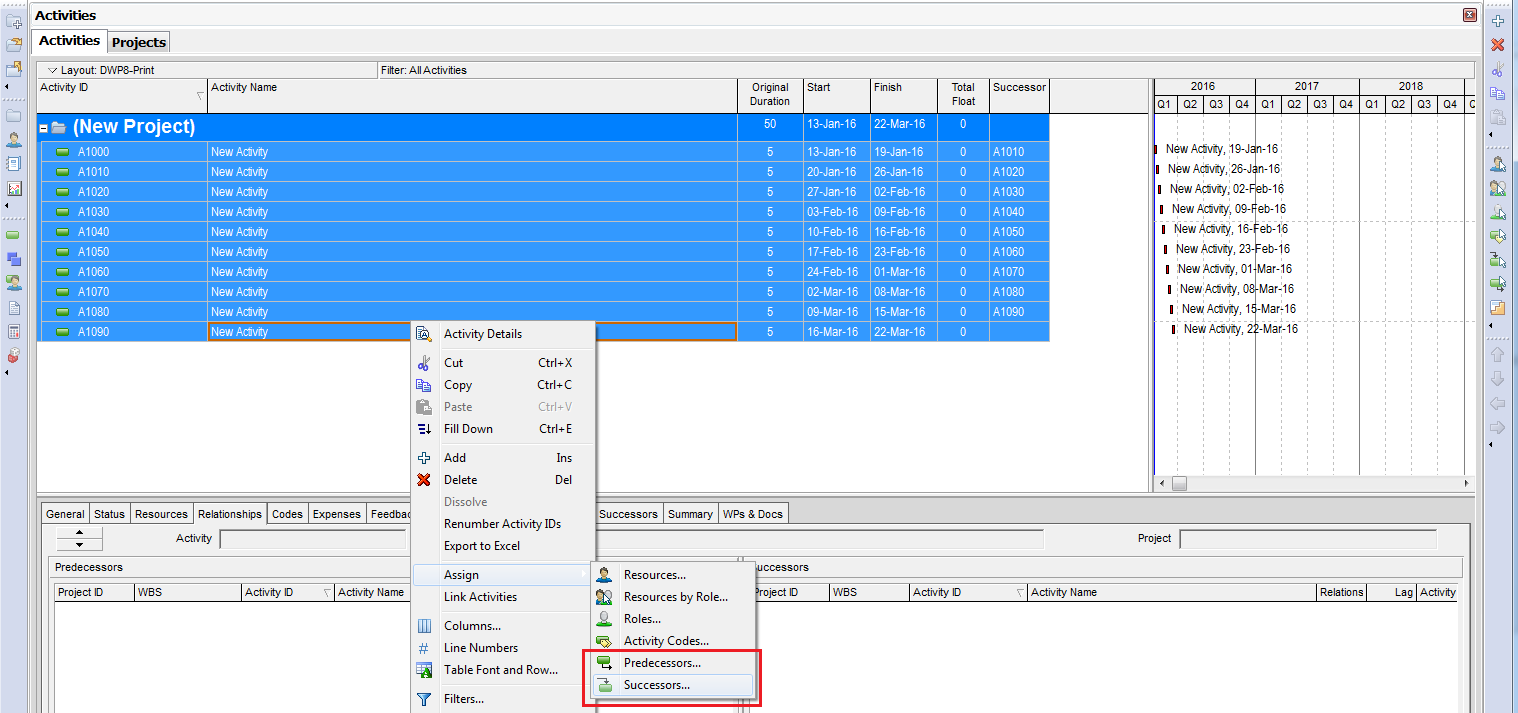
Instead of opening each activity and clicking Remove, you can:
- Select all the activities you want to update
- Right-click and choose Assign → Predecessors (or Successors)
- In the assignment window, select all listed relationships
- Click the Remove button
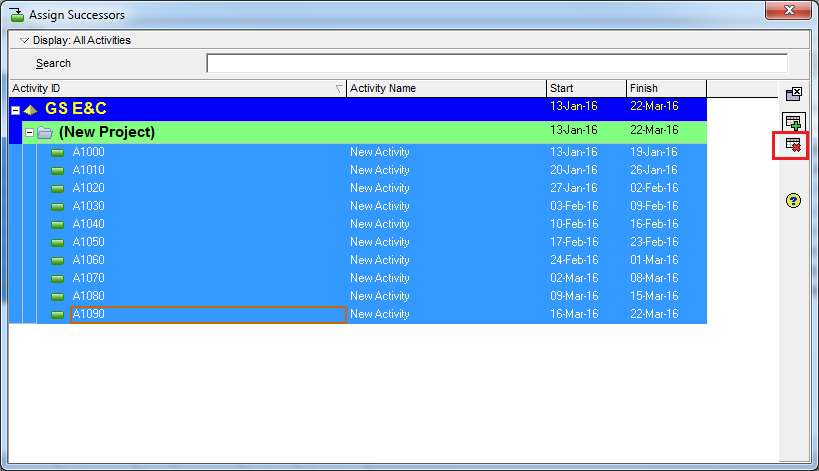
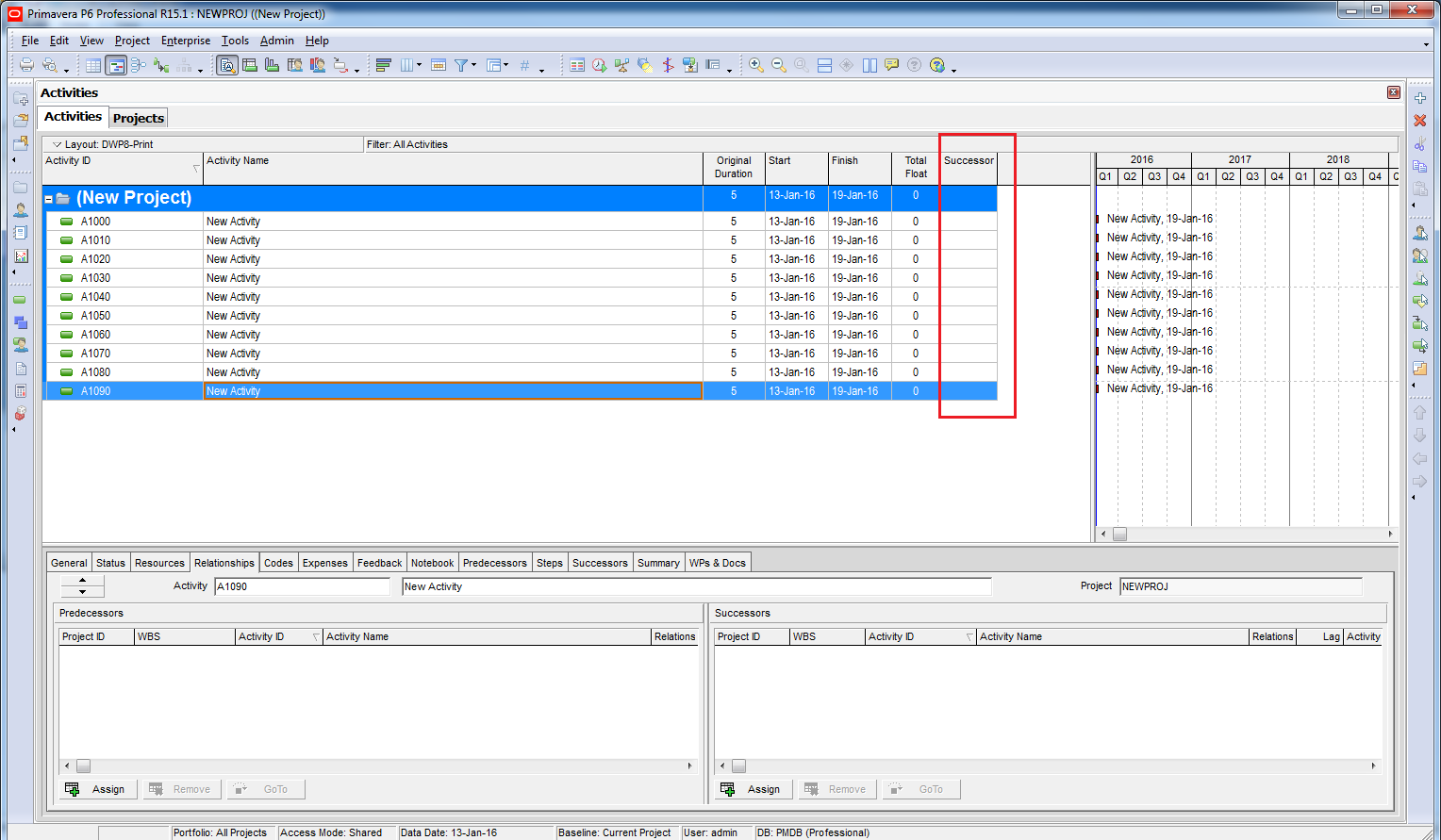
All relationships will be removed in just a few clicks.


Thank You…..
LikeLike