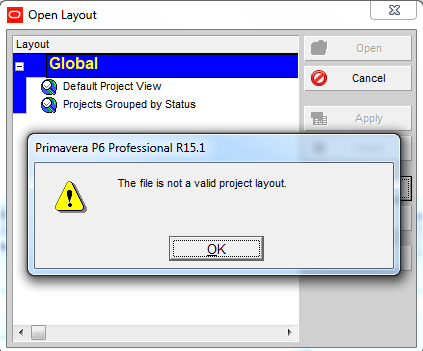
Your colleague send you Primavera XER file and Layout file. After you import project successfully, you click on Layout -> Open -> Import -> Select the layout. And this error appear: You may think "Wow, this layout file must be damaged. I need to tell him to send me again". Wait! It's not because of... Continue Reading →
Open Microsoft Project file and a blank screen appear
When you work with Microsoft Project 2010 in 2 monitor, you finish working, save the file and then next day you open a project file and a blank screen appear like this: What the he**, where is my project? At first I thought the file is damaged, but it isn't. To show the project you... Continue Reading →
Does it matter calculating the total float from the start dates or finish dates in P6?
We were taught that the total float is the amount of time that the activity can be delayed without affecting the overall project duration. And the calculation of the total float is the difference between the late dates and the early dates. Either the Late Start – Early Start or Late finish – Early Finish.... Continue Reading →
Remove relationship for multiple activities
You have a group of activities which need to be removed all relationship Instead of going to each activity and click the Remove button, you can select all activity -> right click -> Assign -> Click on either Predecessor or Successor Then select all activity and click on Remove button. Now you can see all... Continue Reading →
Can not filter on Start or Finish date
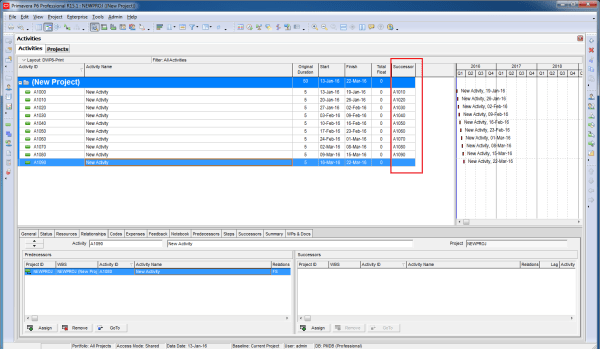
You have a very simple project. You want to show only activity which finish on 25-Jan-16. As usual, you create an filter like this: Then... SURPRISE. It's a blank screen. A big "WHY" question. To answer this question. You need to show the time of activity by going to Edit -> User Preferences -> Dates... Continue Reading →
Create critical path for “any activity”
In Primavera when we use the default "Critical" filter, it will show the critical path for the whole project (for the last activity). How about if we want to show critical path for an activity which is somewhere in middle of project, not the last one. In this case we can use "Multiple float paths"... Continue Reading →
Microsoft Project : Custom View (New view) appear in all Project
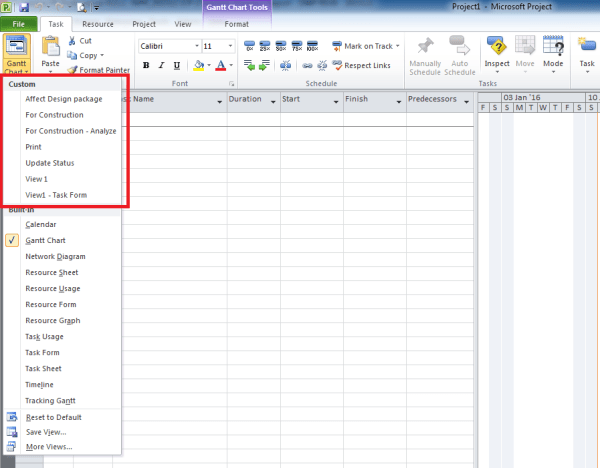
When you need to customize a View and save it for later use, sometimes we only need that View for a certain Project. However by default Microsoft Project always save New View to Global template, and it will appear in all project. This can cause problem because day by day the list of View will... Continue Reading →
What does “Effort driven” option in Microsoft Project do?
You may wonder what does "Effort driven" option in Task Detail Form do? Here I have 2 tasks. Task A doesn't have Effort driven check. When I assign 2 resources to it, the Work unit for each resource doesn't change (80h for each resource). No matter how many resource I assign, each resource will get... Continue Reading →
How does “Resource curve” work?
Let say we have an activity with 100 days duration and 100 labor units. By default it use Linear spread. It mean, when you reach 5% of duration (5th day in this example) you have 5% of total unit (5 unit in this example). And it spread evenly to that period. So resource spreadsheet will... Continue Reading →
How does “Actual units” spread when you use Resource curve
We have an activity which is applied "Back Loaded" resource curve. When we update progress, the Actual unit will spread just like we plan.

You must be logged in to post a comment.