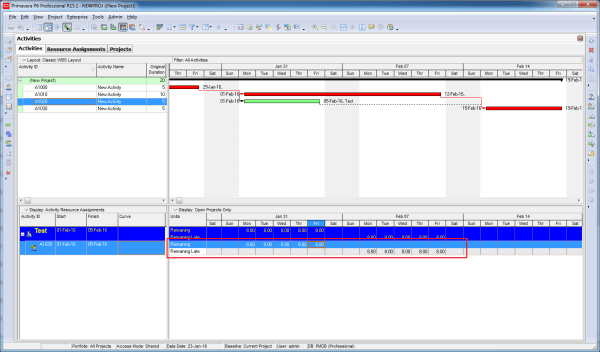
It is well known that applying a resource curve affects the Remaining Early Units. But what about the Remaining Late Units?The answer is: yes, they are affected as well. In the Resource Assignment window, both Remaining Early Units and Remaining Late Units are displayed. When a resource curve is applied, it does not only influence... Continue Reading →
Shortcut for moving WBS element
In the WBS window, you can build the entire WBS structure using only the keyboard—which is often much faster than using the mouse. Instead of clicking the “Plus” icon to create a new WBS element, simply press the “Insert” key on your keyboard. Then: Enter the WBS ID Press “Tab”, and enter the WBS name... Continue Reading →
Can not import Layout
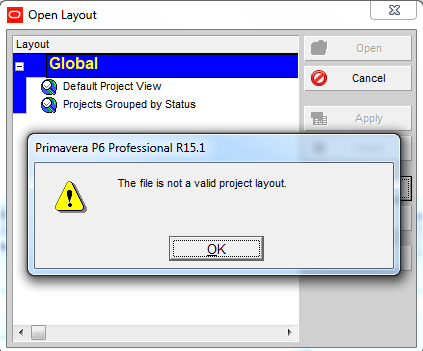
Your colleague sends you a Primavera XER file along with a Layout file. After successfully importing the project, you go to: Layout → Open → Import → Select the layout …and suddenly, an error appears: Your first reaction might be:“The layout file must be corrupted, I should ask them to resend it.” But wait, it’s... Continue Reading →
Remove relationship for multiple activities
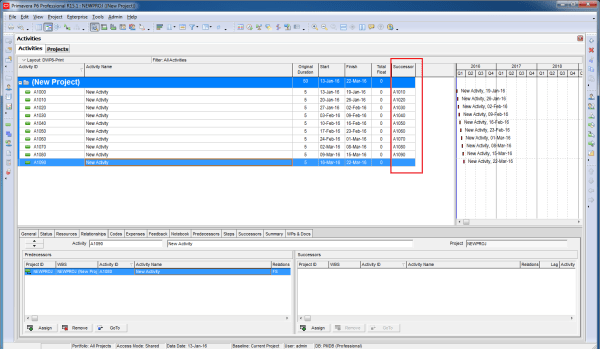
If you have a group of activities and need to remove all their relationships, doing it one by one can be time-consuming. Fortunately, there’s a much faster way. Instead of opening each activity and clicking Remove, you can: Select all the activities you want to update Right-click and choose Assign → Predecessors (or Successors) In... Continue Reading →
Can not filter on Start or Finish date
You have a simple requirement: display only the activities that finish on 25-Jan-16. As usual, you create a filter based on that finish date: Then… SURPRISE - the screen is completely blank. To find the answer, you need to check the time component of your activity dates. Go to: Edit → User Preferences → Dates... Continue Reading →
Create critical path for “any activity”
In Primavera P6, when you use the default “Critical” filter, it highlights the critical path of the entire project, typically leading to the final activity. But what if you want to identify the critical path leading to an activity somewhere in the middle of the project, not just the last one? To achieve this, you... Continue Reading →
How does “Resource curve” work?
Let’s assume we have an activity with a duration of 100 days and 100 labor units.By default, the resource distribution follows a linear spread. This means that the resources are distributed evenly over time.For example: At 5% of the duration (Day 5), you will have used 5% of the total units (5 units). The resource... Continue Reading →
How does “Actual units” spread when you use Resource curve
We have an activity which is applied "Back Loaded" resource curve. When we update the progress, the actual units are distributed in the same pattern as planned.This means that even during progress updates, the resource allocation follows the back-loaded shape, more resources are consumed toward the later part of the activity rather than at the... Continue Reading →

You must be logged in to post a comment.