

When working in Primavera P6, the Relationship tab is the standard way to view the predecessors of an activity.

However, identifying those activities in the schedule can be challenging. Wouldn’t it be easier if we could see them directly in the Gantt chart? Here’s how you can do it:
Step 1: Collapse All
Go to View → Collapse All to minimize the WBS structure. This makes navigation easier.
Step 2: Navigate to Predecessors
Locate the activity whose predecessors you want to display.
In the Relationships tab, select a predecessor and click GoTo.
When you click Go To, Primavera will jump to that predecessor and automatically expand its WBS.
Repeat this process for each predecessor.
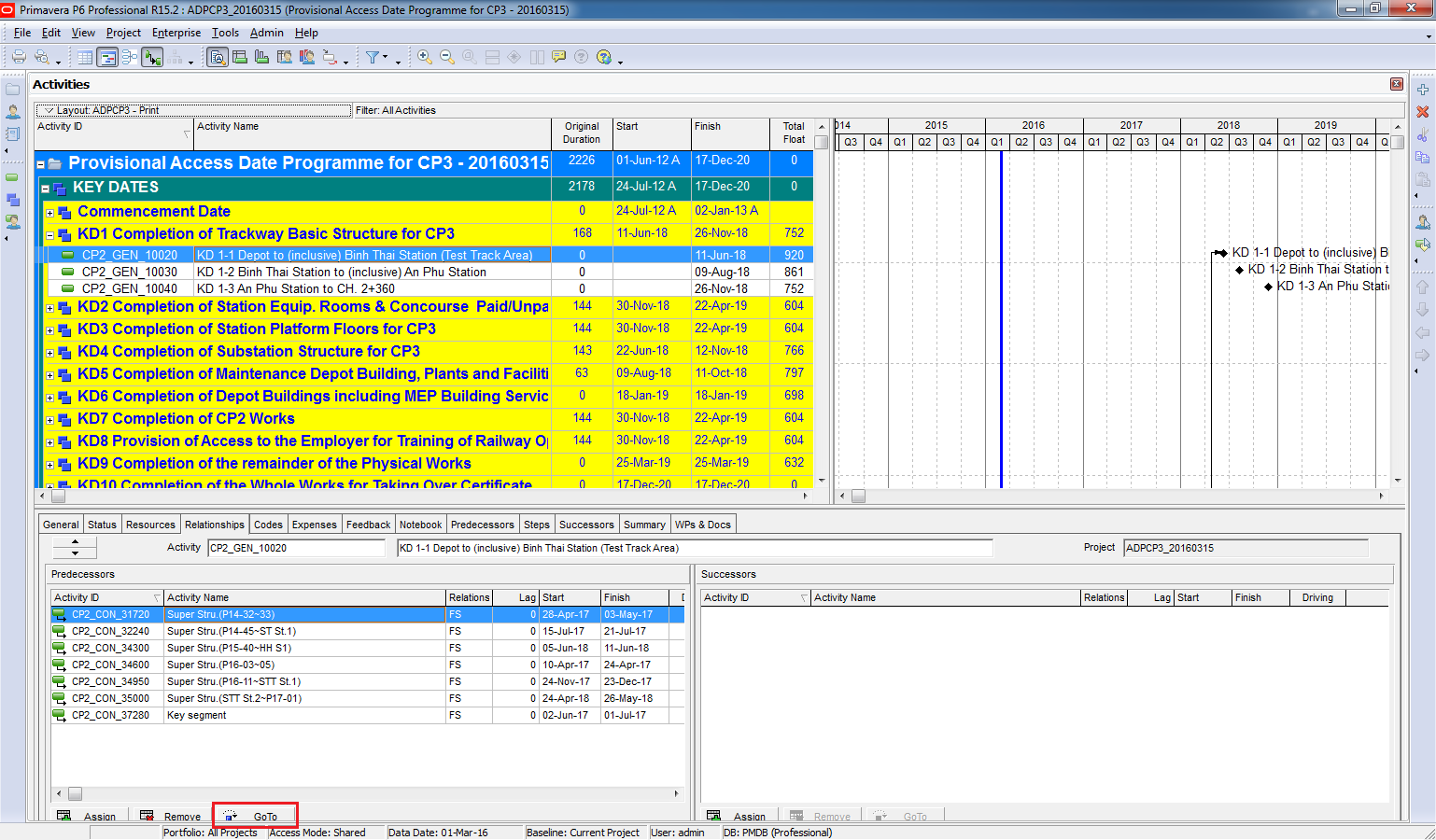
Step 3: Hide Unnecessary Bars
To keep the Gantt chart clean and focused, hide all other unnecessary bars.
You can follow the detailed guide here:
https://doduykhuong.wordpress.com/2016/02/19/make-report-to-show-only-some-wbs-in-gantt-chart/
Result
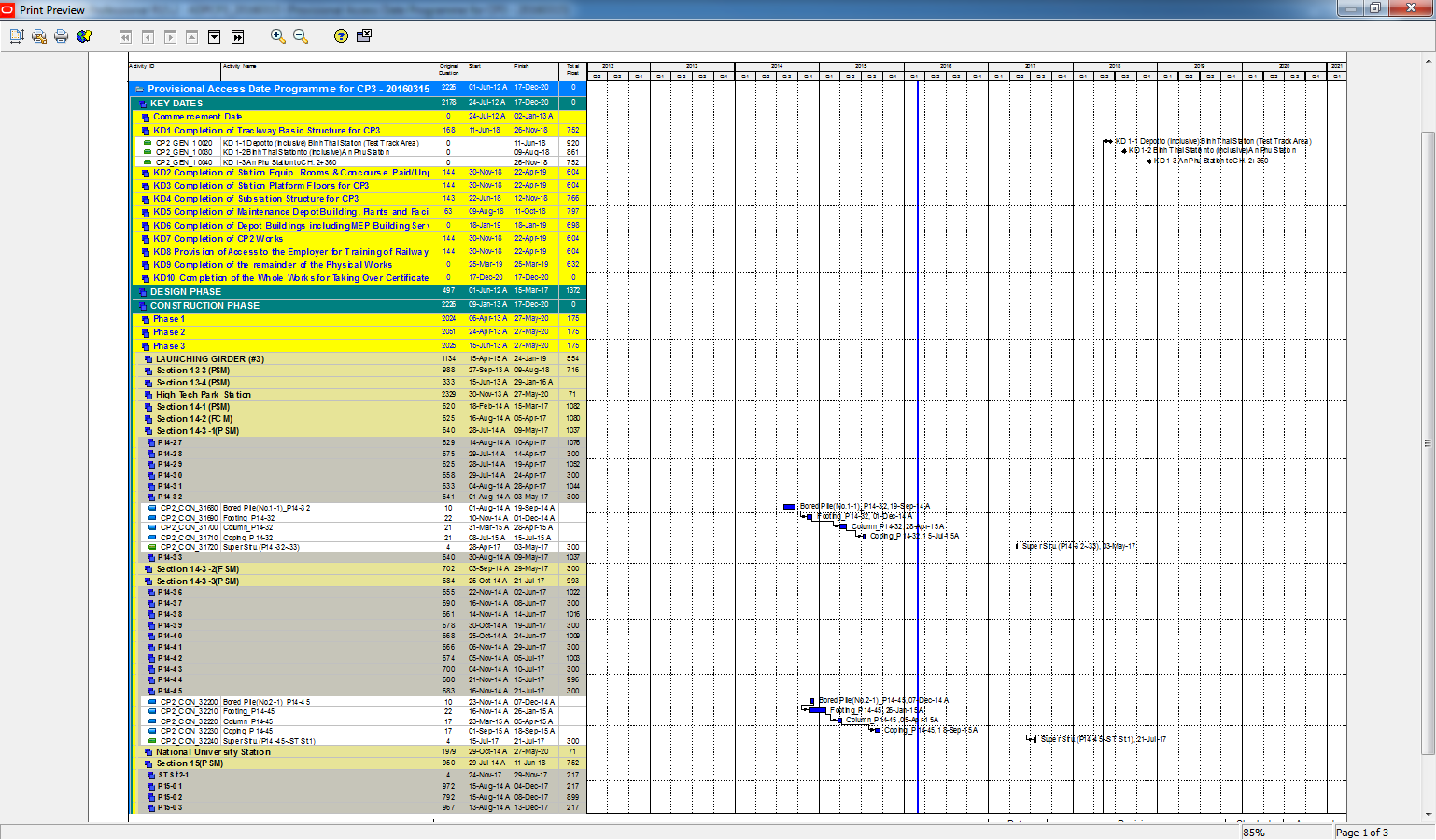
Now you have a Gantt chart that clearly displays all predecessors for the selected activity. This visual approach makes it much easier to understand the relationships in your schedule.


 Khuong Do Blog
Leave a comment