

Primavera P6 provides a built-in function to renumber Activity IDs and modify prefixes. But what if you need to add a suffix instead? Here’s how you can do it using the Global Change feature.
Scenario
We have a simple project with default Activity IDs like this:
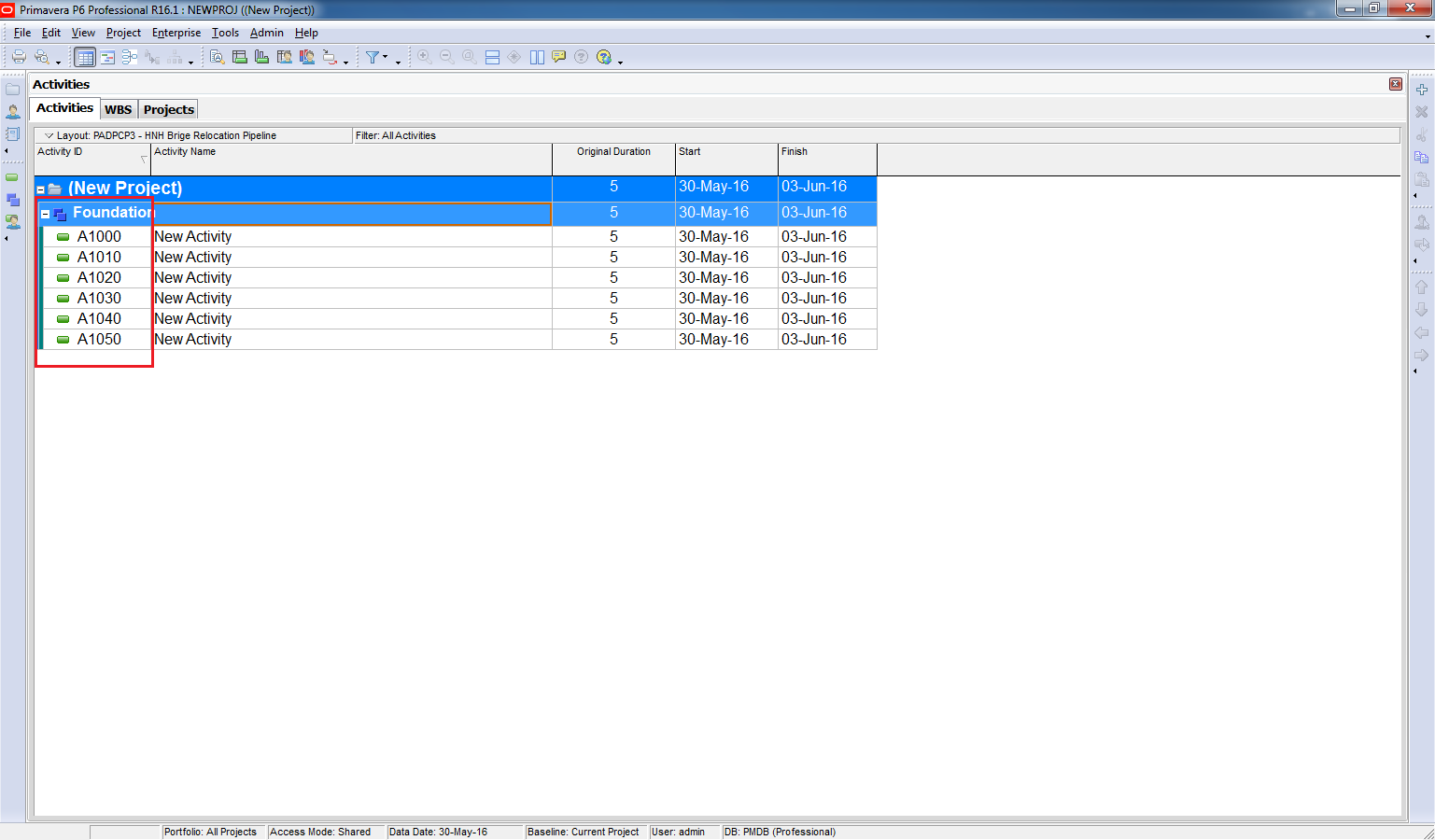
Step 1: Open Global Change
- Go to Tools → Global Change.
- Click New to create a new rule.


Step 2: Configure the Rule
In the Then section:
- In Parameter select “Activity ID”
- In Parameter/Value select “Activity ID”
- In Operator select “&”
- In Parameter/Value select “Custom”

Then enter the Suffix you want to add. For example “FDN”
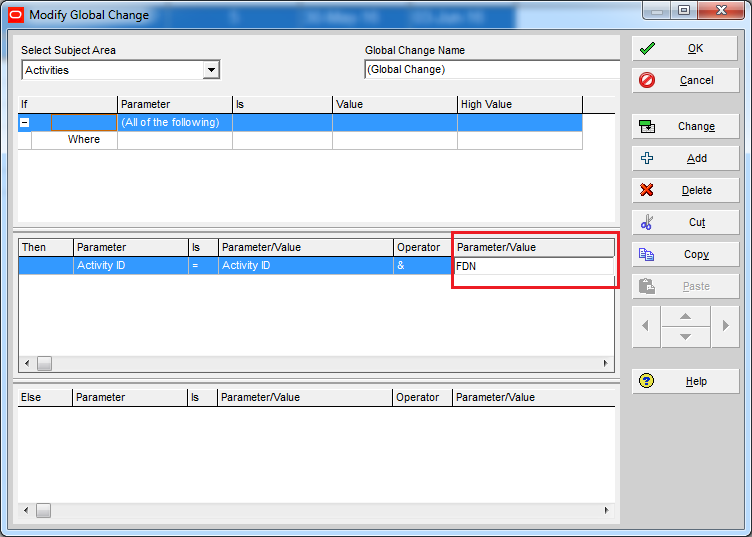
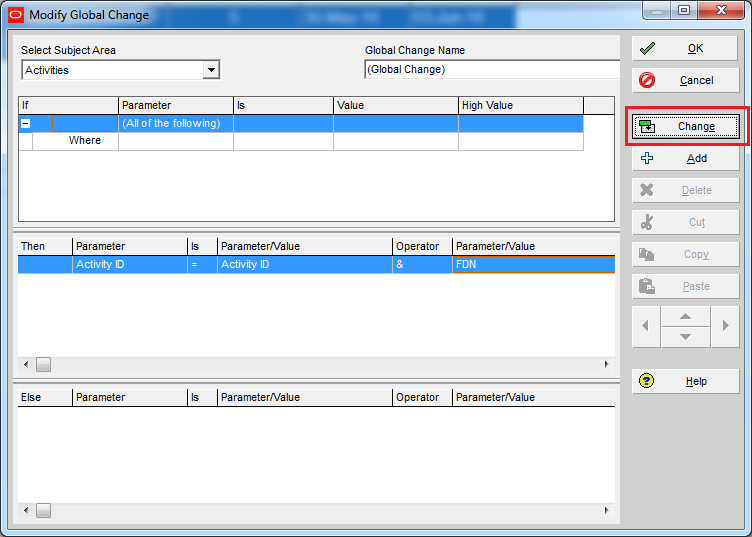
Click on “Change” button.
P6 will show you a preview of the change. Click on “Commit Changes” button.
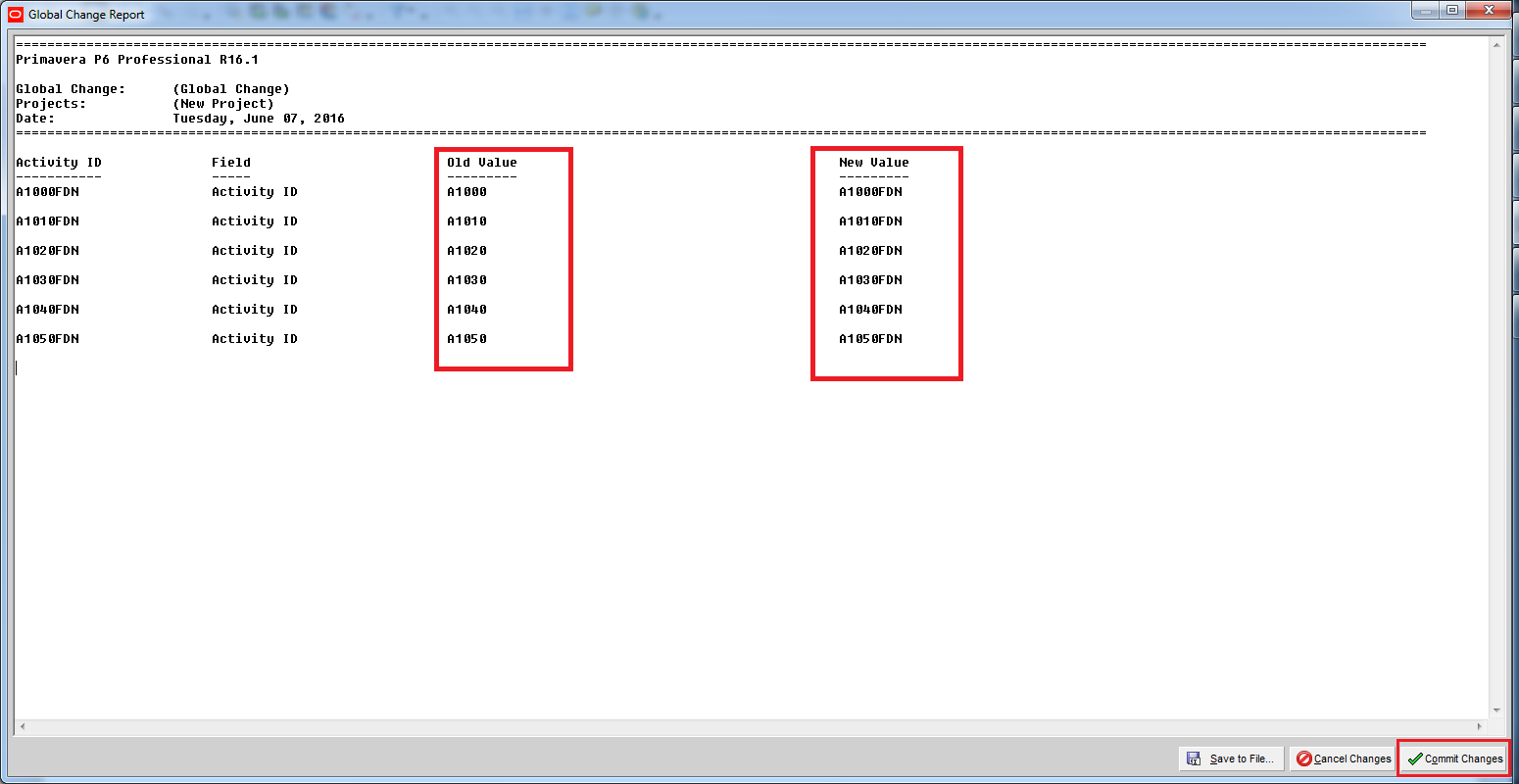
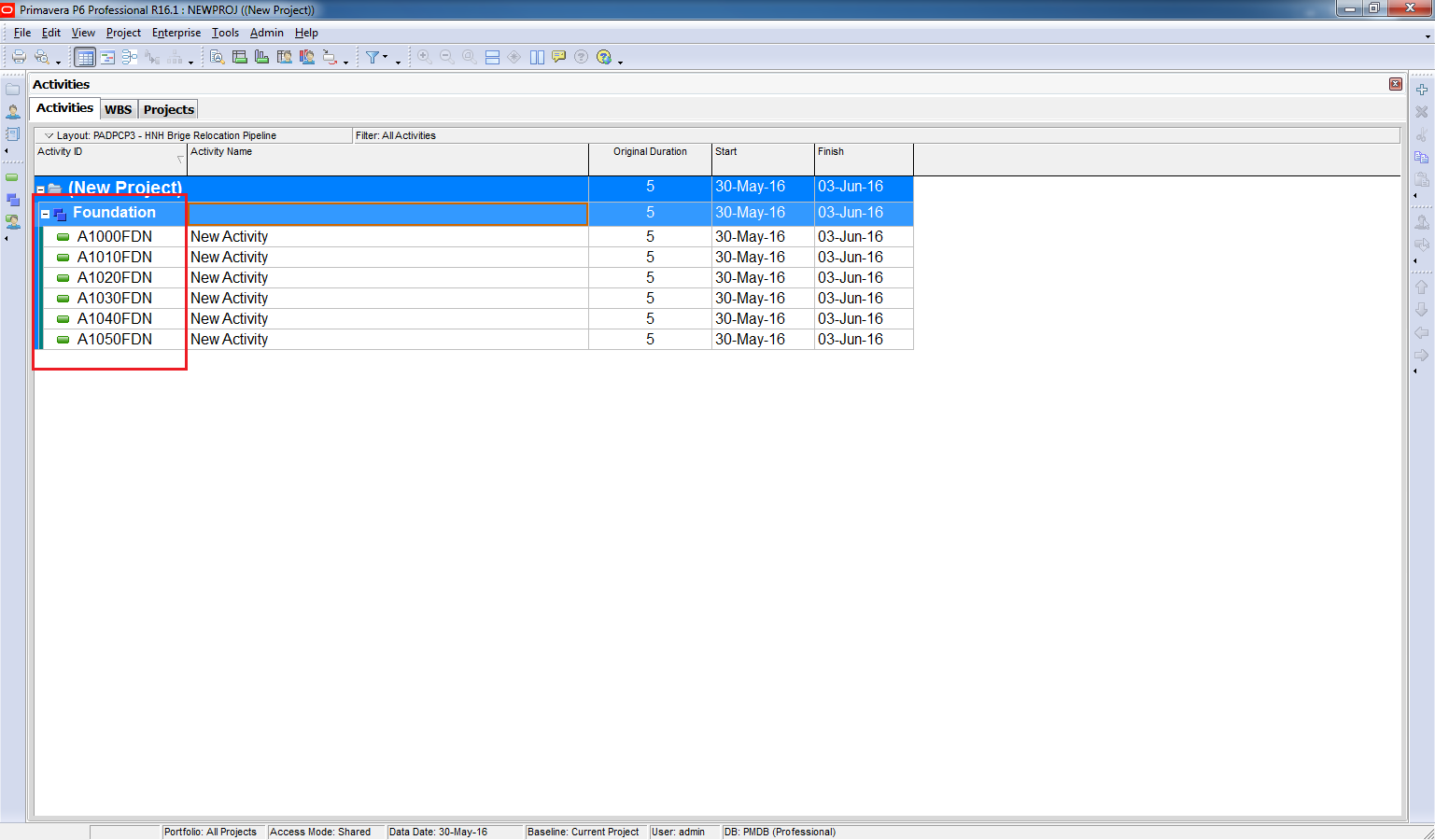
Result
Your Activity IDs now include the suffix:
Key Benefit
This method allows you to quickly append custom suffixes to Activity IDs without manual editing, saving time on large projects.

 Khuong Do Blog
I use ‘user_text’ field as a variable then export Activities to Excel spreadsheet. Then build new activity ID’s in ‘user_text’ and import back into P6. Now global change saying: activity ID = user_text
LikeLike
For an Excel fan user, that would be a good way.
LikeLike