
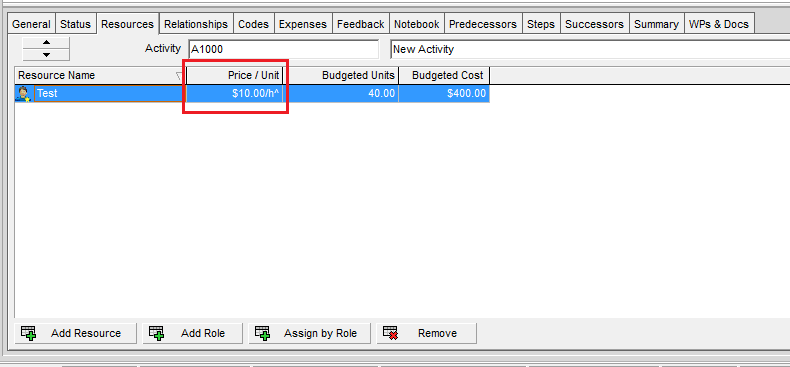
When assigning a resource to an activity in Primavera P6, you may sometimes notice a carat (^) symbol next to the Price/Unit value. What does this mean? Let’s break it down.
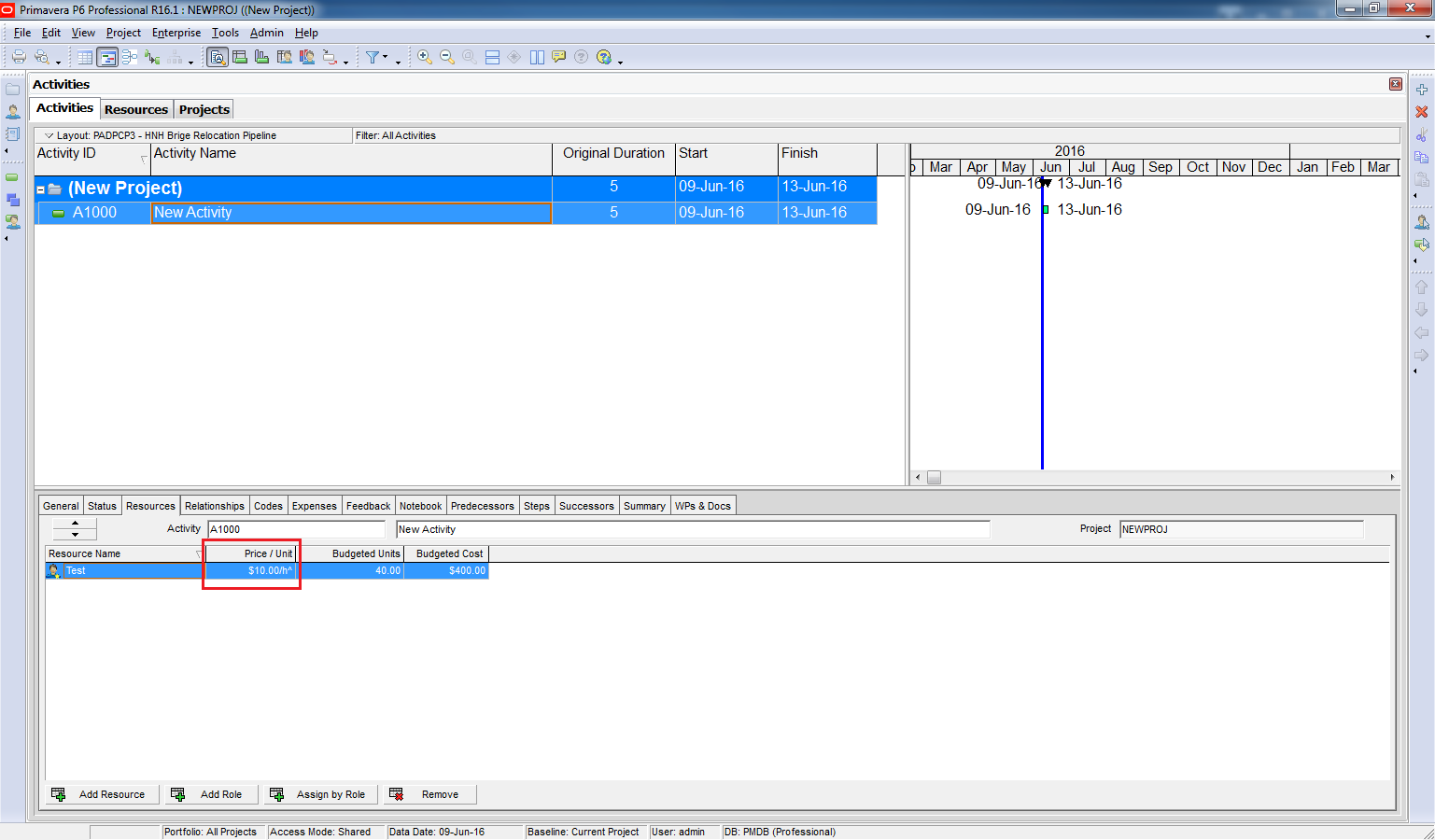
Reason for the Carat (^)
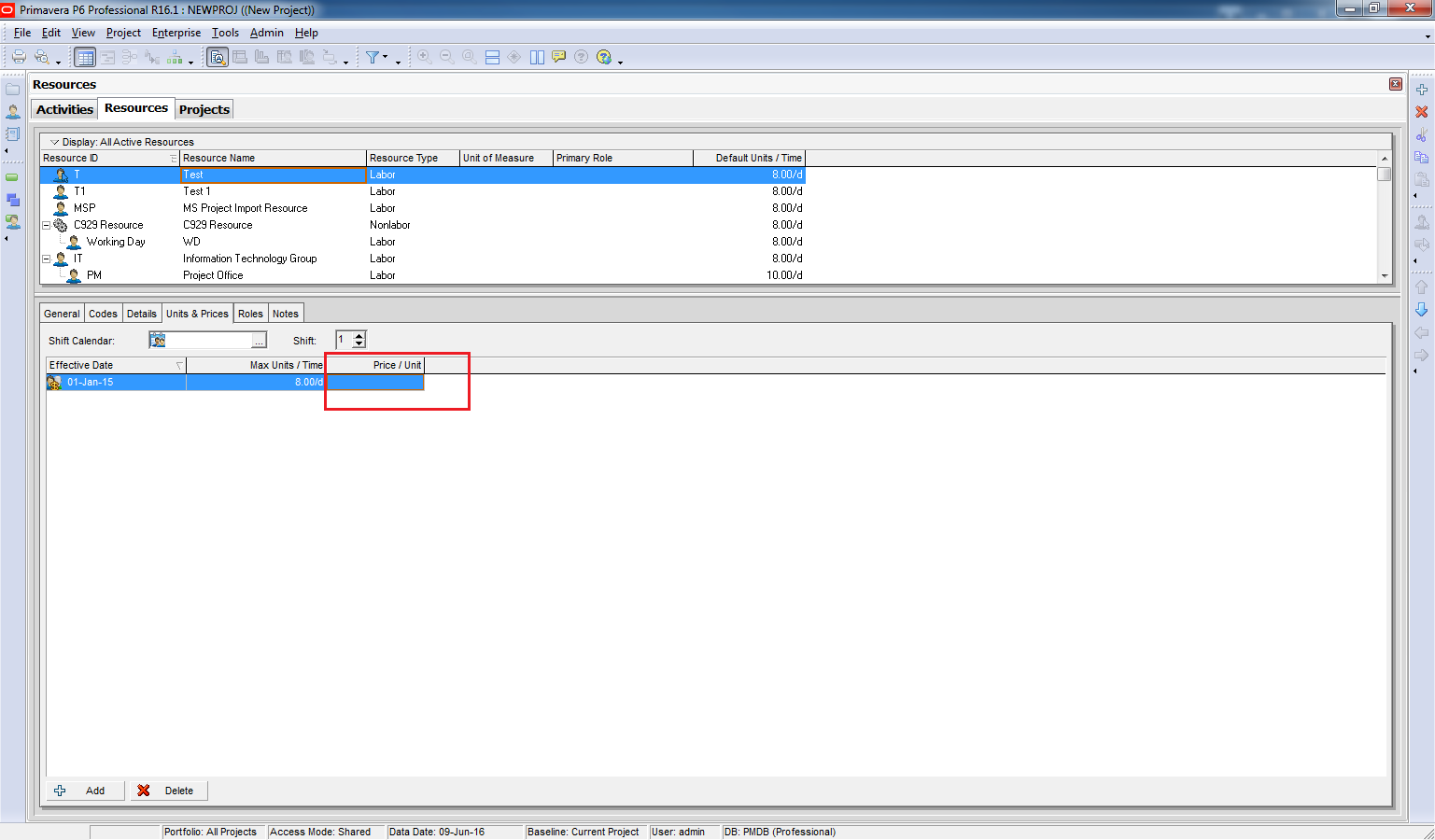
The carat symbol indicates that the resource does not have a defined Price/Unit at the resource level.
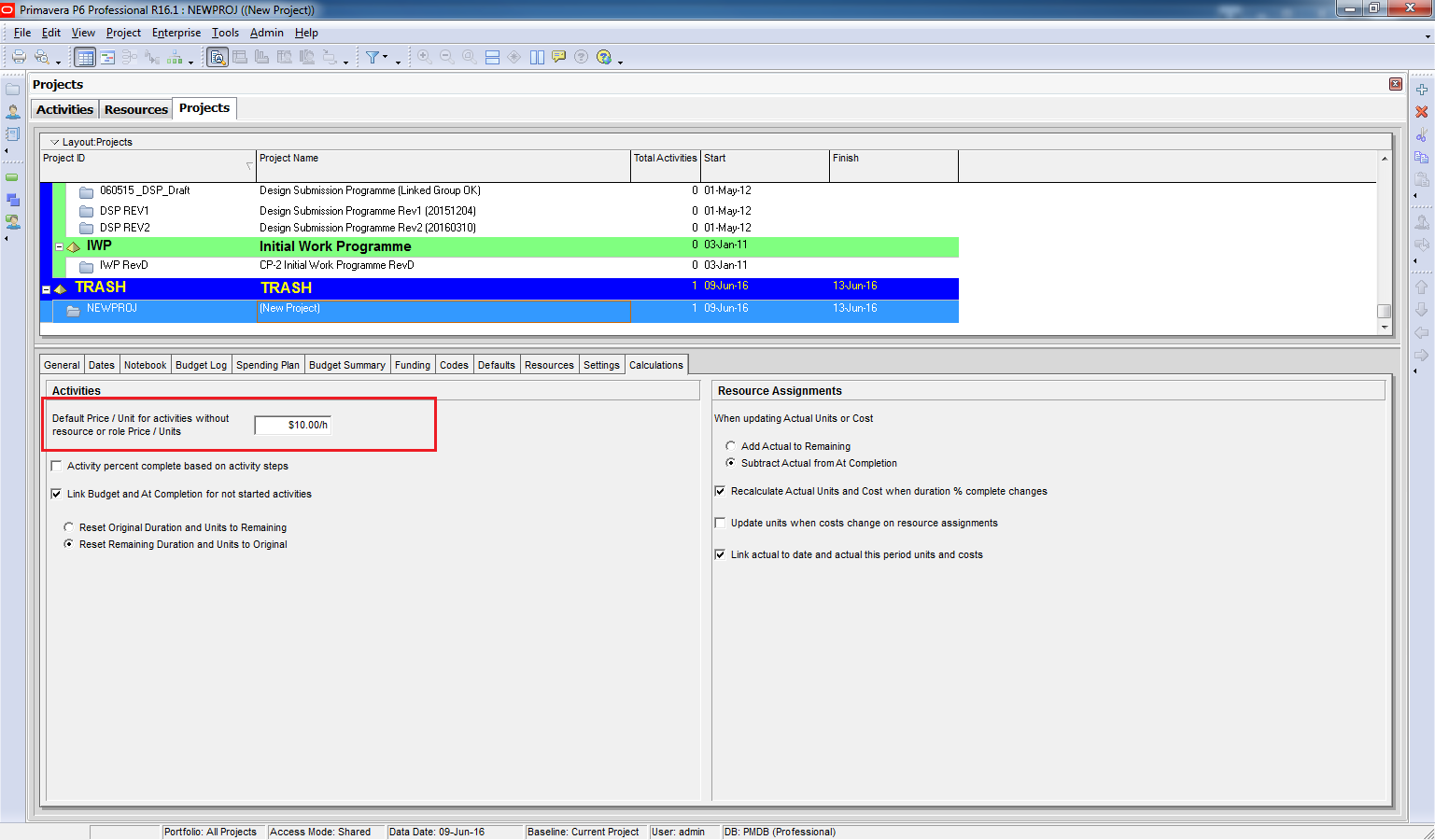
In this case, Primavera uses the Project-level Price/Unit, which is defined in:
Project Window → Calculation Tab
How to Remove the Carat
To remove the carat and ensure the price comes from the resource definition:
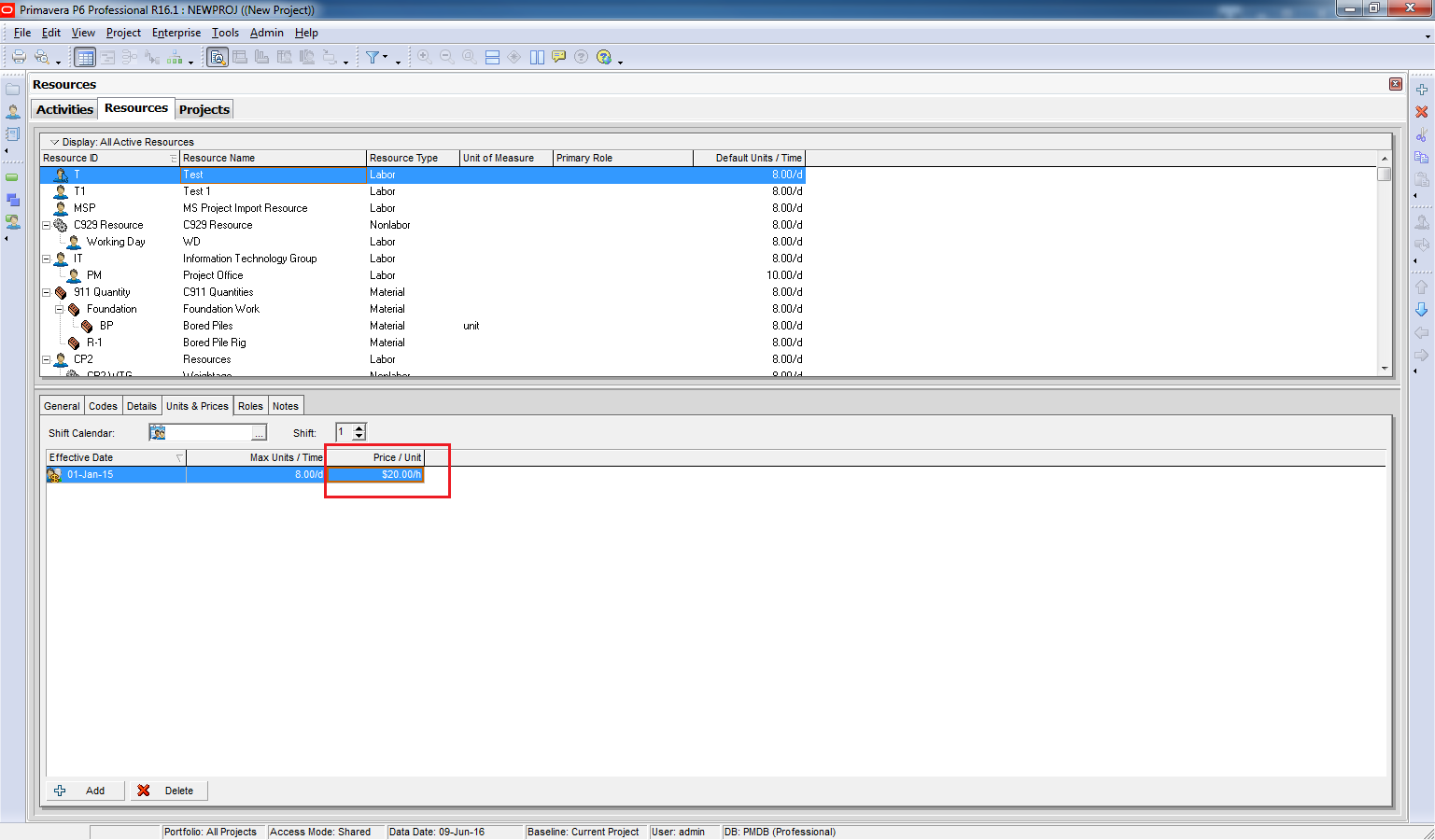
Define a Price/Unit for the resource in the Units & Prices tab.
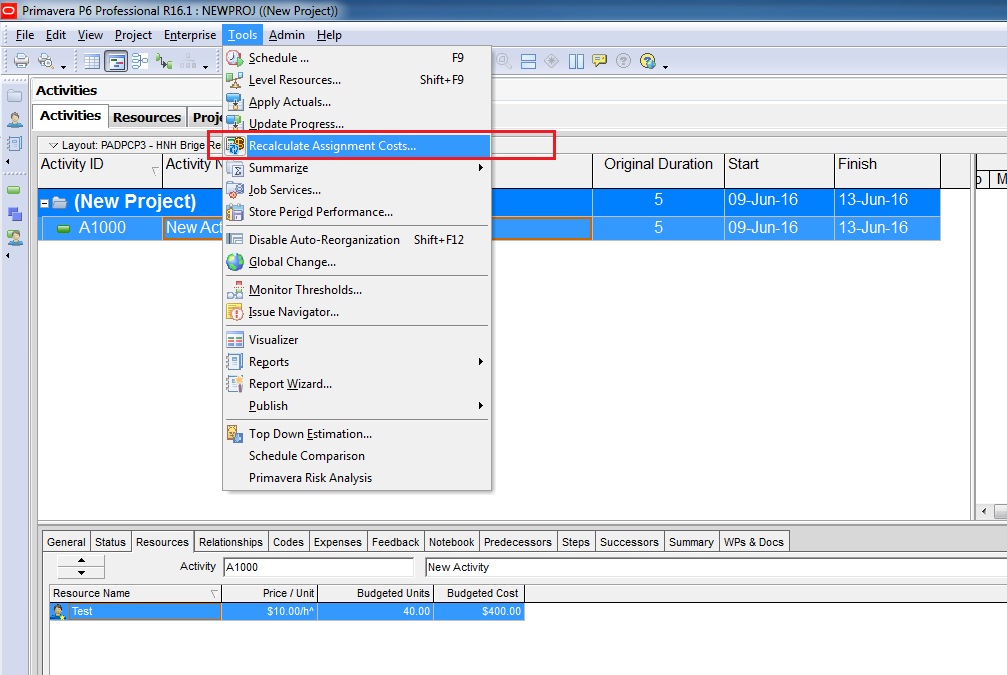
Run Tools → Recalculate Assignment Costs to refresh the data.
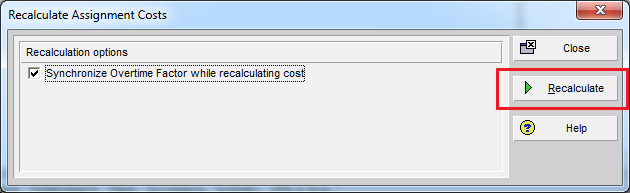
Click on Recalculate
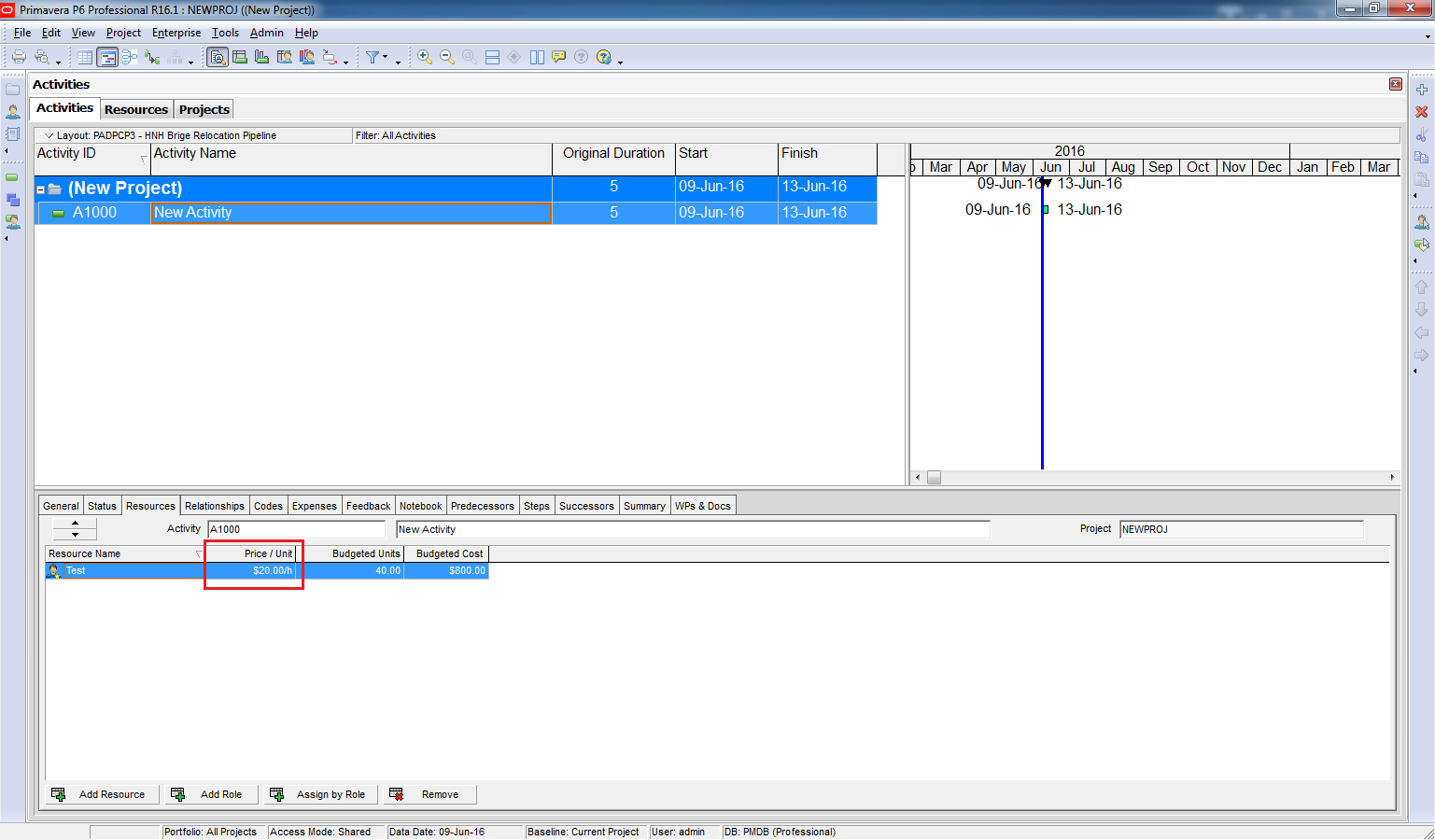
After recalculation:
- The carat disappears.
- The Price/Unit is now taken from the resource definition.
Key Takeaway
The carat (^) is a helpful indicator that Primavera is using project-level pricing instead of resource-level pricing. By defining resource rates and recalculating costs, you ensure accurate cost allocation.

 Khuong Do Blog
Leave a comment