
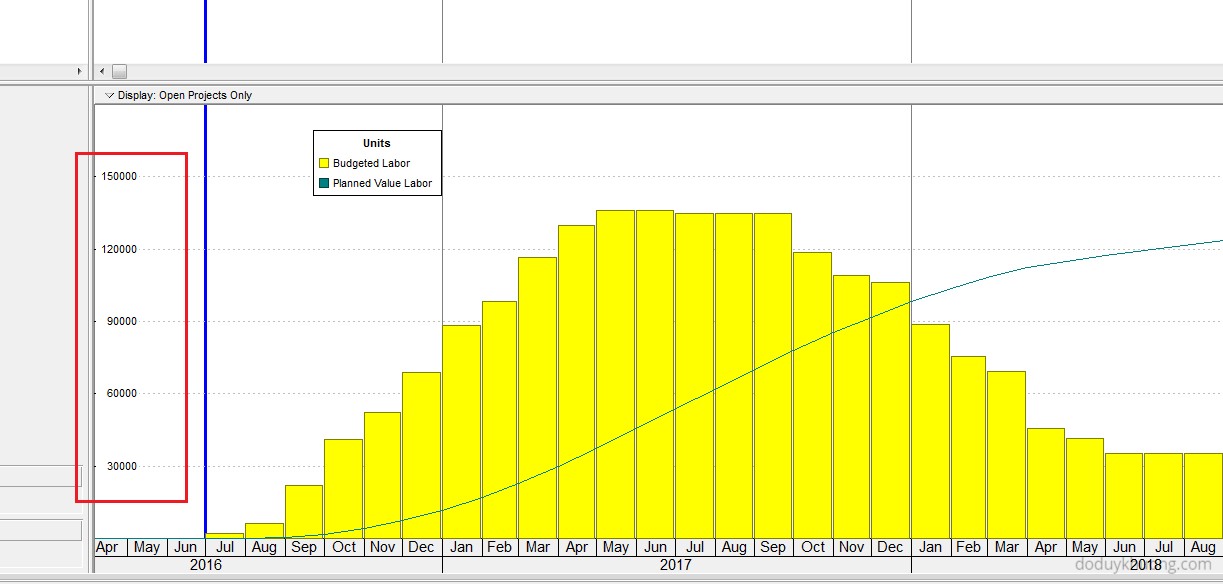
When using the Resource Usage Profile in Primavera P6, you may encounter an issue where the Unit of Measure (UOM) is not displayed. This can happen for several reasons, depending on the type of resource and your settings.
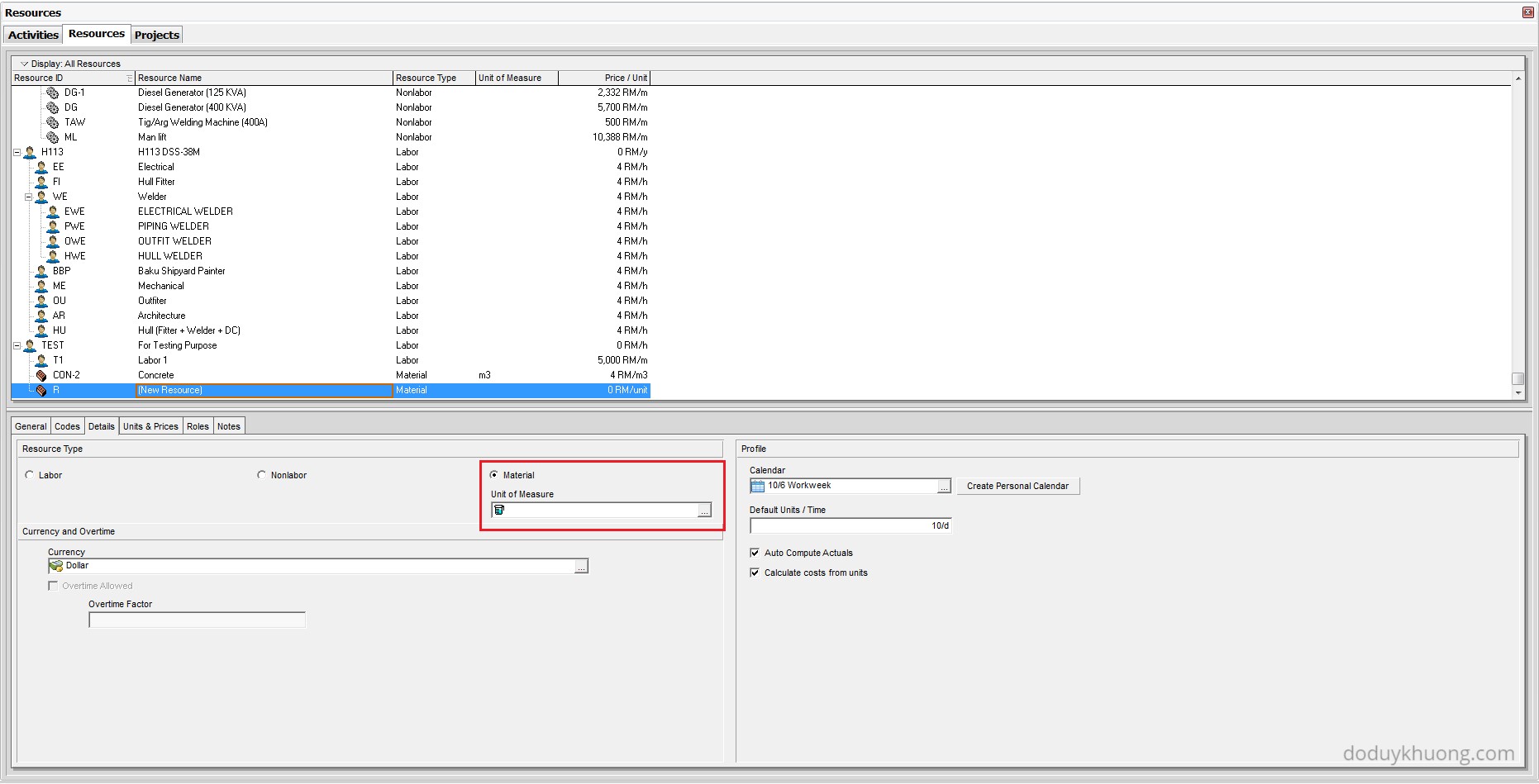
1. Material Resource Without a Defined Unit of Measure
Cause:
If the resource is a Material type, the Unit of Measure may not have been specified.
Solution:
Go to Enterprise > Resources, select the material resource, and in the Details tab, ensure that the Unit of Measure field is filled in.
2. Labor or Non-Labor Resource with Unit Label Hidden
Cause:
For Labor or Non-Labor resources, the Unit of Measure may be hidden if the “Show Unit label” option is not enabled.
Solution:
Navigate to Edit > User Preferences, then go to the Time Units tab. Make sure the “Show Unit label” checkbox is selected.

3. Using the “Calculate Average” Feature
Cause:
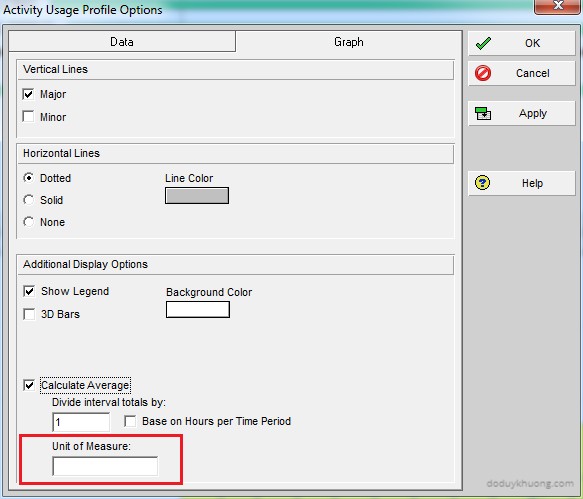
If you’re using the Calculate Average option in the Resource Usage Profile, the Unit of Measure may not appear unless it’s explicitly defined.
Solution:
In the Resource Usage Profile Options, ensure that a Unit of Measure is specified when using the Calculate Average feature.
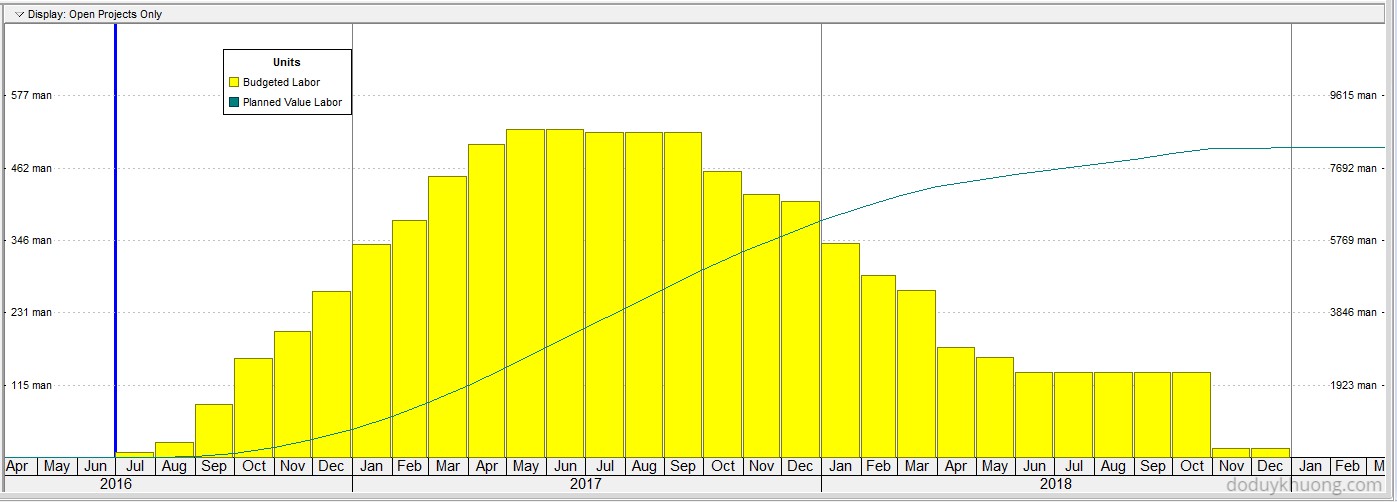
Once these settings are correctly configured, the Unit of Measure should display as expected.

 Khuong Do Blog
good info thanks
LikeLiked by 1 person
thankyou for your useful information
CAD centre in Kochi
LikeLike
Hello Mr. Khuong Do . Can you help me with my problem.. My primavera does not have a unit of measure in the Resources. I tried looking for m2 or tons but there are no units of measure in the resources.
LikeLike
Hi.
You have to create the unit in Admin menu.
You can refer to instruction here https://doduykhuong.com/2017/03/07/how-to-assign-resource-resource-loading-make-resource-plan-in-primavera-p6/
LikeLike