
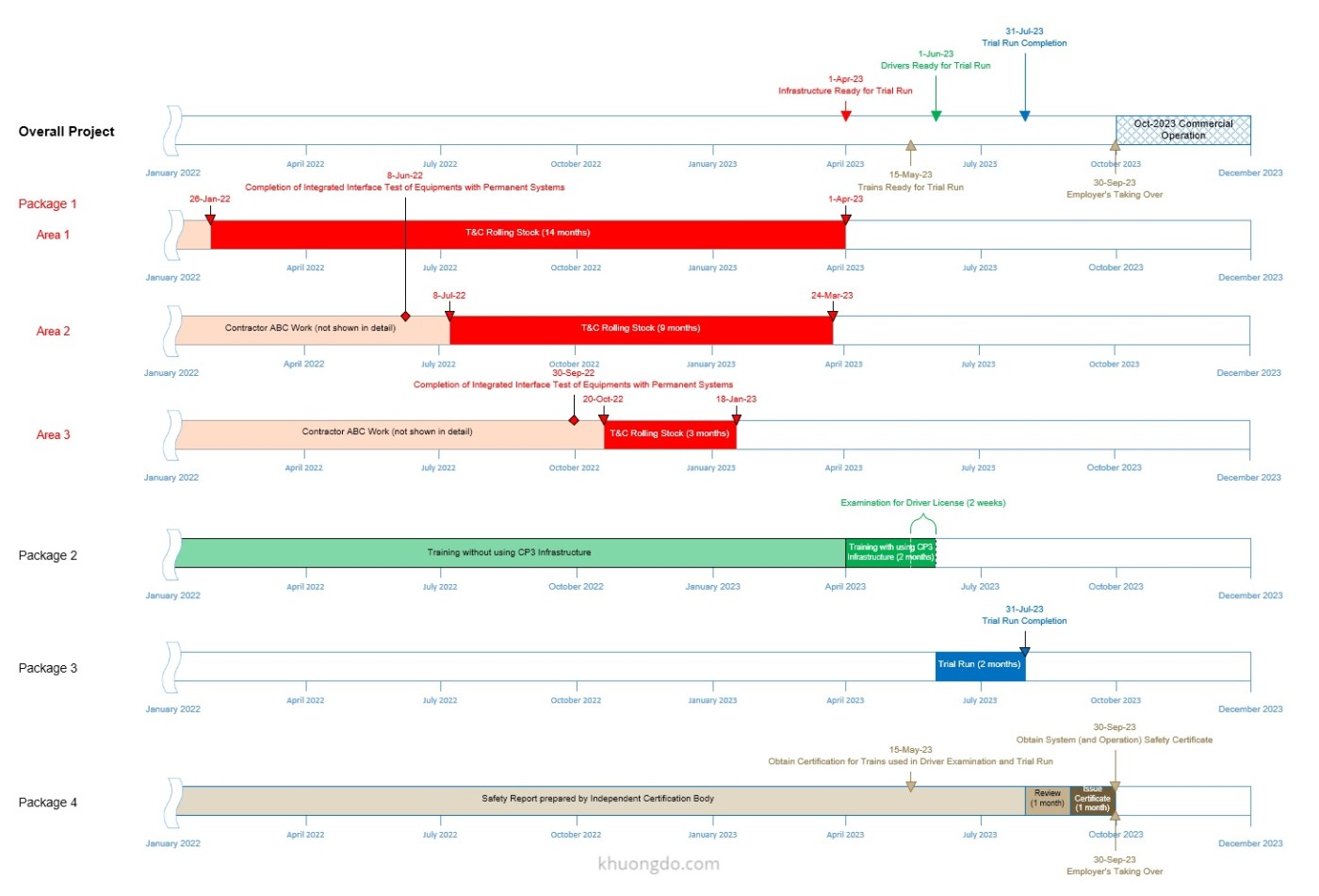
Recently, I discovered a highly effective tool for creating summary schedules and graphic reports in Timeline or Bar Chart format: Microsoft Visio Professional.
What makes Visio particularly appealing is that it’s more affordable than tools like Office Timeline, which I had used for several years. While Office Timeline operates on a subscription model, Visio Professional can often be found at a discounted one-time price—typically around $30–$40 for a perpetual license. For example, here are a few sources offering such deals:
https://www.goodoffer24.com/go/Visio2019Professional
https://www.keysworlds.com/microsoft-visio-professional-2019-1pc.html
Personally, I purchased my license from a local supplier in Vietnam for just $10, and it has worked flawlessly so far.
Sample Summary Schedules Created in Visio
Below are examples of summary schedules I created using Microsoft Visio Professional 2019:
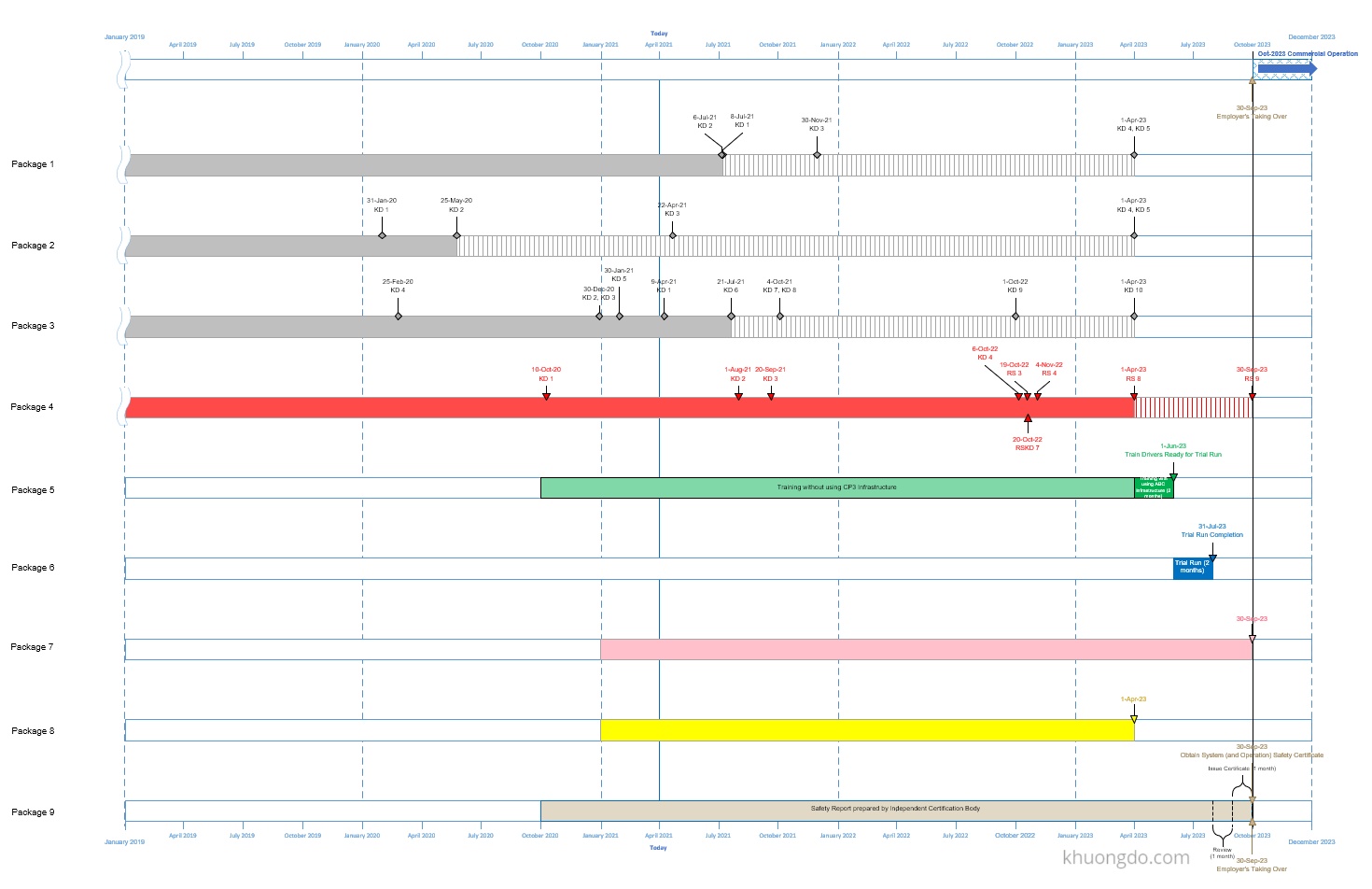
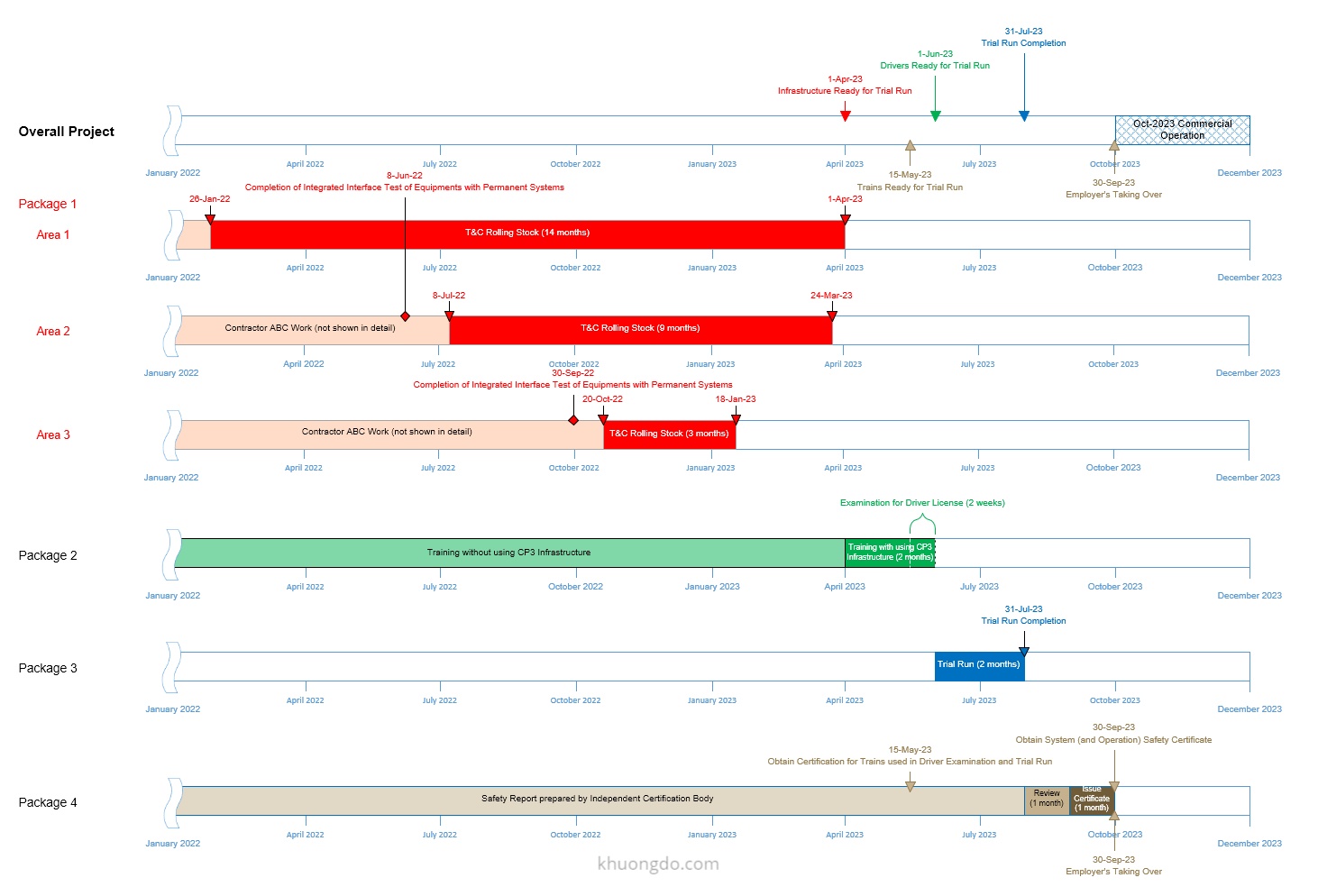
Learning Microsoft Visio
Visio is widely used and easy to learn. You can find free tutorials online with a quick Google search. For more structured learning, there’s also a paid course available on LinkedIn Learning:
https://www.linkedin.com/learning/visio-2016-essential-training
You can refer to another Summary Graphic Report in the following article:
Delay Start-up Insurance to cover Anticipated Profit, Revenue in a Delayed Project

 Khuong Do Blog
Excellent info!.Thanks
LikeLiked by 1 person