

Gantt charts in Primavera P6 often display all activity relationships, which can make the report look cluttered and hard to read—especially for managers who only need a high-level view.
Default View
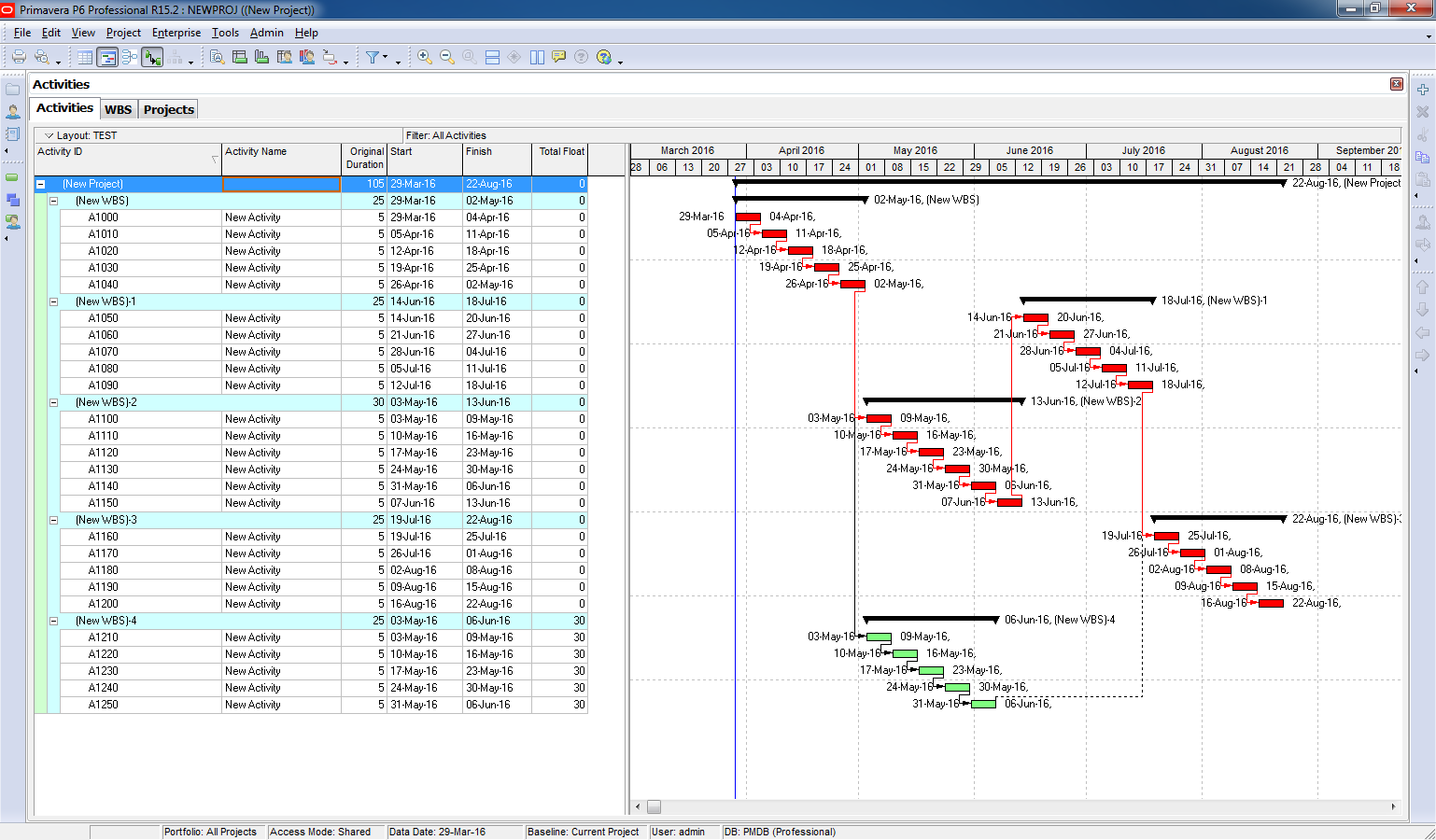
By default, Primavera shows all relationships between activities:
Simplified View
We want to collapse activities and show only relationships between summary bars:

Instead of showing every link, you can simplify the chart by displaying relationships only between summary-level bars. Here’s how:
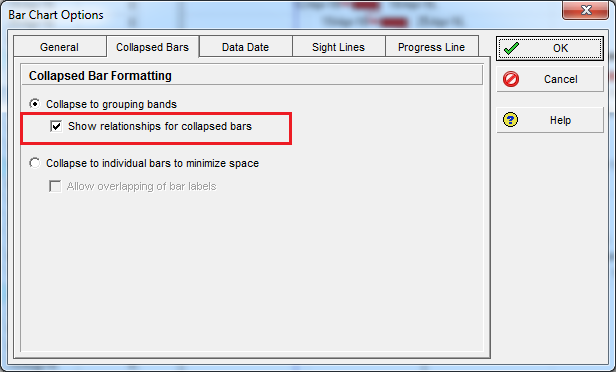
Go to Layout -> Bar Chart Option:

Go to Collapsed Bars tab -> Check “Show relationships for collapsed bars”
Result
When you collapse activities under their WBS:
- Primavera displays relationships between summary bars only.
- The Gantt chart becomes cleaner and easier to interpret for management-level reporting.
Key Benefit
This feature is perfect for:
- Executive reports
- High-level project reviews
- Presentations where clarity matters

 Khuong Do Blog
Leave a comment