
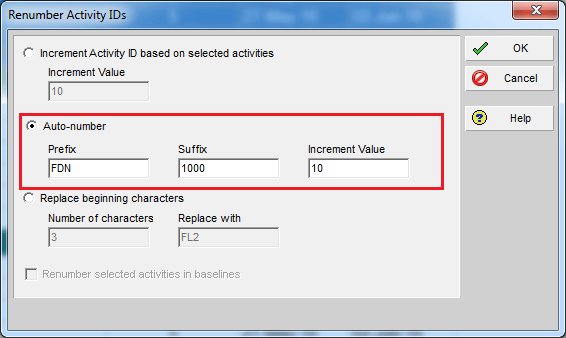
By default, Primavera P6 assigns activity IDs in a generic format like A1000, A1010, A1020, and so on. While functional, these IDs don’t provide much context. A better approach is to make IDs meaningful by including information such as the WBS they belong to.
Here’s how you can do it using the Renumber Activity IDs feature.

First you will select all activities you need to renumber.
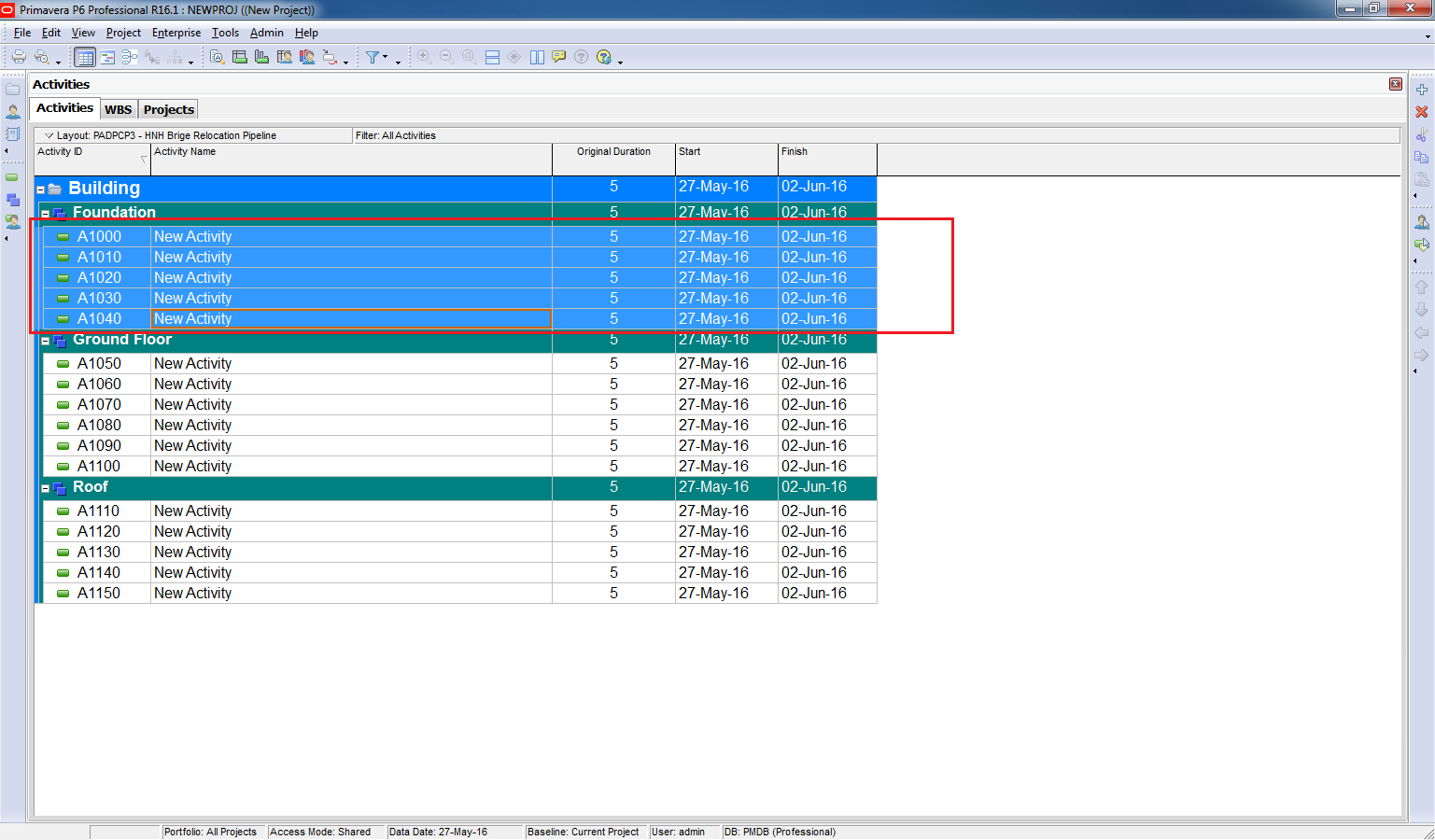
Go to Edit -> Renumber Activity IDs

Select “Auto-number”. And enter Prefix like “FDN” for Foundation.
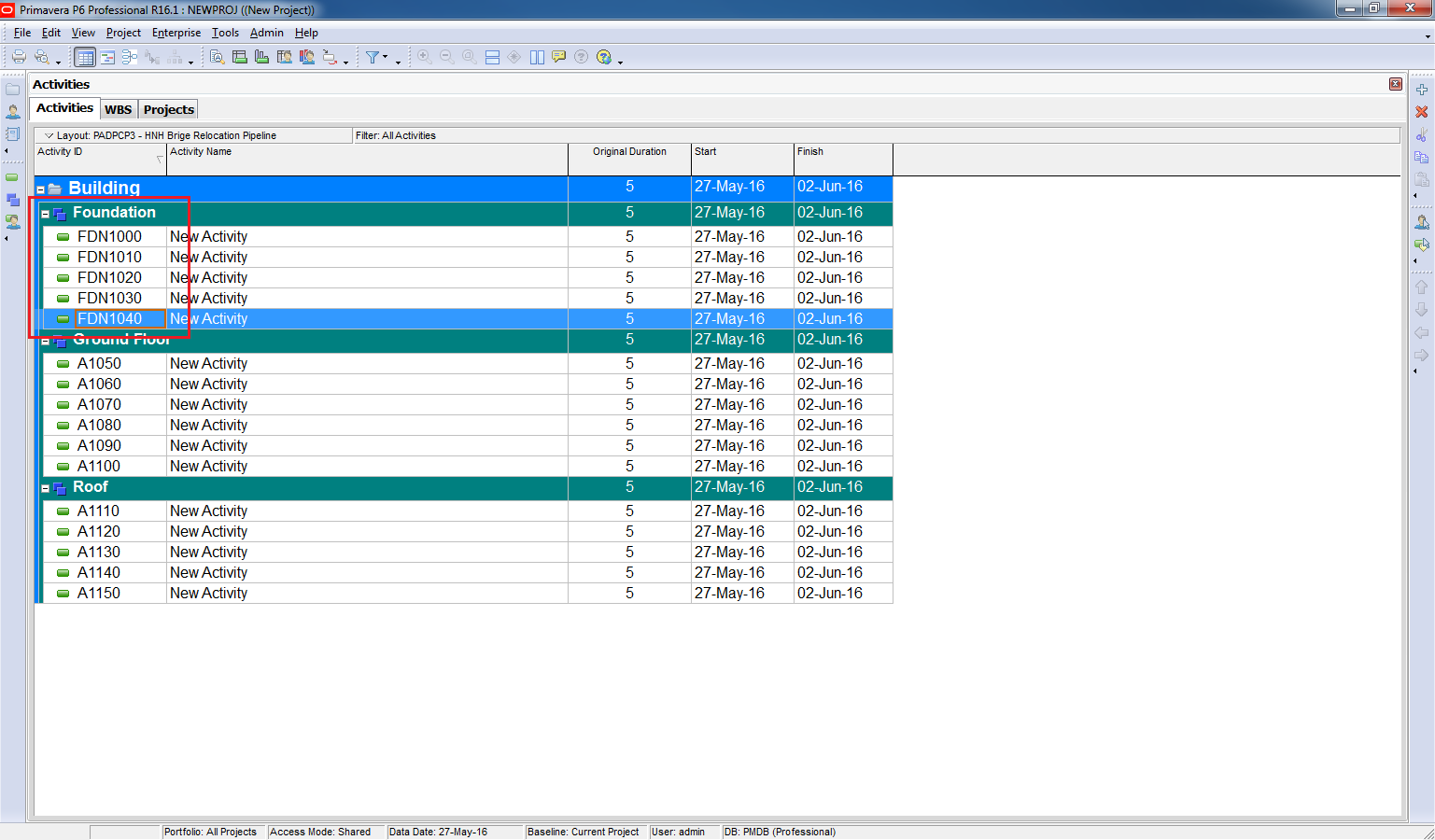
Click OK. Now, the activity IDs have been updated to include the WBS prefix, making them more meaningful.
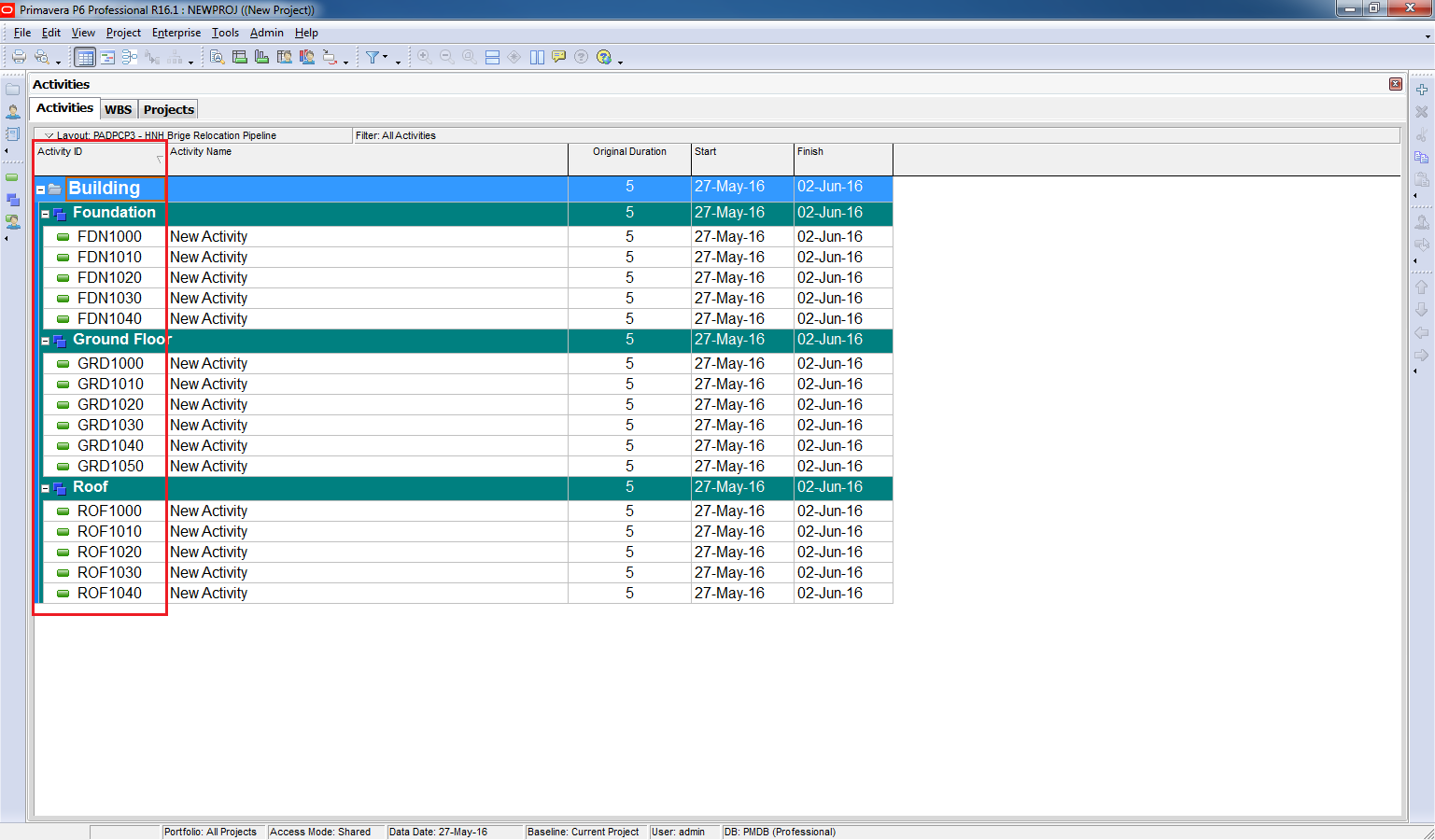
You can repeat this process for other WBS elements (e.g., SUP for Superstructure, FIN for Finishing) to create a clear and structured ID system.

 Khuong Do Blog
Nice… Thank you dear
LikeLike
Thanks boss
LikeLike
You’re welcome 🙂
LikeLike