

The Impacted As-Planned method measures the impact of the delays on the as-planned schedule. The delays are formulated as activities and added to the as-planned schedule showing the effect of each delay and demonstrating how the project is being delayed. The amount of delay equals the difference in completion dates between the schedules before and after the impacts.
Step-by-Step Guide:
- Start with the As-Planned Schedule
Begin with your original, unimpacted project schedule.
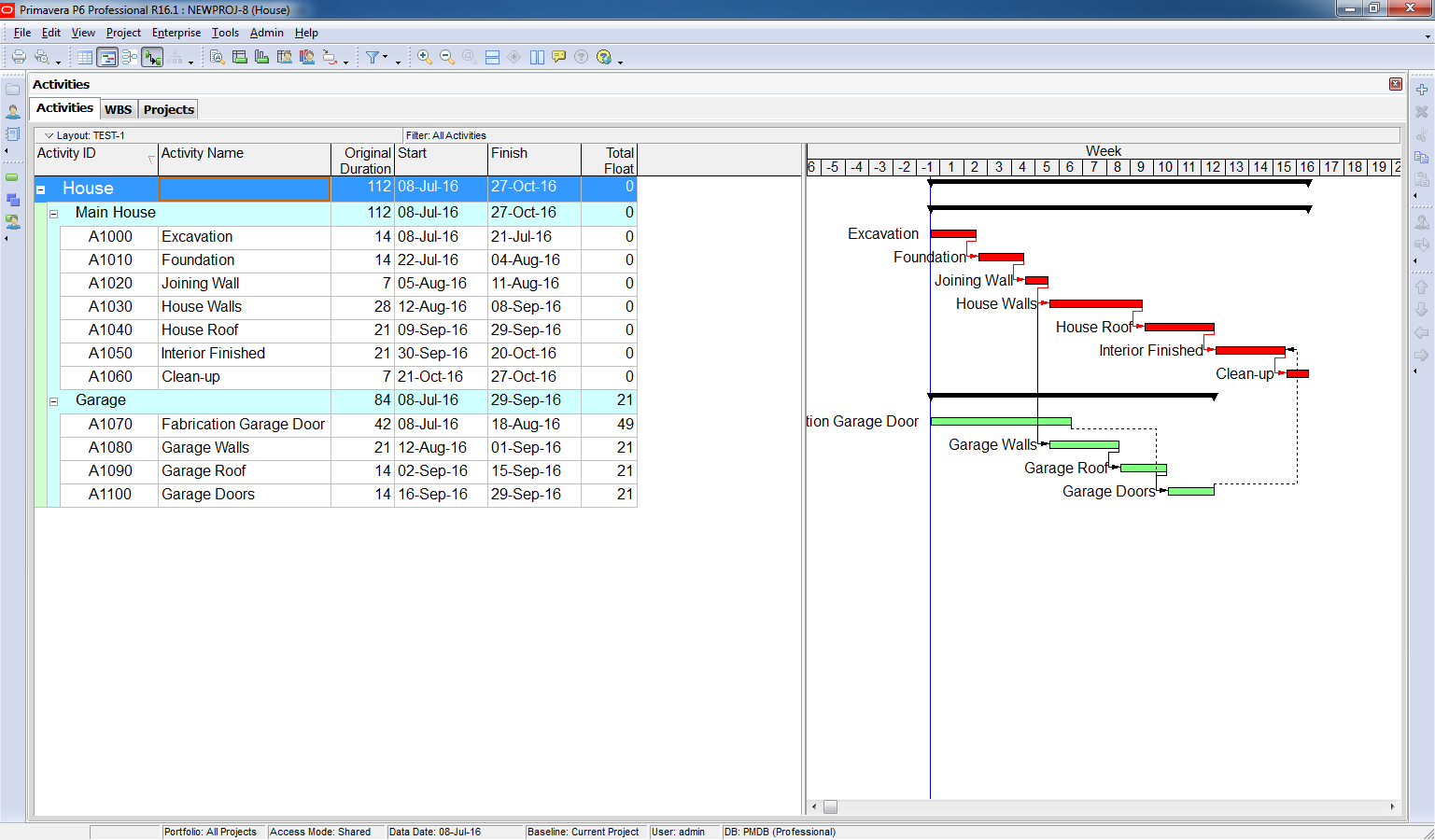
2. Insert Delay Events
Add each delay as a new activity in the schedule.
- Define the duration of the delay.
- Assign the appropriate successor activity—the task that will be directly affected by the delay.
Example:
-
- Delay Event: Design Changes
- Duration: 14 days
- Affected Activity: House Walls

3. Apply Activity Constraints
Use constraints to specify when each delay occurs. This ensures the delay is placed accurately within the project timeline.

4. Run the Schedule (F9)
After inserting all delay events (e.g., owner-caused delays), run the schedule using the F9 function to recalculate the project timeline.

5. Analyze the Results
Compare the project completion dates before and after the delays are added.
Example Calculation:
-
- Original Completion Date: Day 112
- New Completion Date: Day 161
- Total Extension of Time (EOT): 161 – 112 = 49 days

 Khuong Do Blog
Have you considered filtering to the longest path, deleting the Total Float column, and adding a Variance BL1 Finish Date Column to your Gantt chart? That would focus on the important metrics and eliminate the need to perform any math.
LikeLike
Hi David,
I don’t know that method. Is it a certified method for Delay analysis?
It’s would be great if you can share an example or an article explaining in more detail about it.
LikeLike
The method explained by Doduykhuong is that of a simple case, with the assumption that the baseline schedule is fully logic driven and all the relationships are true under all conditions. But this is not the situation in most EoT cases. Further, the As Planned As Impacted method is not accepted by many current legal entities. For more complex programmes, you have to resort to As Progressed As impacted method, where, each delay event is to be incorporated in the programme updated for progress upto the start of the delay event. It is also necessary that any illogical relationships among the future activities are corrected as and when noticed and contractor should carry out mitigation adjustments, if the contract calls for such measures by the contractor.
LikeLike
Don’t you use a predecessor for the delay events?
LikeLike