
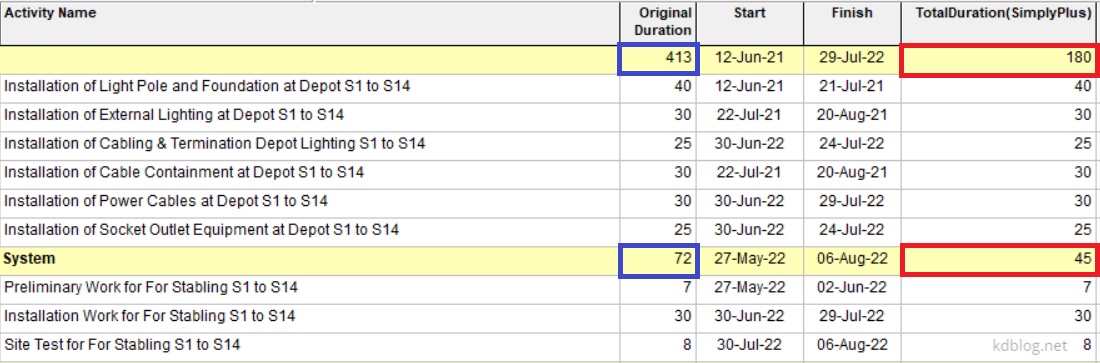
By default, Primavera P6 summarizes activity duration at the WBS (Work Breakdown Structure) level by calculating the time span from the earliest Start Date to the latest Finish Date of all activities within that WBS. However, if you prefer to calculate the summary duration by summing the individual durations of all activities, follow these steps:
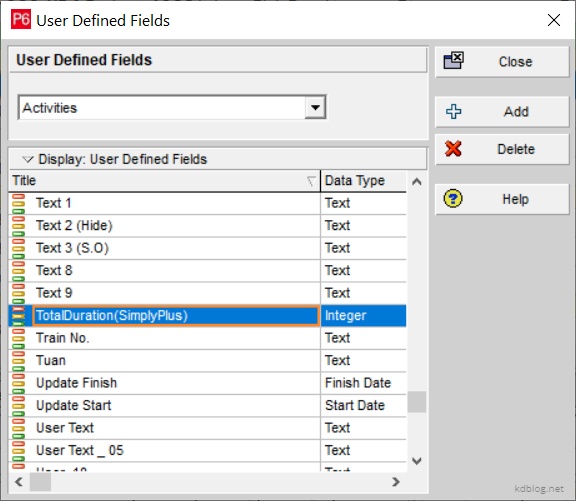
Step 1: Create a User Defined Field (UDF)
- Navigate to Enterprise → User Defined Fields.
- Create a new field, for example, “TotalDuration(SimplyPlus)”.
- Set the Data Type to Integer.
This field will store the summed duration for each activity.
Step 2: Create a Global Change
- Go to Tools → Global Change.
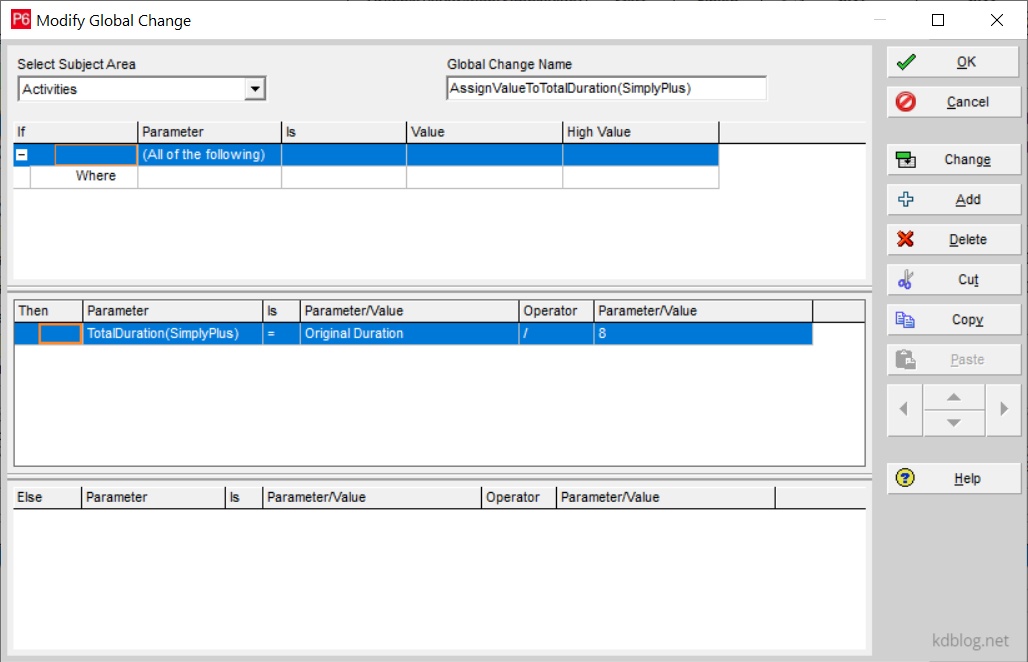
- Create a new Global Change, e.g., “AssignValueToTotalDuration(SimplyPlus)”.
- Define the formula to assign each activity’s original duration to the new UDF field. (Refer to the image for the exact formula setup.)
Step 3: Run the Global Change
- Execute the newly created Global Change.
- Primavera P6 will populate the TotalDuration(SimplyPlus) field for each activity.
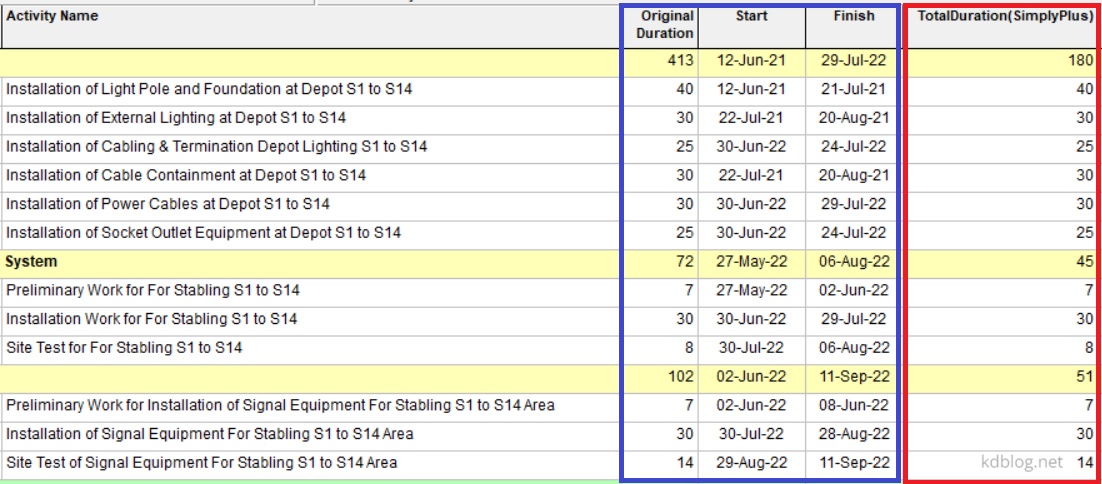
Step 4: View the Summed Duration at the WBS Level
Now, in addition to the default summary duration, you can view the summed duration based on the new UDF.

 Khuong Do Blog
Dear Mr.KhuongDo,
Thank you so much for the tip, could you explain more the formula: Total Duration = Original Duration / 8 please ?
LikeLike
Hi.
P6 manages the duration in “hour”. So if you do not include the “/8” in the formula, the Total Duration will receive the value in “hour”, not in “day”.
LikeLiked by 1 person