

Primavera P6 includes a feature called Top-Down Estimation, which helps calculate estimated labor and non-labor units based on estimation weights. This method can be applied at both the WBS and Activity levels to distribute units more realistically.
Scenario
We have a simple project where each activity is assigned the resource Test, and by default, each activity has 40 units.
We’ll use Top-Down Estimation to redistribute these units according to estimation weights.

Step 1: Assign Estimation Weights
Before performing top-down estimation, you must assign Estimation Weights to WBS elements and activities. These weights determine how units are distributed.
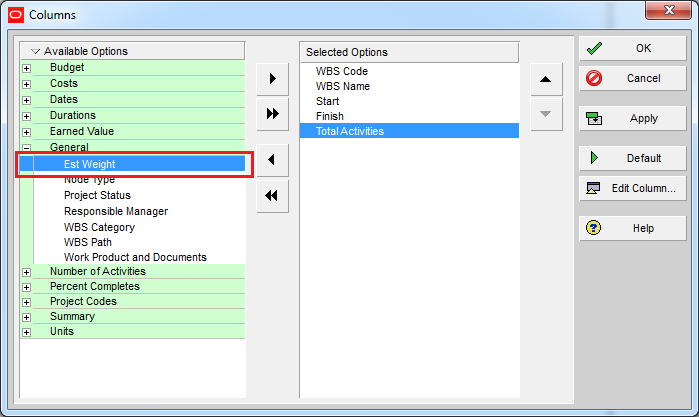
- Go to the WBS window and display the Est Weight column.
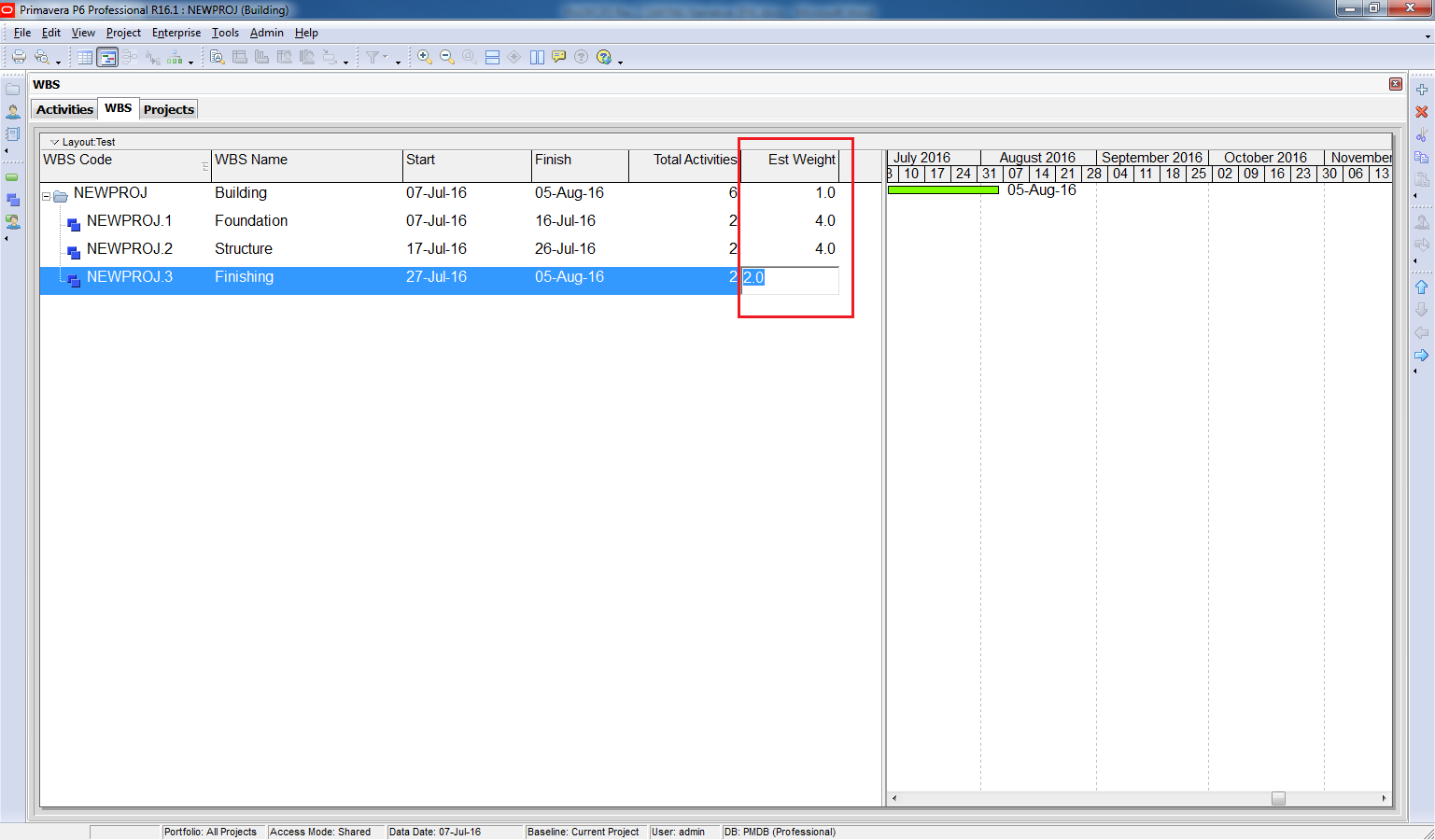
- Enter weights for each WBS element.
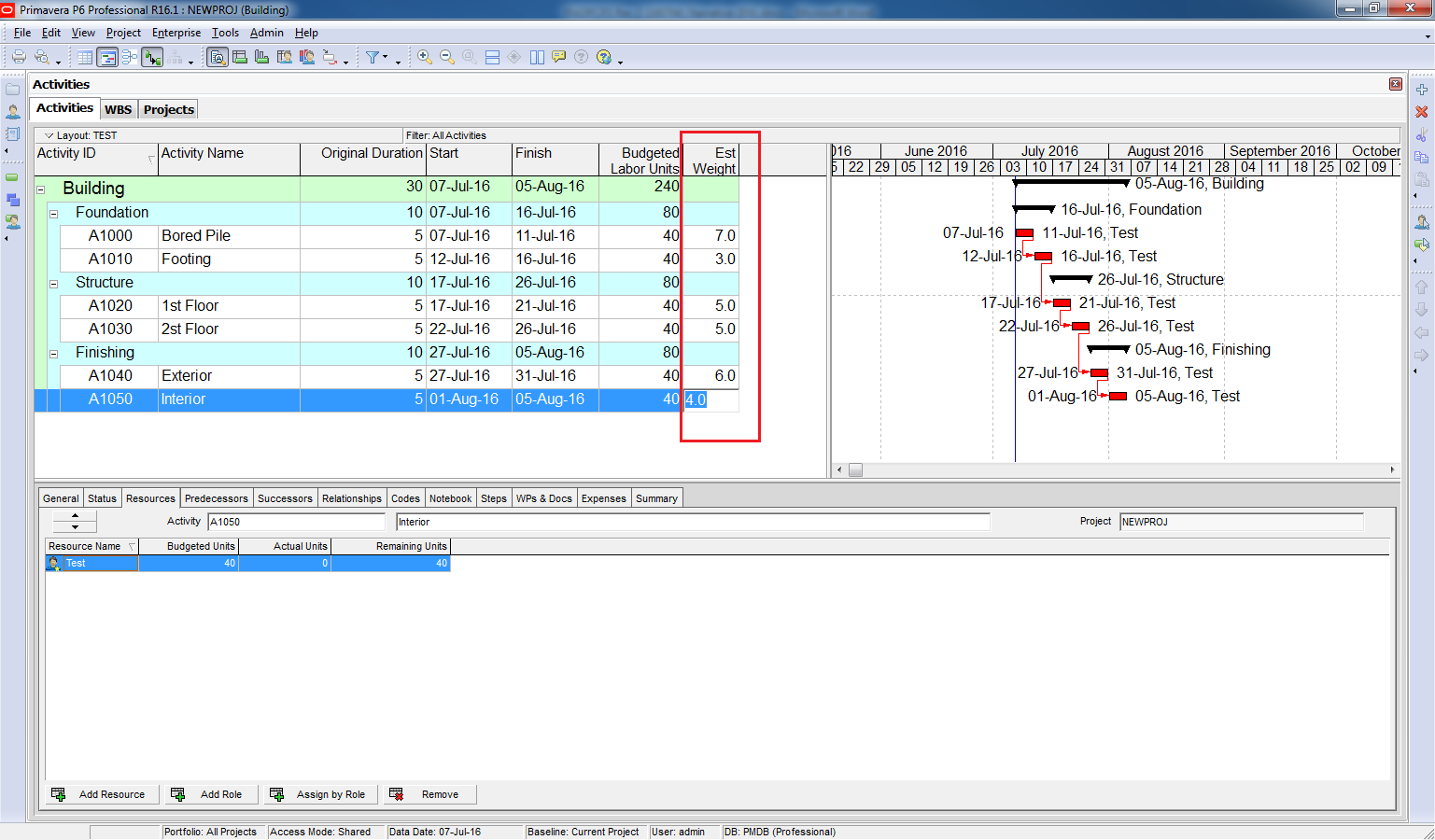
- Then, go to the Activities window, display the Est Weight column, and enter weights for each activity.
Enter the weight for each WBS.
Go to Activities window. Show “Est Weight” column.

Enter the weight for each activity.
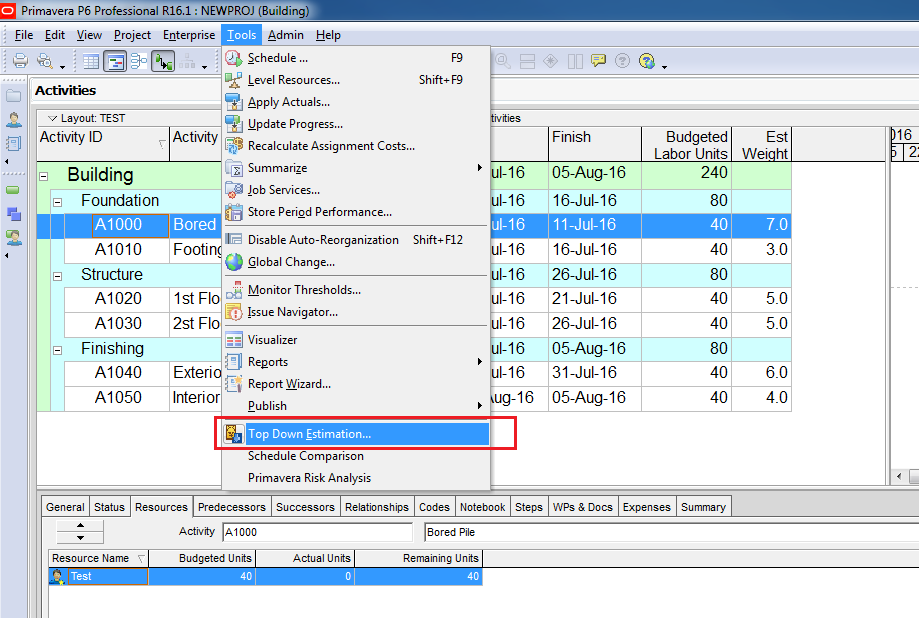
Step 2: Perform Top-Down Estimation
- Go to Tools → Top-Down Estimation.
- Primavera will display the current units in your project.
- Enter the new total units you want to apply to the project.
- Click Apply.
Primavera will redistribute units across WBS and activities based on the estimation weights you assigned.
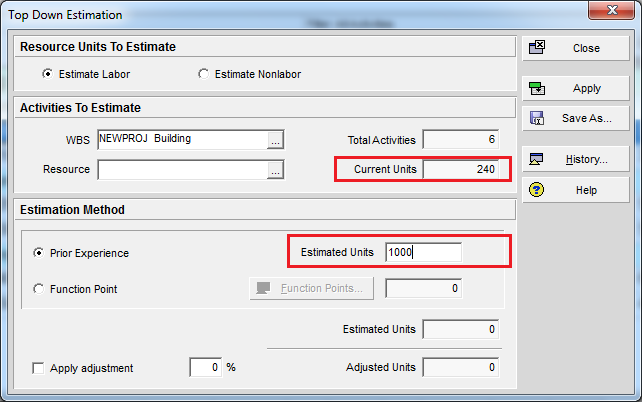
Click on Apply button.
Now you can see WBS and activities have new budgeted units.
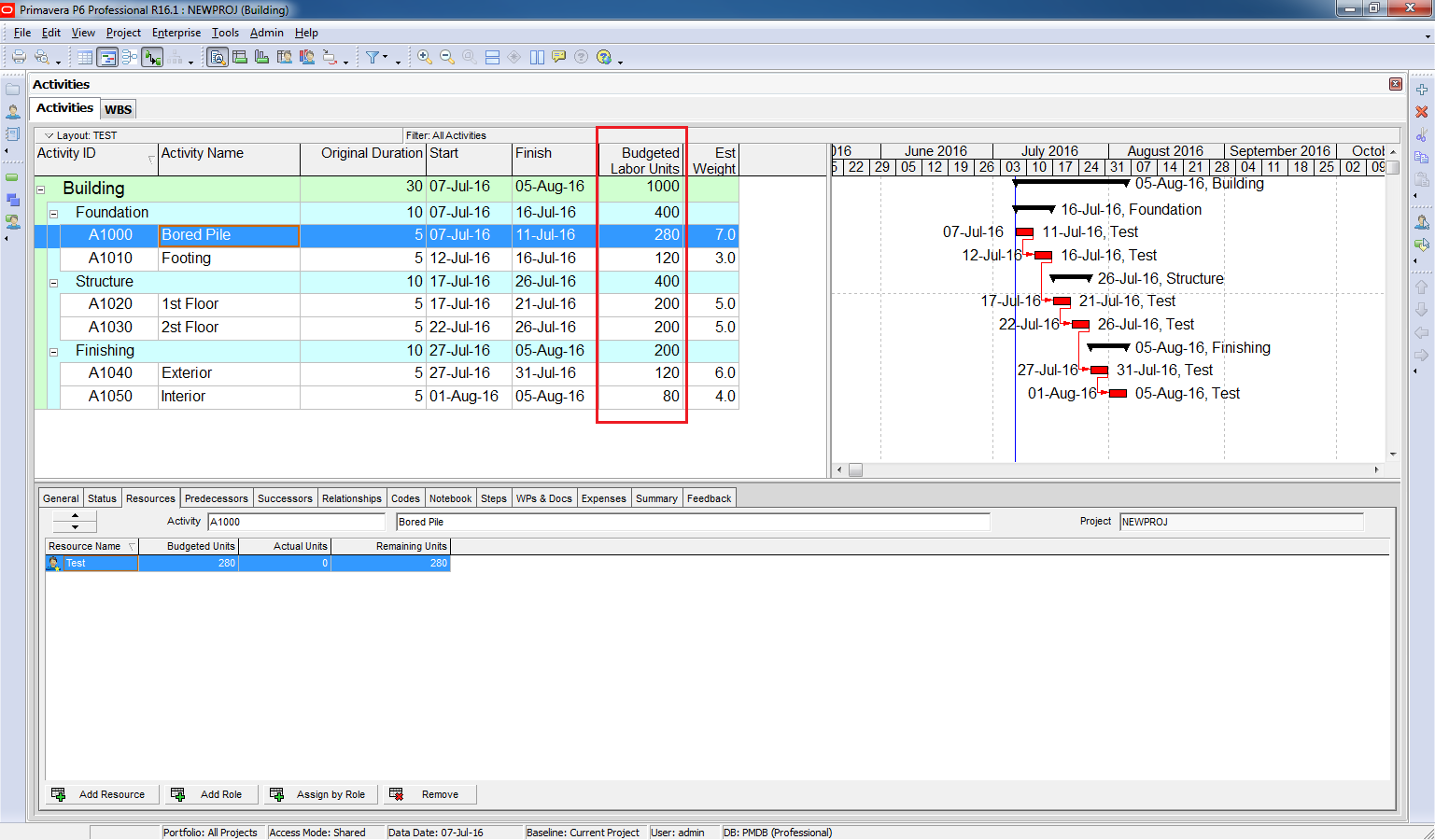
The units are distribute according to Est Weight which we assigned to them.
If the total units are 1,000:
- Foundation WBS has 40% weight → 400 units.
- Bored Pile activity under Foundation has 70% weight → 280 units.
Key Benefit
This feature allows you to quickly and accurately distribute units across your project based on relative importance or complexity, without manually adjusting each activity.

 Khuong Do Blog
Thank you , but this option in p6 is not good for larg projects.
LikeLike
Yeah, I think it’s only for making a draft resource load.
Especially when you already had a similar project and you will bring the estimation weight from that project to this one.
LikeLike
would anybody elaborate, whats the use of this option in practically handling projects through primavera….
LikeLike
Thanks
LikeLike
Thanks.
LikeLike
all are fine, but i want to know what is the space management in primavera
LikeLike
Hi,
I don’t think P6 Professional has that module
LikeLike
Can we use budgeted non-labor units instead.
LikeLike
THANK YOU
LikeLike
AND ALSO I WANT TO KNOW THE TOTAL BUDGET COST AND MANPOWER HISTOGRAM IN PRIMAVERA
LikeLike
Hi Sunil,
For Manpower histogram, you can refer to this article https://doduykhuong.com/2016/09/25/how-to-make-a-labor-equipment-mobilization-plan-in-primavera-p6/
LikeLike
Thank you
I have a another doubt. How can we calculate the monthly expenses in primavera.
From the resource assignment we can calculate monthly budgeted total cost, total labour cost, non labour and material also like that can we calculate for expenses also, is this possible?
Please let me know.
LikeLike
Hi Doduykhuong, Nice Article but it would be complete if you could cover the other fields in the Top down estimation window.
LikeLike
Hi Gopinath. Thanks for your compliment.
I intend to provide the basic information first. Maybe in future I will write more about it.
LikeLike
doduykhuong Thanks For Sharing this . Can You Please write about Function Point in Top Down Estimation
LikeLike
Hello sir, about top down estimation process, in WBS window theres no “est weight”, how can i import it or should i use global change? Thanks
LikeLike
Hi. You can show it on screen by right click -> Column
LikeLike
it only give tentative weitage to the programme but for cost loading it is ………………..
LikeLike