
In Primavera P6, we have a feature called Cost Account.

When we assign resources to an activity in Primavera P6, it generates associated costs. These costs can be grouped at the activity level—typically by WBS (Work Breakdown Structure) or Activity Codes—allowing for cost roll-ups and summaries.
But what if we want to group costs at a more detailed level—specifically within the Resource Assignments tab?
Let’s look at an example.
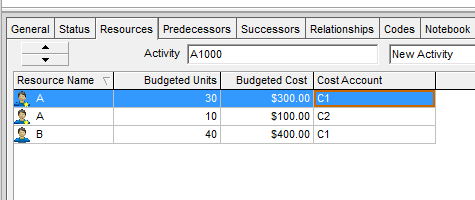
Suppose we have a simple project with an activity labeled A1000, which is executed by Contractor A and Contractor B.
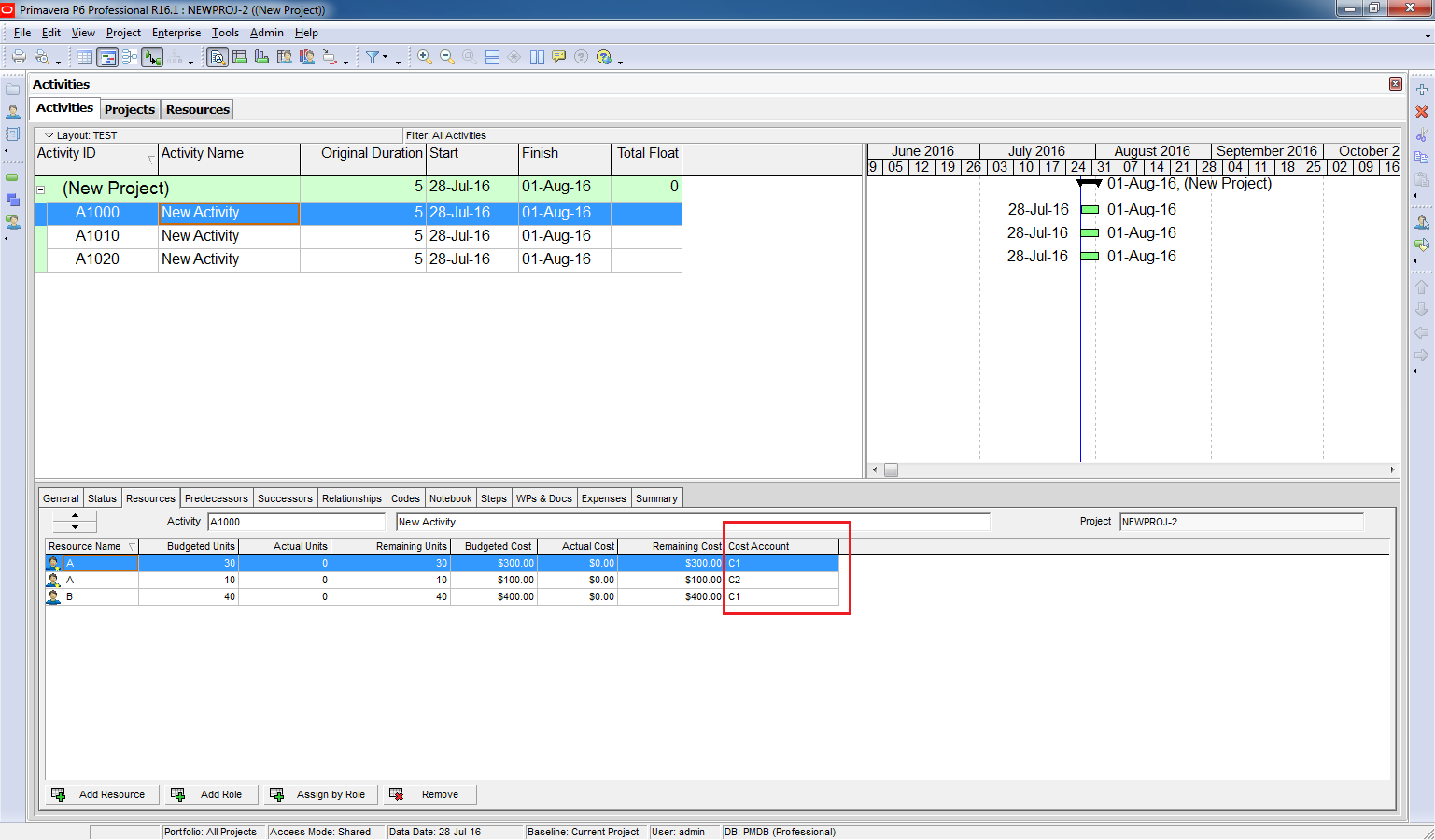
Now, imagine that Contractor A is responsible for two different tasks within this activity, and each task falls under a different Cost Account. To manage this, we can display the Cost Account column in the Resource Assignments tab and assign appropriate values to each task.
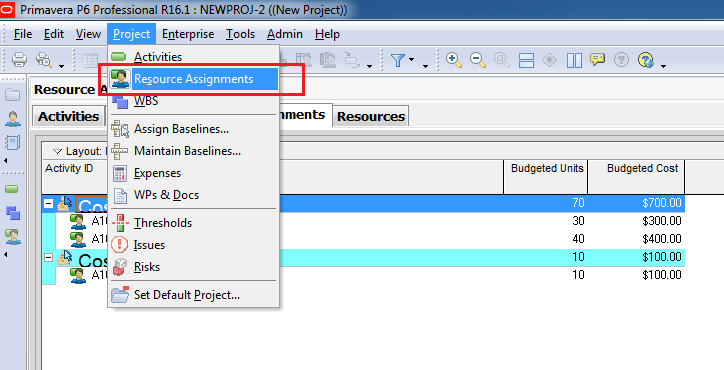
In the Resource Assignments window, we can group data by Cost Account to see how costs are distributed across different categories—even within a single activity.


Summary
Primavera P6 allows you to group and manage costs not just at the activity level, but also at the resource assignment level using Cost Accounts. This is especially useful when:
- A single activity involves multiple contractors or cost types.
- You need detailed cost tracking and reporting.

 Khuong Do Blog
The cost account can also be used to group cost under correct control line. Using Capital project as example with US Federal funding grouping:
1. Construction, Fixed Equipment
Resources & Materials
2. Administration, Moveable Equipment
3. Engineering
Assigning cost account then it can be group to pull reports for the major cost control lines.
LikeLike
Thanks for your sharing Donnell. It’s very helpful
LikeLike
Thank you for this article, it’s do useful
LikeLike
Would like to get an article regarding cost loading and monitoring and updating in schedule
LikeLike
Hi Anil,
You can refer to this article regarding Assign resource. By assigning resource, our schedule will have cost.
https://doduykhuong.com/2017/03/07/how-to-assign-resource-resource-loading-make-resource-plan-in-primavera-p6/
LikeLike