

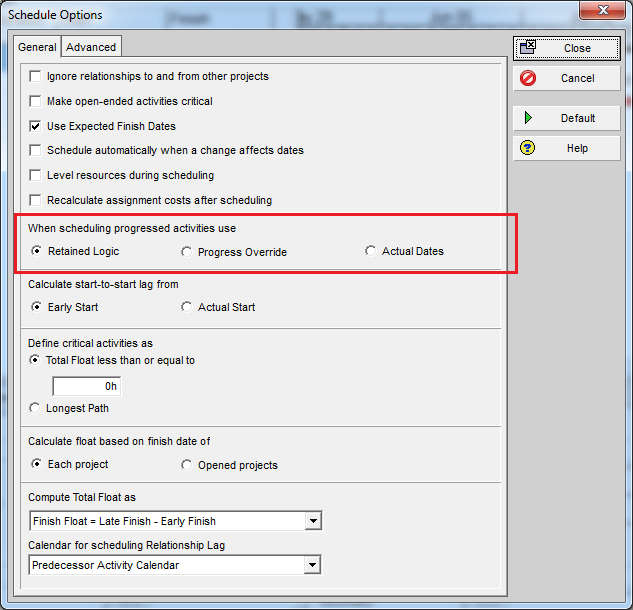
Primavera P6 provides three key options in the Scheduling Options dialog that control how the software handles Out-of-Sequence Progress:
- Retained Logic
- Progress Override
- Actual Dates
Understanding these options is essential for accurate schedule calculations. Let’s explore how each works with an example.
What is Out-of-Sequence Progress?
Out-of-sequence progress occurs when an activity starts or finishes before its predecessor is complete, violating the planned logic.
Example:
- Activity A2 should start after A1 finishes.
- In reality, A2 starts and finishes before A1 begins.
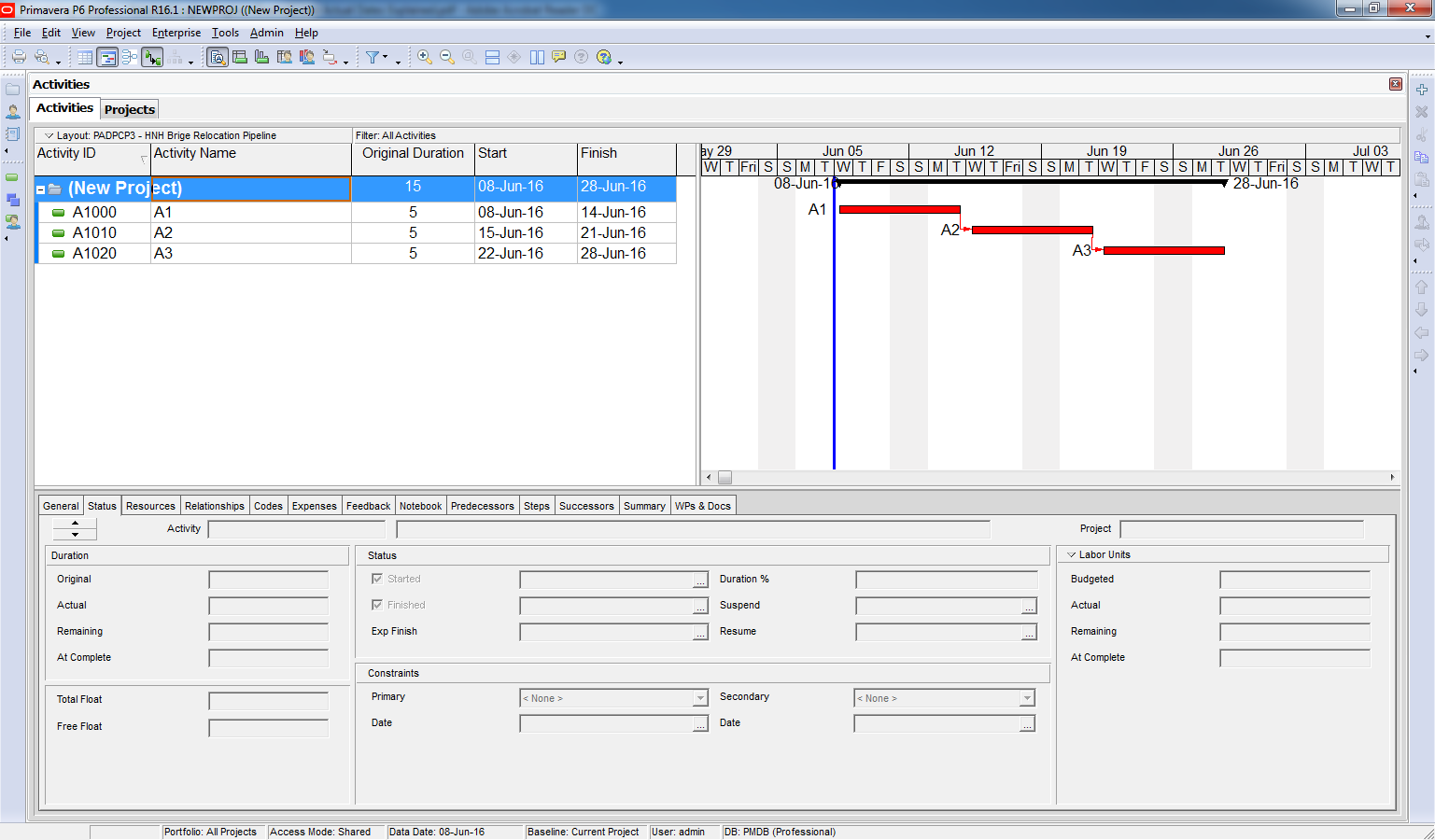
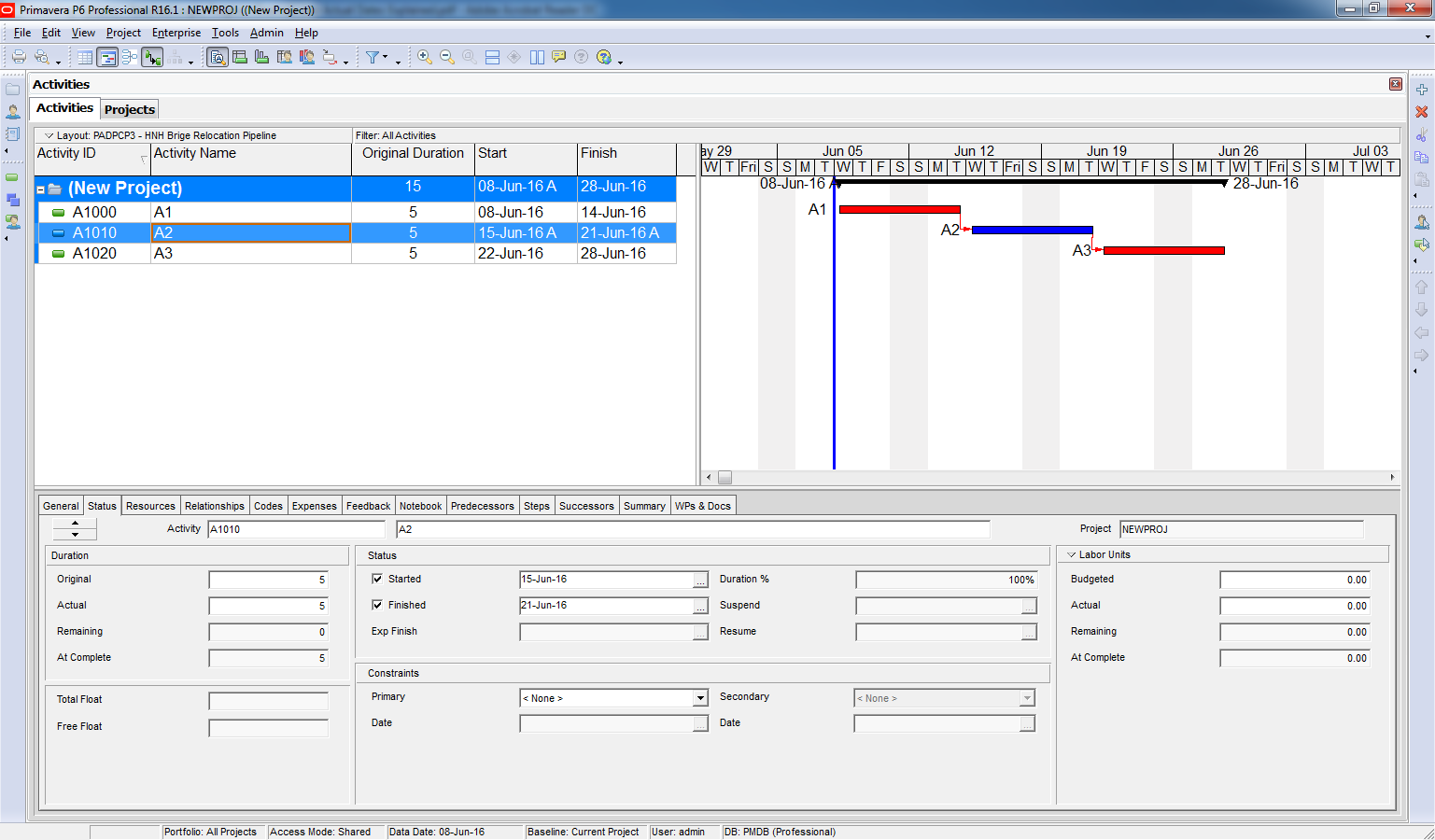
How does Primavera P6 deal with this situation?
It depends on which scheduling option was chosen.
Scheduling Options Explained
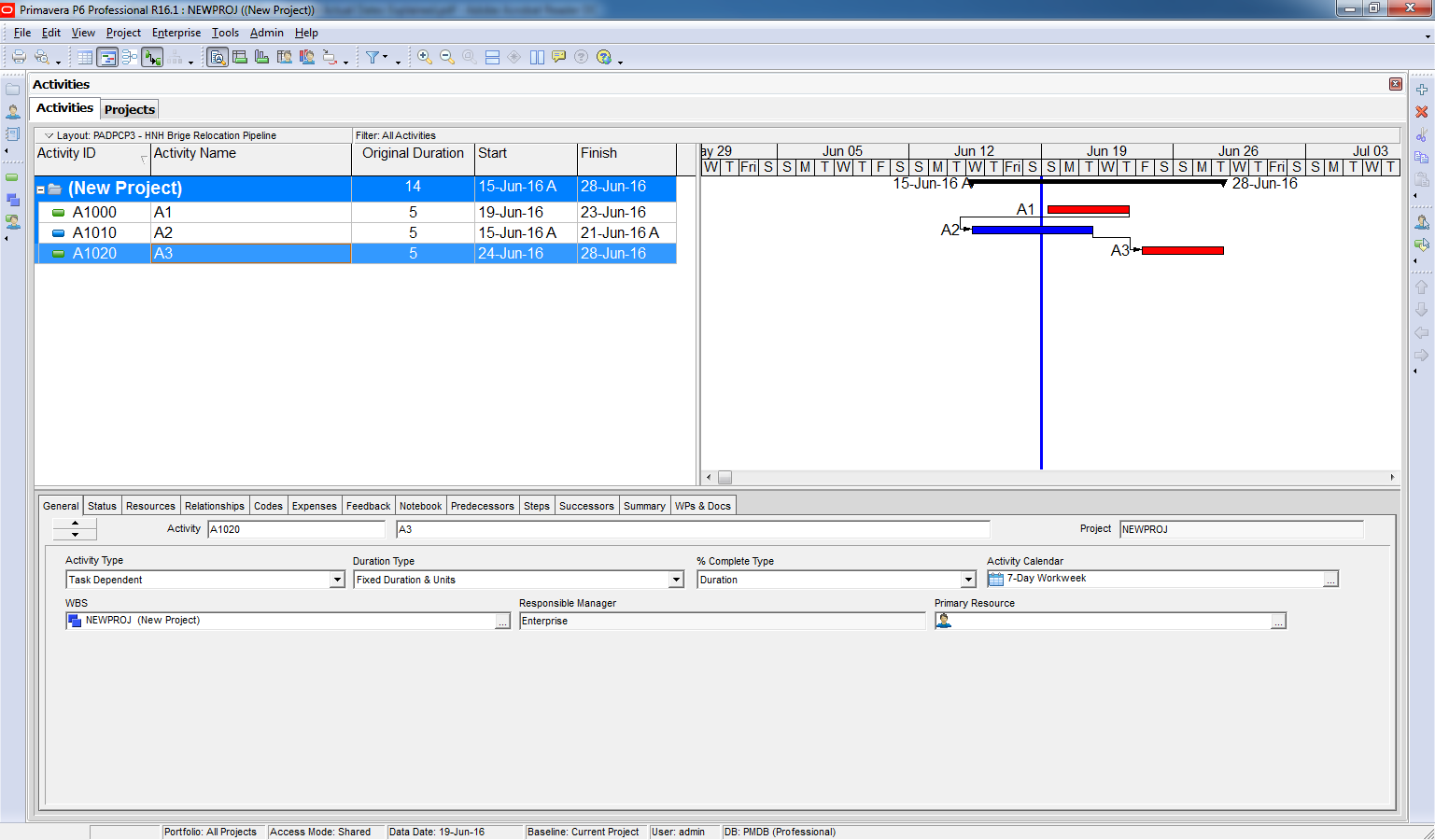
1. Retained Logic
- Primavera retains the original logic.
- Even if A2 finishes early, A3 cannot start until A1 is complete.
- This enforces the original dependency chain.
2. Progress Override
- Primavera overrides the original logic.
- A3 is scheduled immediately after A2 finishes, ignoring A1’s dependency.
- A1 is no longer considered a predecessor for A3.
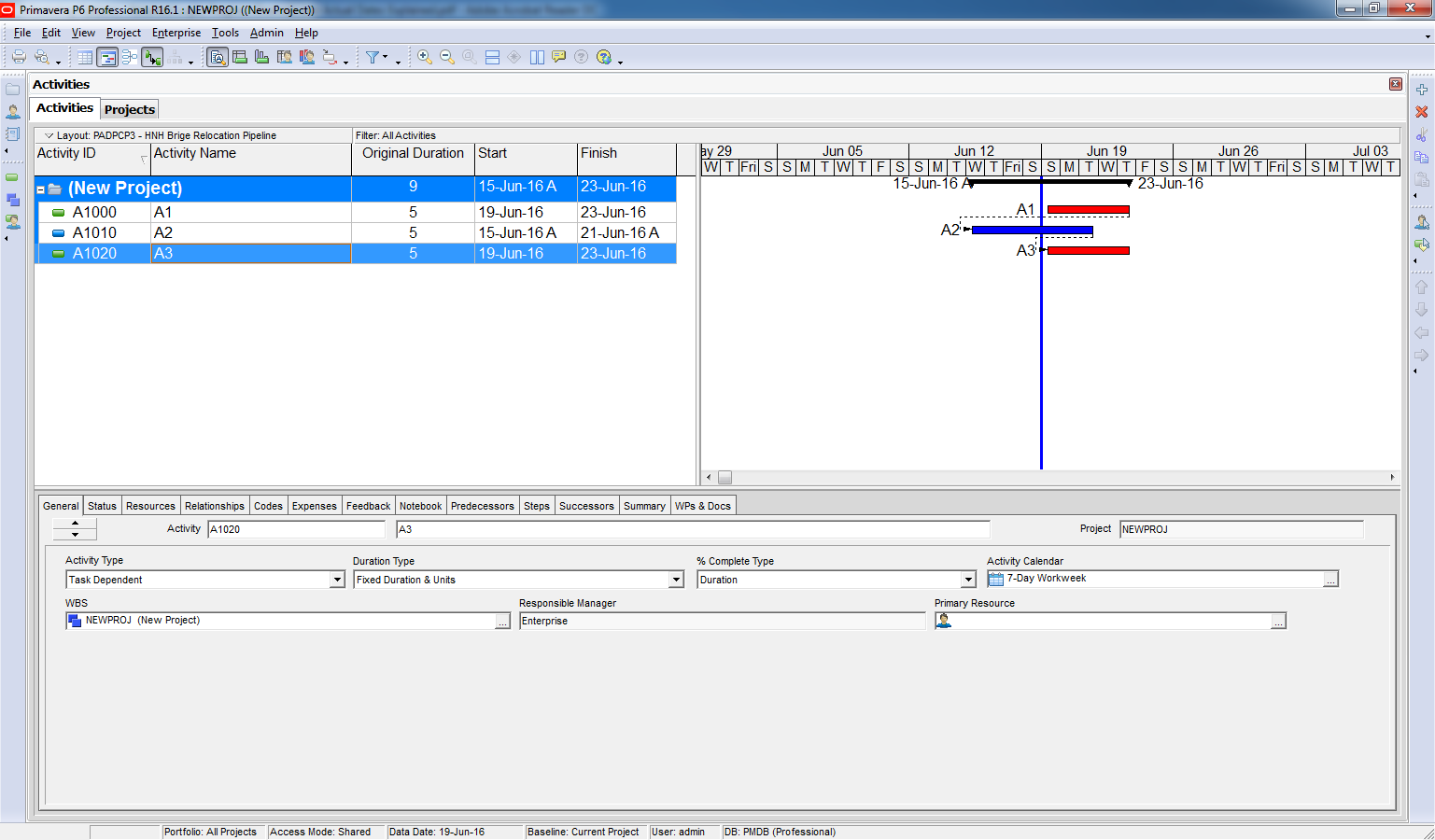
3. Actual Dates
- Primavera uses actual dates to drive the schedule.
- A3 starts as soon as A2 is complete, even if A2’s actual finish is after the data date.
- Logic is overridden by actual progress.

Key Differences
| Option | Behavior |
|---|---|
| Retained Logic | Keeps original logic; successor waits for all predecessors. |
| Progress Override | Ignores logic; successor starts after out-of-sequence activity. |
| Actual Dates | Uses actual dates; overrides logic based on real progress. |
Best Practice
- Use Retained Logic for strict dependency control (such as: when analyzing delays or performing forensic schedule analysis)
- Use Progress Override when real-world progress should drive the schedule.
- Use Actual Dates for generating reports for stakeholders that need to show what actually happened, regardless of the original logic.

 Khuong Do Blog
this is not a very clean and clear example. you have 2 errors and yet only address the out of sequence. you have also progressed actuals after the data date so you Progress Override example is not indicative of the true actions of the system.
LikeLike
Hi Ronald,
Thanks for your comment.
Regarding update actual after data date, I just want to show the difference between “Progress override” option and “Actual Dates” option. If I don’t update like that, those option will show the same result.
LikeLike
“If I don’t update like that, those option will show the same result.” – no, the two options would show different result if you have, for example, FS relationship for two activities and both have progress, meaning the second activity starts when first is not 100% completed. Then in Retain Logic the remaining duration of second activity will continue after the the EF of the predecessor, while in Progress Override both RD will fall onto the Data Date with their starts (btw here I don’t mix AS with the start of RD). To conclude, YOU NEVER make AS(or AF)>DD because if you do that it is the same if you say “I HAVE started (completed) the activity next Wednesday”.
LikeLike
Sooo, how do you use the 3 options?
LikeLike
Hi there,
My blog focus on software function only.
For how to apply in practical project, many other experts have better knowledge than me.
Hopefully someone can share with us.
Thanks
LikeLike
nice
LikeLike
Thanks for the information
Really Helpful
LikeLike
what is the recommended by PMI’s Standard for Scheduling? Who can told me please?
Thanks a lot.
Wafik Sakr
LikeLike
From my experience, I often use Retained logic. And most of senior scheduler I know also use that option
LikeLike
Using Retained Logic is not applicable at all times. its all depend on site work to determine what option to use when updating.
LikeLike
No está considerada buena práctica que existan fechas reales posteriores a la fecha de datos y además no tiene lógica que introduzcamos una fecha de finalización en el futuro.
LikeLike