
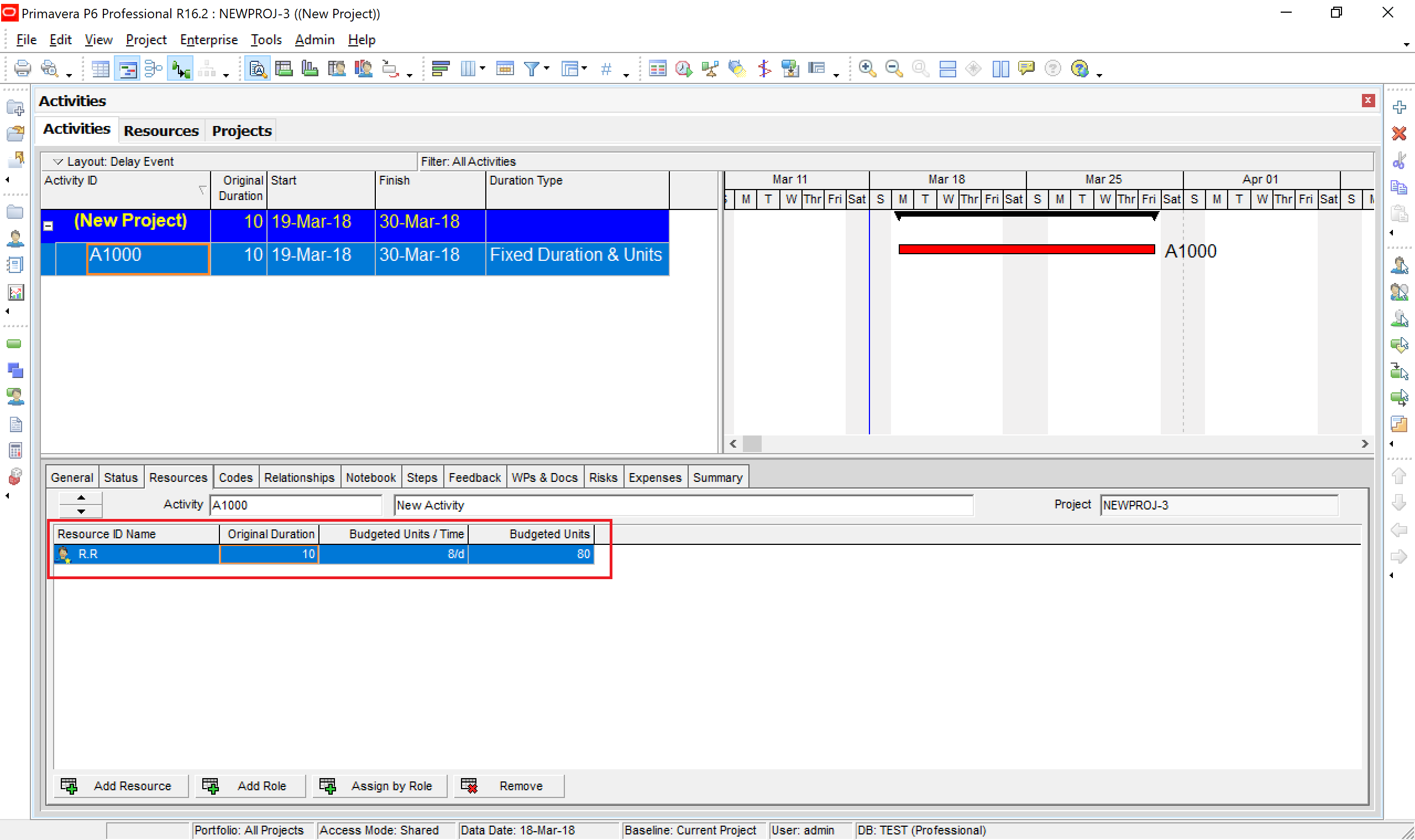
When assigning a resource to an activity in Primavera P6, the following equation always holds true:
Original Duration × Units/Time = Total Units
For example:
10 days × 8 hours/day = 80 hours
This equation is fundamental and must always remain valid, regardless of changes made to the activity.
When you modify the duration of an activity, Primavera P6 must decide which value to adjust, Units/Time or Total Units, to keep the equation balanced.
This is where Activity Duration Type comes into play.
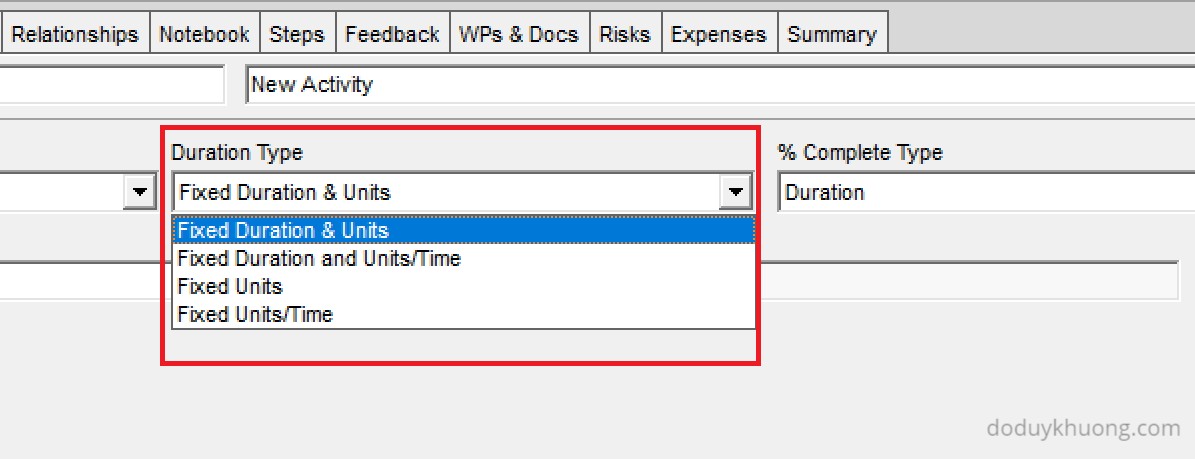
The Duration Type setting in Primavera P6 determines which variable remains fixed and which ones are recalculated when changes are made.
Here’s a quick guide:
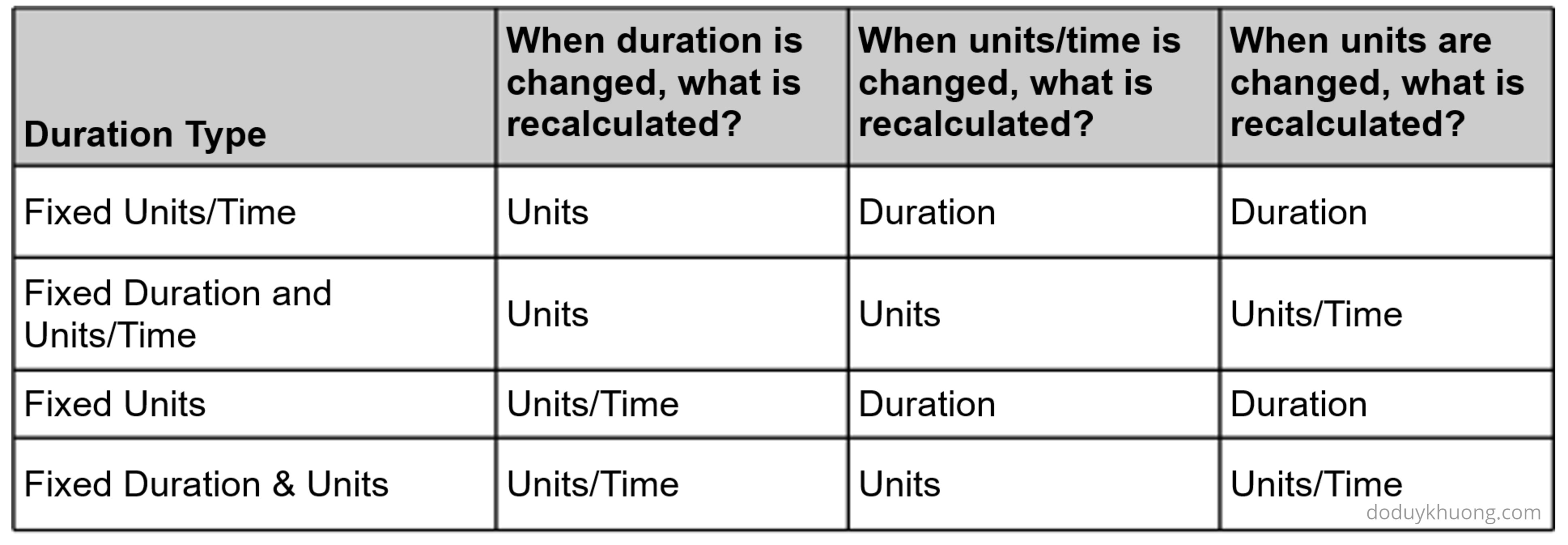
- If Duration is fixed → P6 will not recalculate the duration.
- If Duration is not fixed → P6 will recalculate the duration to maintain the equation.
Below is a summary of how each Duration Type affects the calculation:
Practice Exercise
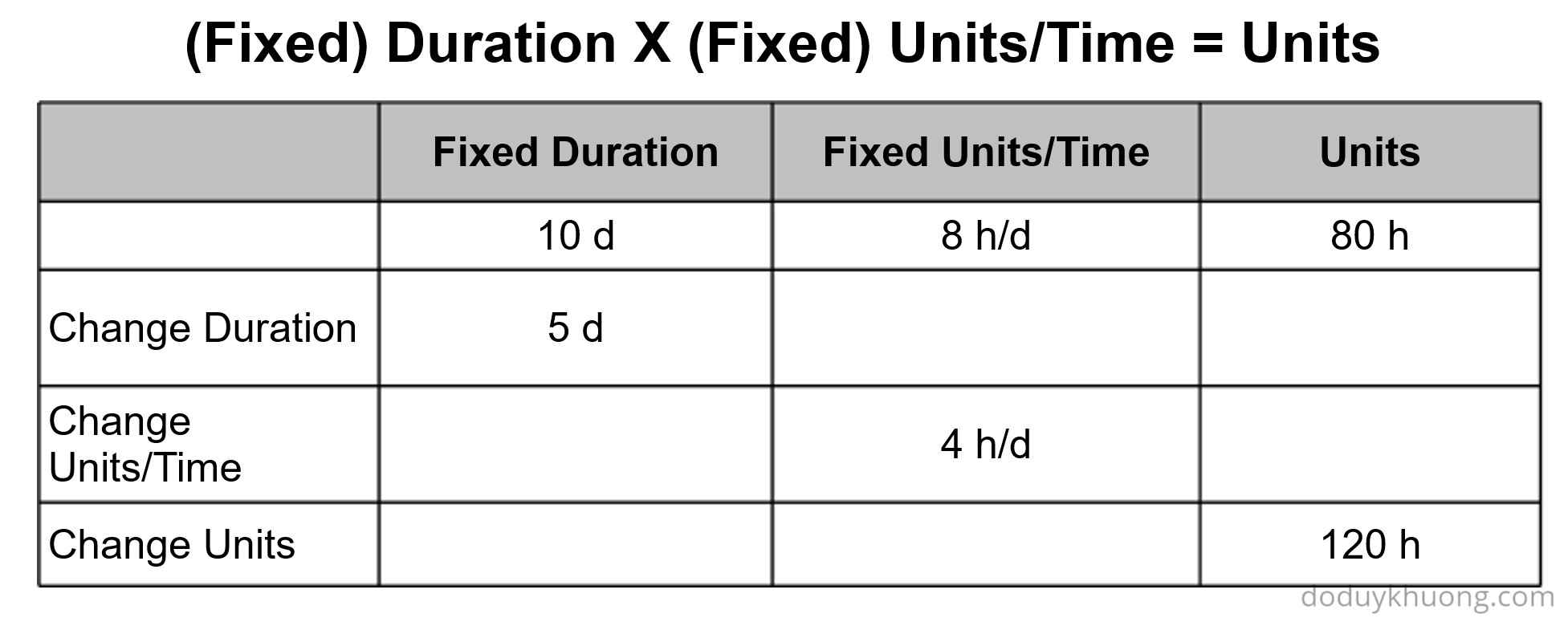
To better understand how each Duration Type works, try filling in the values in the following tables so that the equation remains true for each scenario.
Duration Type: Fixed Units/Time
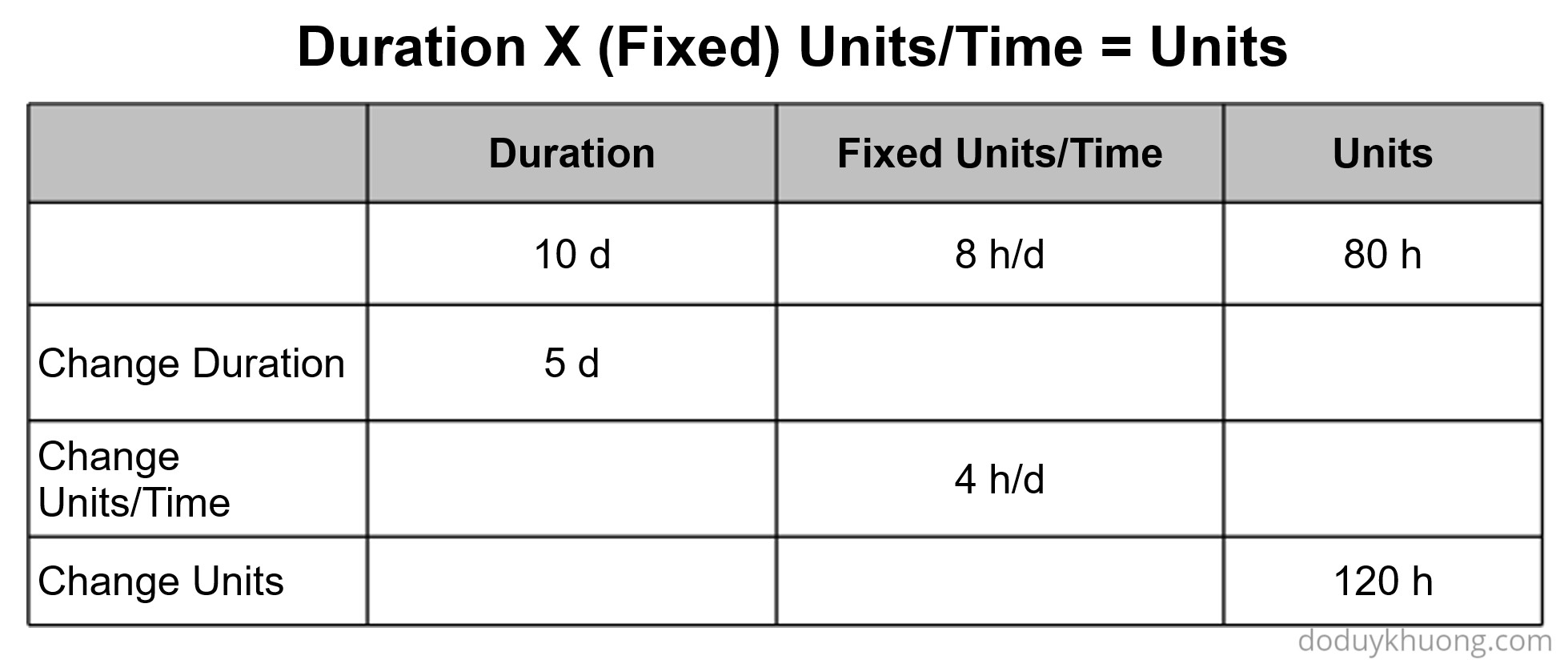
Duration Type: Fixed Units

Duration Type: Fixed Duration & Units

Duration Type: Fixed Duration and Units/Time

 Khuong Do Blog
Sir i am very thankful to you for the work (Blogs on P6 problems) you are doing for the Primavera learner .
LikeLiked by 1 person
You’re welcome 🙂
LikeLike
Thanks for Sharing this article, it’s really helpful.
Can you also please share Your article for % Complete Type, and how does all go, while updating the Progress
LikeLike