

Resource leveling in Primavera P6 is a powerful feature that helps resolve resource overload issues in your project schedule. When multiple activities require the same resource at the same time, Primavera can automatically adjust activity start dates to ensure resources are not over-allocated.
In this article, we’ll explain how resource leveling works and how you can control its behavior.
What is Resource Leveling?
Resource leveling adjusts activity start dates to prevent resource overload. For example:
- Resource Test works 8 hours/day.
- Two activities assigned to Test occur simultaneously.
- This creates an overload situation.


Step 1: Level Resources
To resolve the overload:
- Go to Tools → Level Resources.
- Click Level.
Primavera will push one activity to start later so the resource is no longer overloaded.


Step 2: Control Which Activity Moves
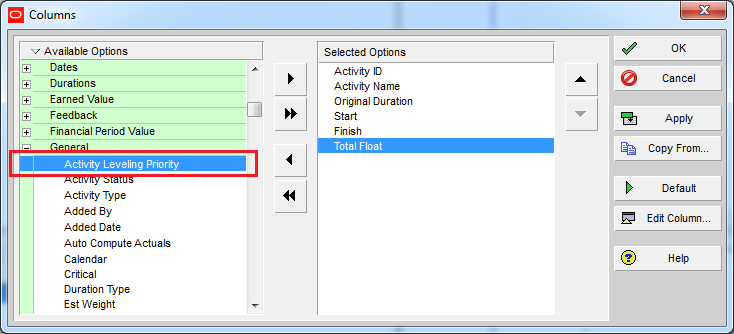
By default, Primavera decides which activity to delay. But you can control this using Activity Leveling Priority:
- Display the Leveling Priority column in the Activity Table.
- Assign priorities (e.g., High, Medium, Low).
Example:
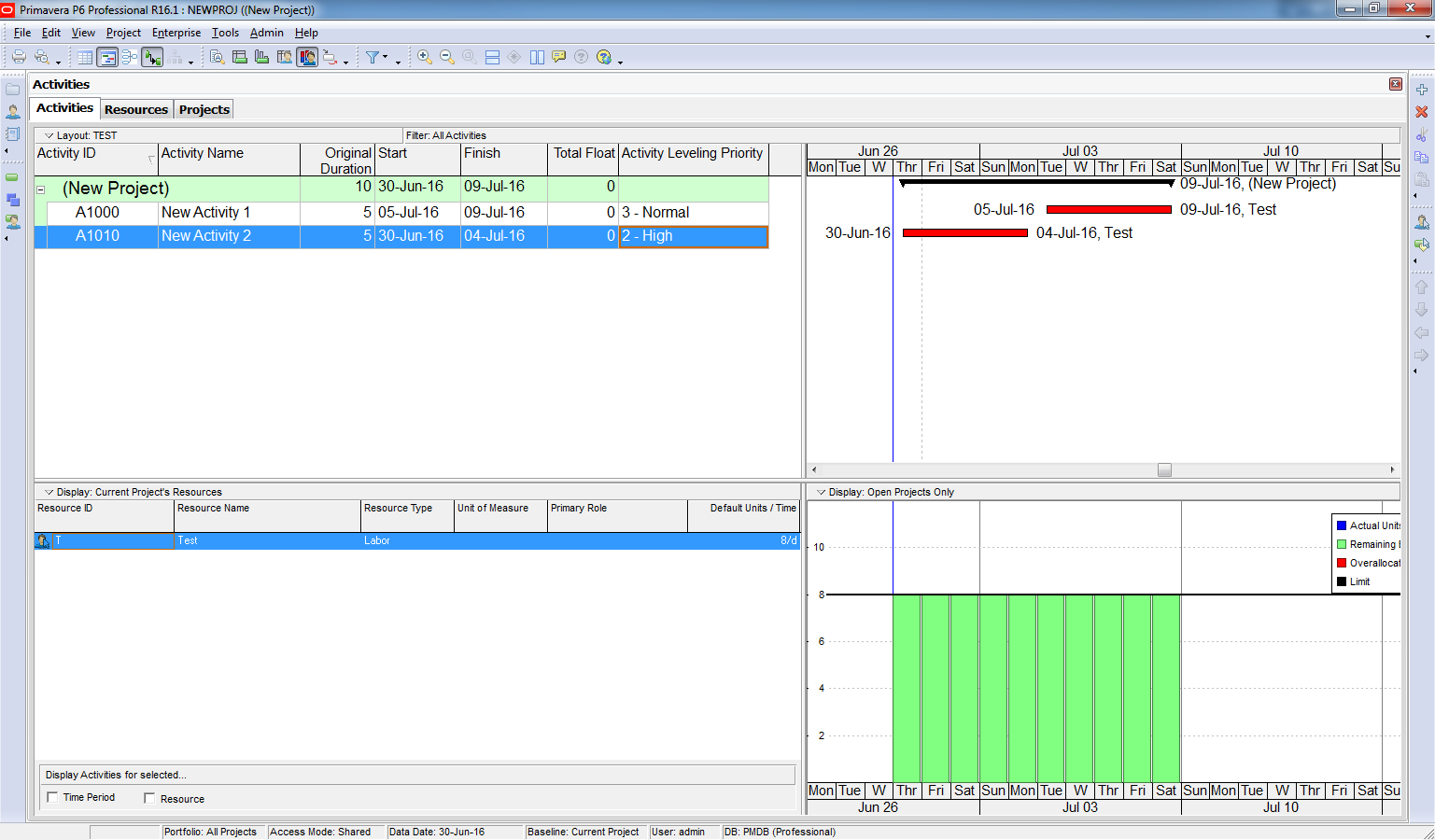
- Set Activity 2 to High priority.
- Run Level Resources again.
- Primavera will keep Activity 2 in place and push Activity 1 instead.

Conclusion
The basic concept of resource leveling in Primavera P6 is simple:
Push an activity’s start date later so that resources are not overloaded.
With leveling priorities and advanced options, you can control which activities move and how far they shift.

 Khuong Do Blog
The problem in construction industry that management ask to level resources but DO NOT exceed the project finish date I mean target date……in that case how to manage like in the above example….if they say 4th July is the target date and you cannot get the test resource before 30th June…..
looking forward a good reply..
LikeLike
please sir if u make video of primavera …it will very worthful.
LikeLike
Hi Rosshan.
So far I haven’t planned to make video. May be in future 🙂
LikeLike
Thanks for those valuable screen shot with clear explanation, Is Primavera P6, will guide us in preparation of optimum project scheduling with accessible time??
LikeLike