
When you use Resource Leveling in Primavera P6, the software typically delays activities to avoid resource overload. However, this can push the Project Finish Date beyond its original schedule. So, how can we level resources without affecting the finish date? Let’s explore.
Scenario
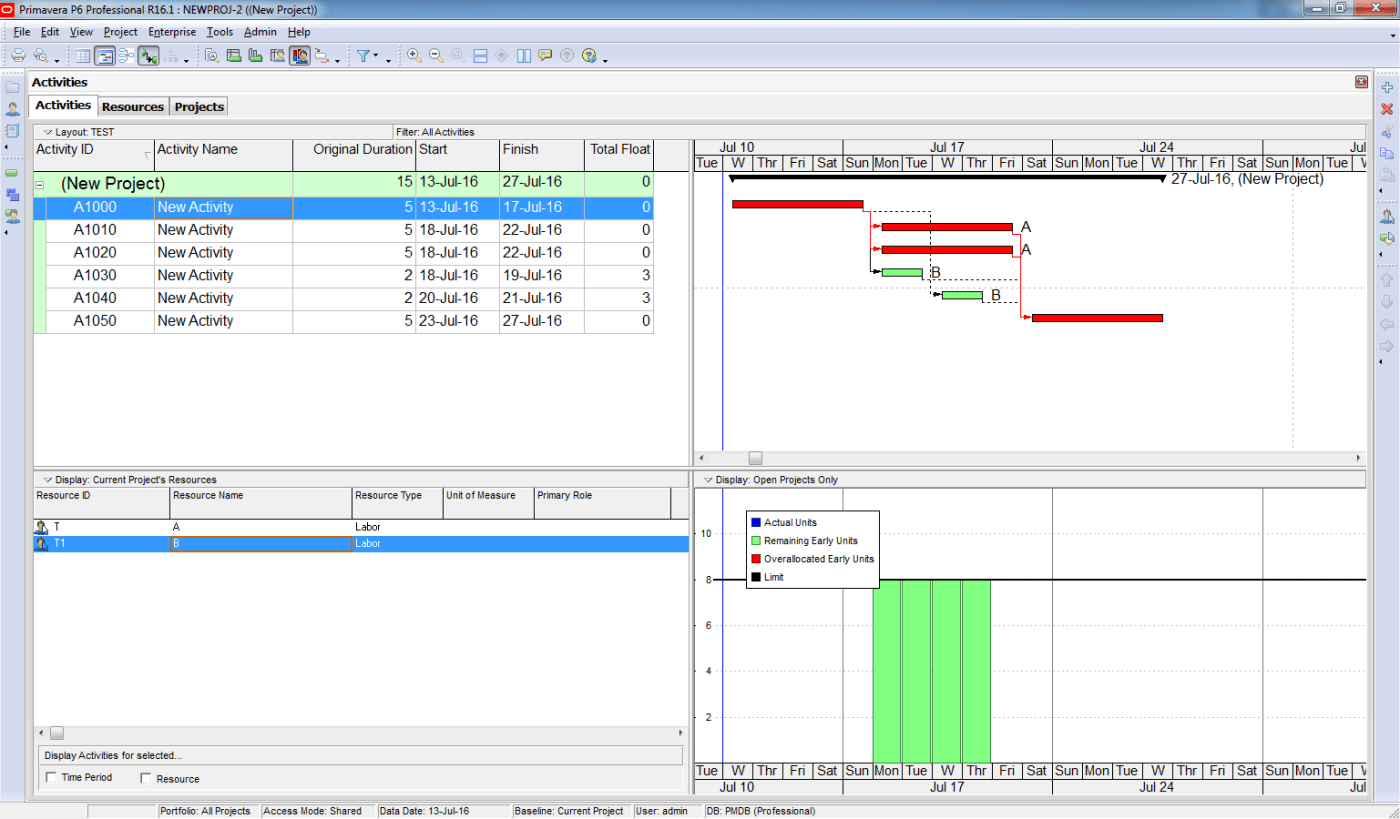
We have a simple project:
- Two activities assigned to Resource A
- Two activities assigned to Resource B

If we perform resource leveling now:
- Primavera will delay one activity for Resource A and one for Resource B.
- Since an activity for Resource A is on the critical path, the Project Finish Date will be delayed.
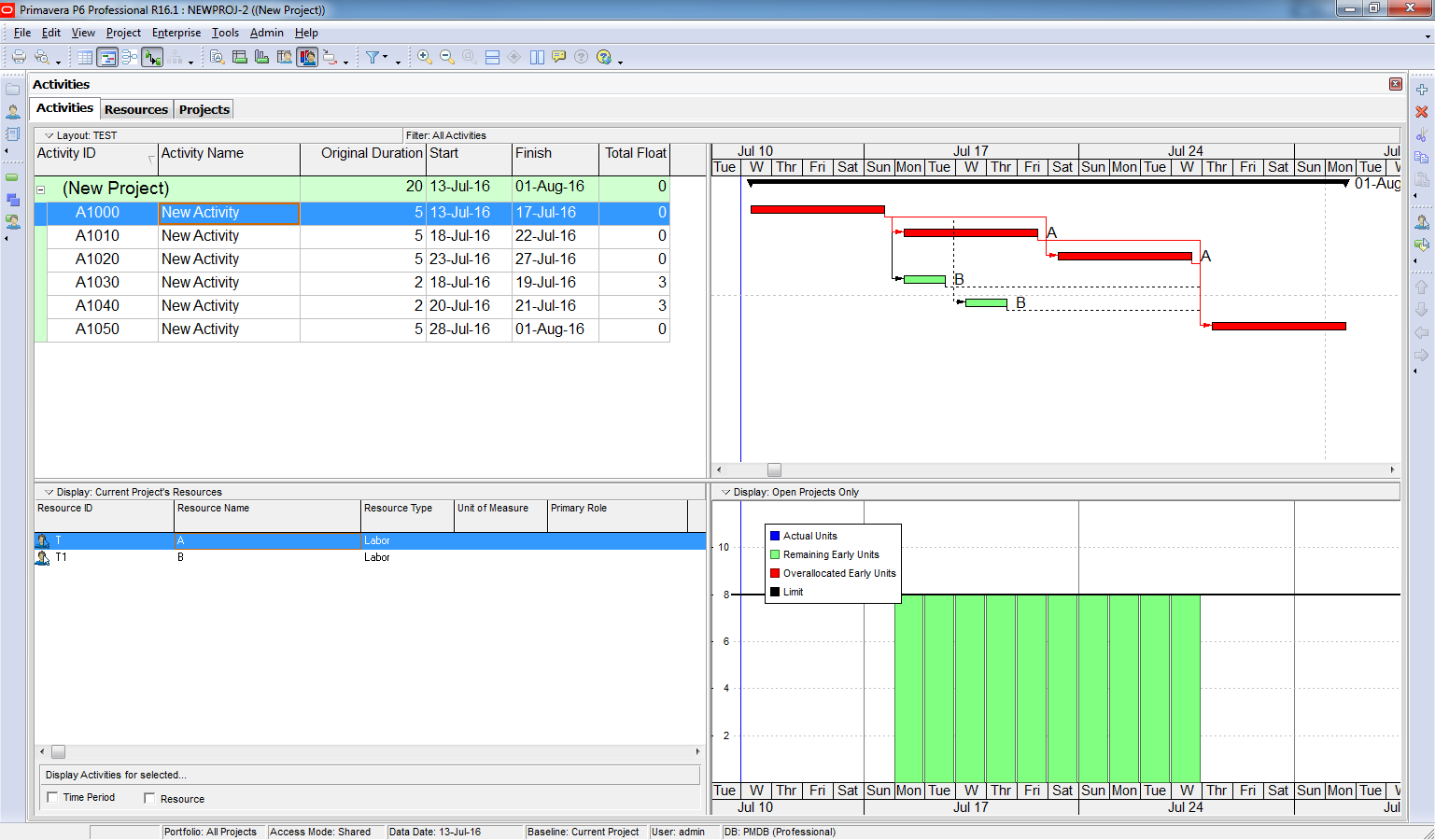
How about we tell Primavera that it should only delay activity which is not on critical path.
Solution:
To prevent the finish date from changing:
- Go to Level Resources.
- Check the option:
“Level resources only within activity Total Float” - Set Preserve minimum float when leveling = 0.
“Preserve minimum float when leveling = 0” mean after Level Resource, activity still have Total Float larger than 0. Otherwise Primavera will not move those activities.

Result
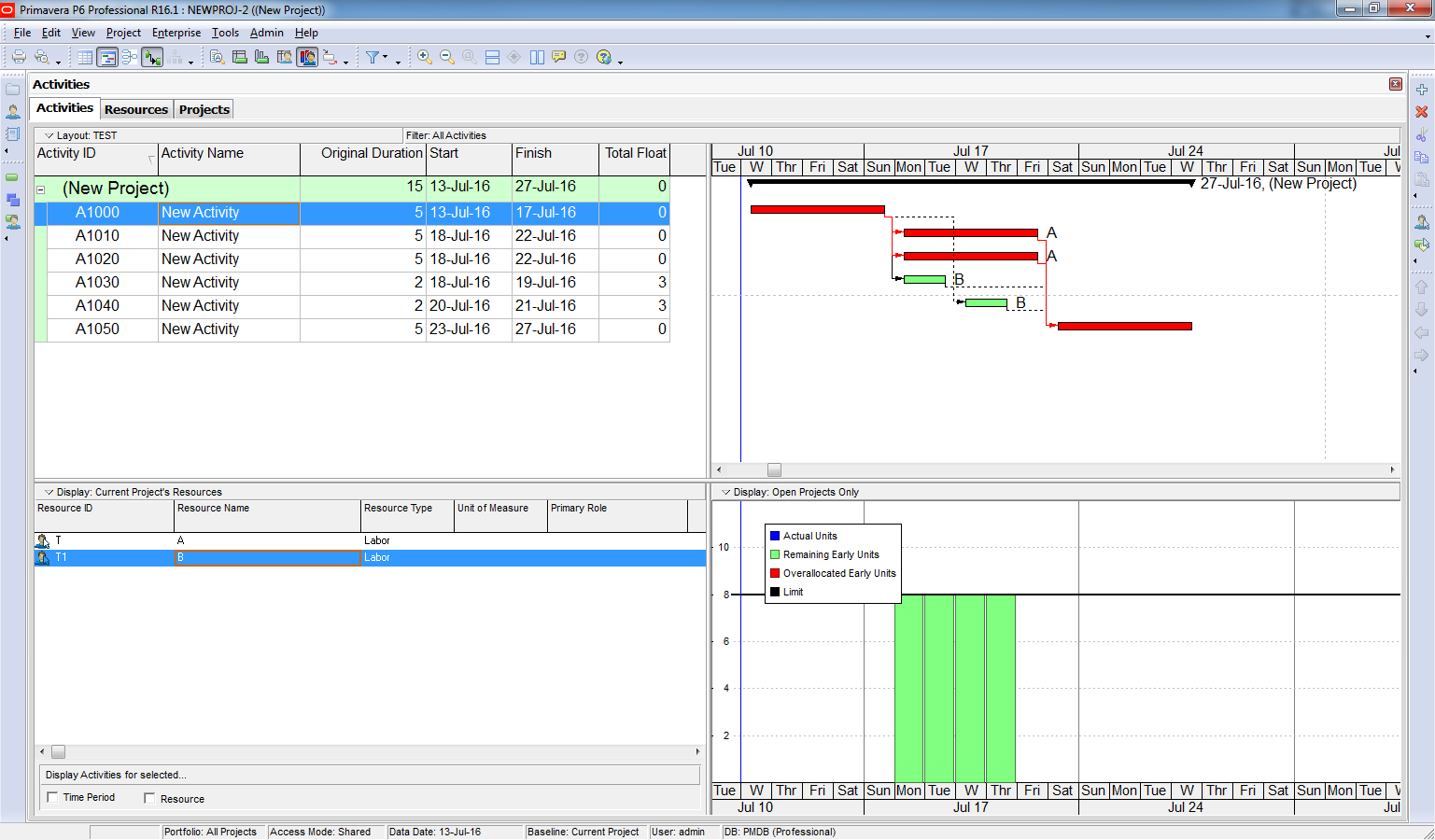
- Primavera delays only the activity for Resource B (which is not on the critical path).
- The Project Finish Date remains unchanged.
Conclusion
Primavera can automatically resolve resource overload for non-critical activities. For activities on the critical path, you’ll need to handle them manually—either by adjusting resources, changing calendars, or re-sequencing work.

 Khuong Do Blog
Thanks
I have always enjoyed your write ups its a blessing.
cheers
________________________________
LikeLike
Hi
thanks for sharing. I am looking forward to see your Blog on ”S” curve and earn value.
cheers
________________________________
LikeLike
Hi,
Thanks for your compliment. I’m very happy when you enjoy my blog.
LikeLike
Cheers
LikeLike
You doing a great job.. touching some interesting aspects of Primavera.
LikeLike
Thanks a lot. Your blog is very much helpful.
LikeLike
Hi,
All your primavera explanations are very good. Thanks for sharing your knowledge.
Regards,
Nirmal
LikeLike
Hi,
I like your way of explanation about P6. it is very easy to understand every one. Thanks for posting such interesting things from P6.
Please post how to assign resources in one simple construction project (engineering, procurement, construction and testing & commissioning) in P6. it would be helpful for me.
LikeLike
Which version has this feature ? Because in 8.3 these options are not available to select float.
LikeLike
Hi,
I’m using version 16.1. But I think this option is available long time ago.
LikeLike
In 8.3 i dont find that, will you please guide? And is there any short-way to pull your plan percent & dates back OR adjust new dates but must equal to activity percentage %….???
Please help
LikeLike
The problem is I don’t have version 8.3 to check this. You may post on Linkedin to ask other member who may have version 8.3
LikeLike
Simple example and easy to understand..keep it up..looking forward on next topics.. 😄
LikeLike
Thanks, very informative!
LikeLike
when we are doing but resource are not levelling. can u tell me what happening
LikeLike
at the end after leveling with encoching level resources only within activity total float :
but for the other ressource A stayed overloaded
LikeLike