

In the Resources window under the Units & Prices tab, you’ll find a field called Shift Calendar. What does it do? Let’s explore.

Purpose of the Shift Calendar
The Shift Calendar controls the Price/Unit for a resource based on the time an activity starts and finishes. This is useful when a resource has different rates for different shifts.
Example Scenario
Suppose Resource B works in a 3-shift operation with different hourly rates:
- In the Shift Calendar field, select 3-Shift Operations.
- Define rates for each shift:
- Shift 1: $15/hour
- Shift 2: $10/hour
- Shift 3: $13/hour

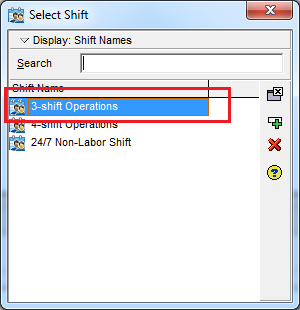
Shift 1: 15 $/hour
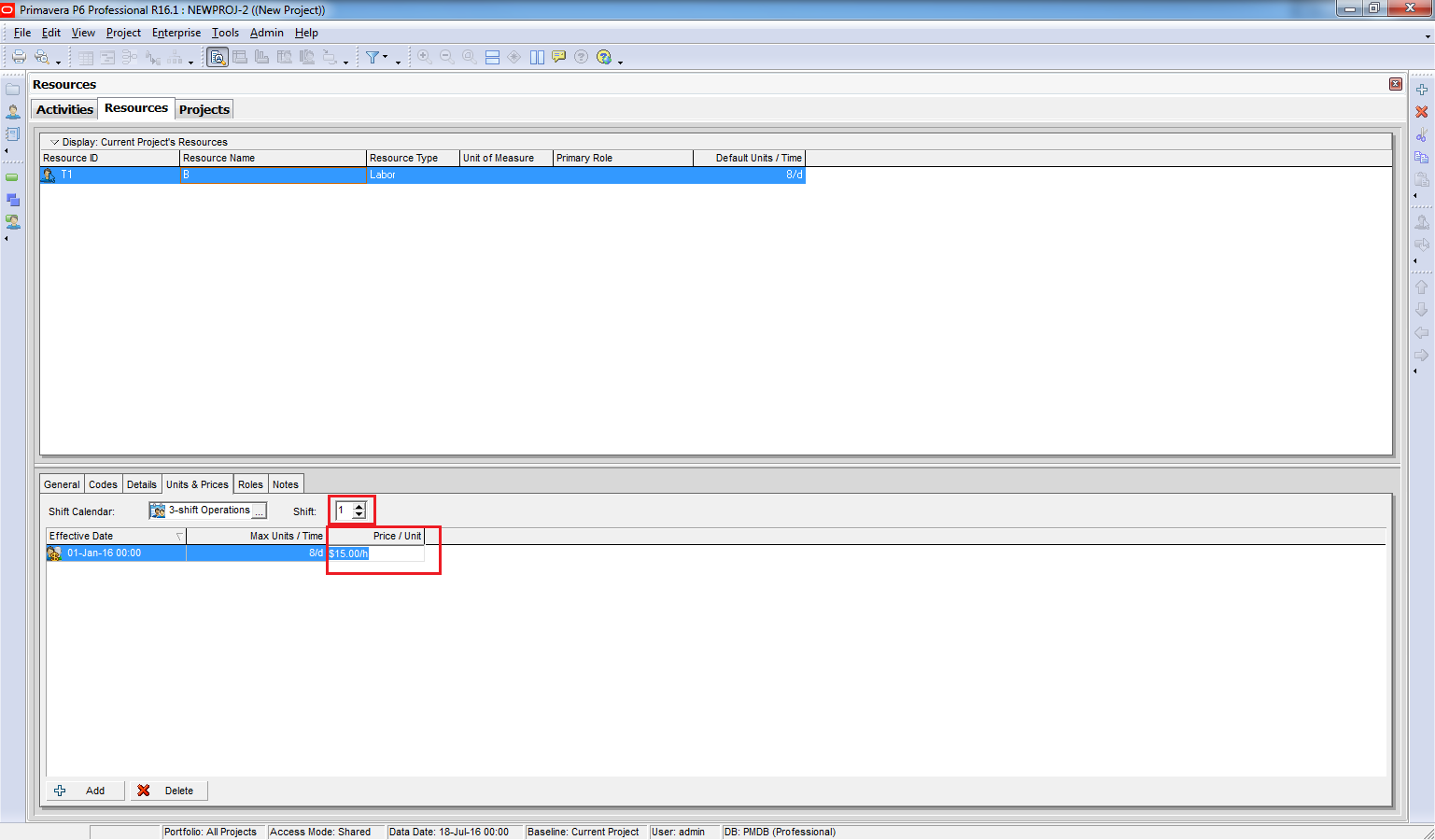
Shift 2: 10 $/hour

Shift 3: 13 $/hour

Check Shift Timings
To see shift start and end times:
- Go to Enterprise → Resource Shift.
- Select 3-Shift Operations and click Modify.
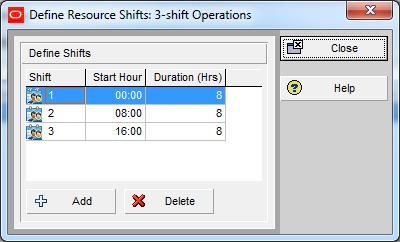
- You’ll see:
- Shift 1: 00:00 – 08:00
- Shift 2: 08:00 – 16:00
- Shift 3: 16:00 – 00:00
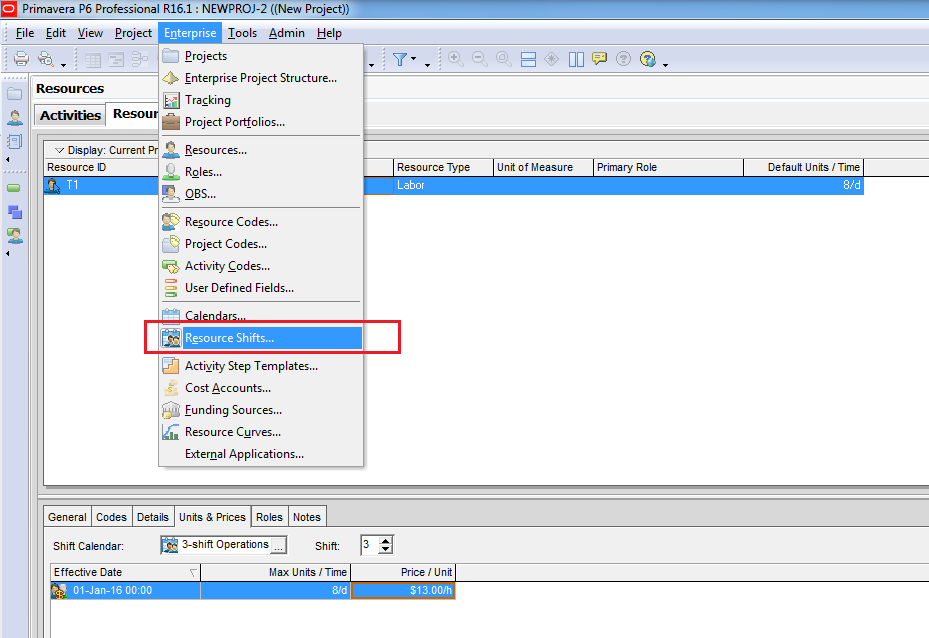
Select 3-shift Operations and click Modify

Now we can see :
- Shift 1 start at 00:00, finish at 08:00
- Shift 2 start at 08:00, finish at 16:00
- Shift 3 start at 16:00, finish at 00:00
Apply to Activities
Now, let’s create three activities:
- Each activity has 1-day duration (8 hours).
- Calendar: 7-Day Workweek (24 hours/day).
- Assign Resource B to all activities.

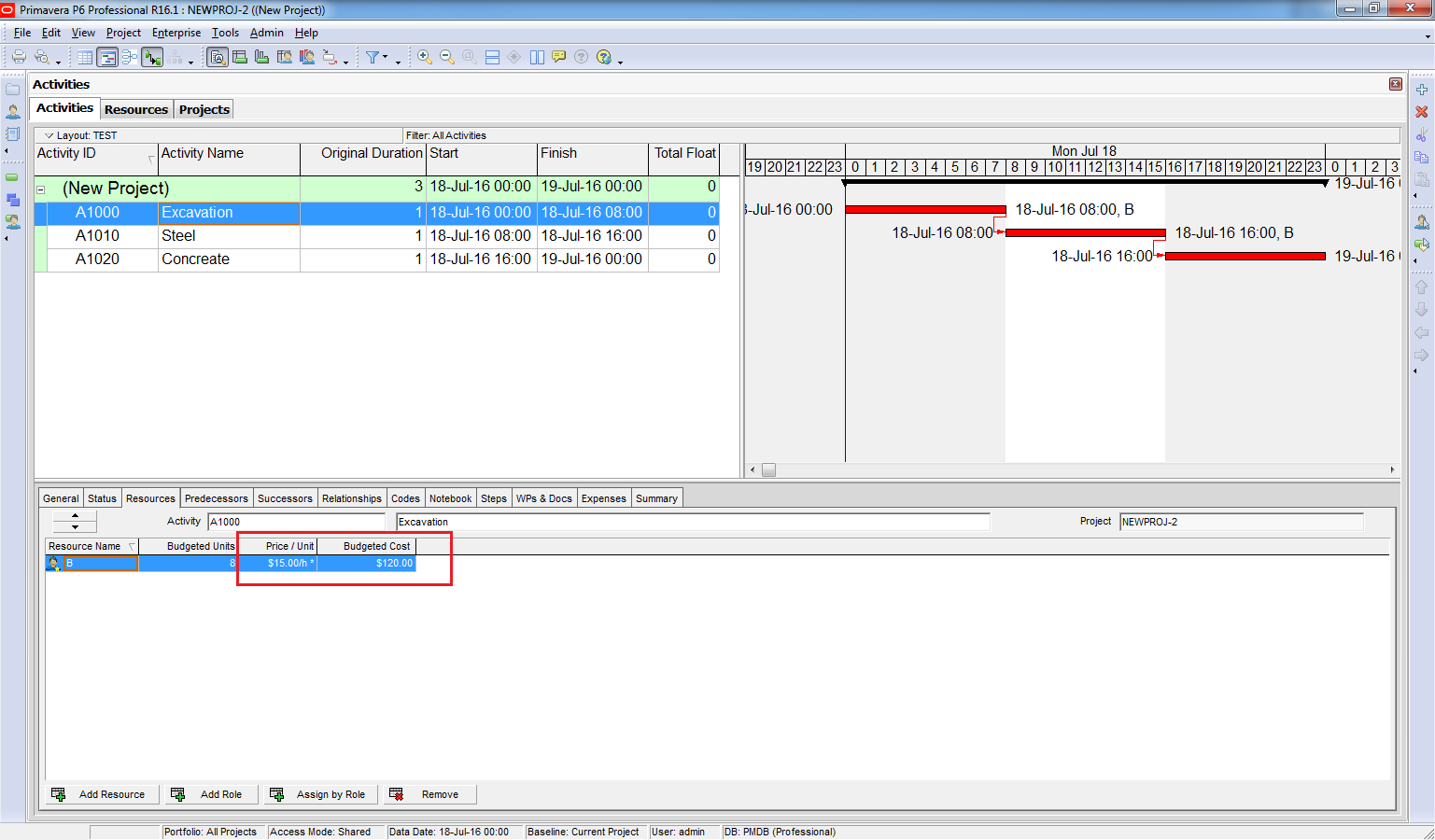
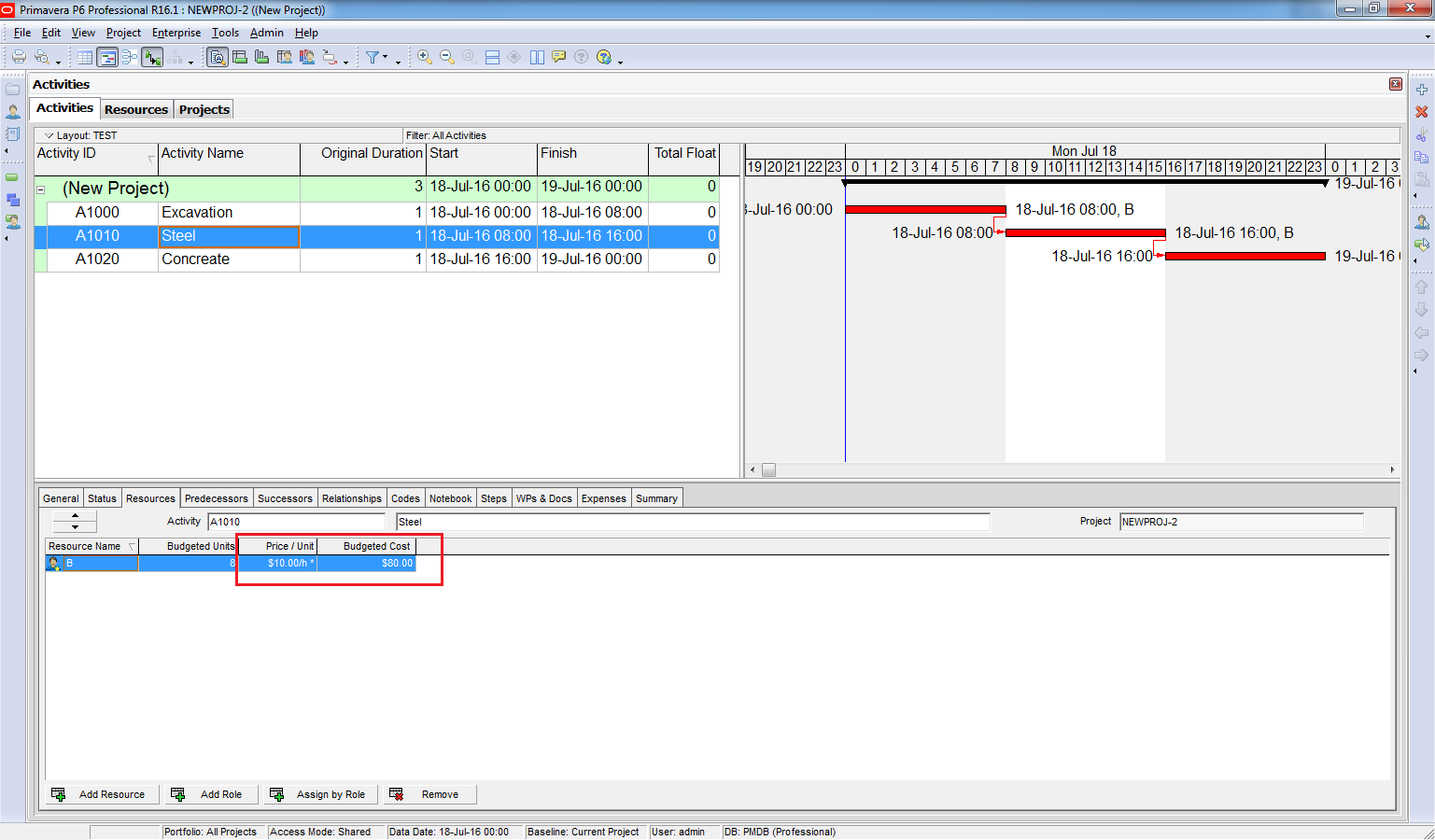
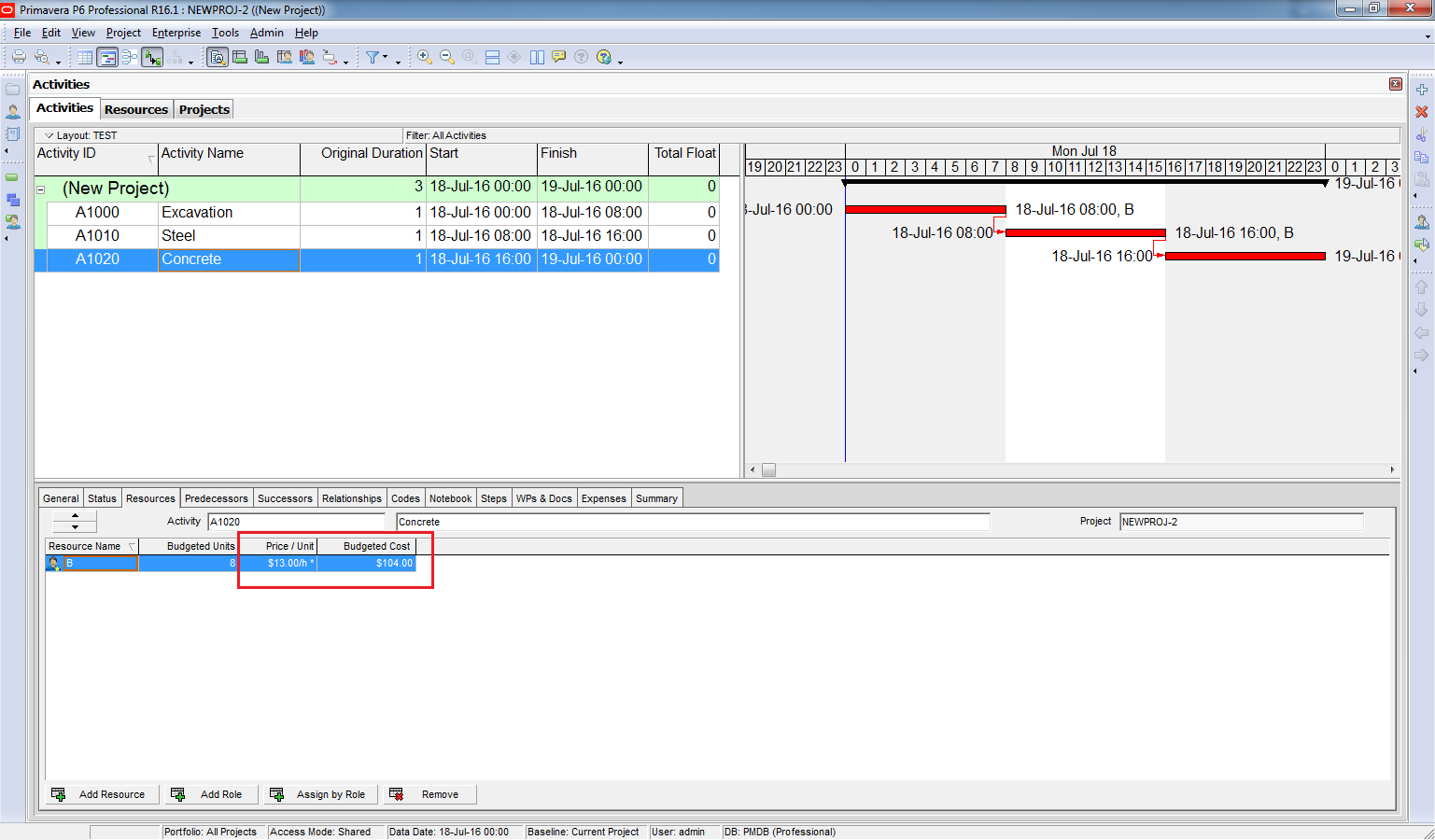
Because each activity starts at a different time, Primavera applies the correct rate:
- Excavation: 00:00 – 08:00 → $15/hour (Shift 1)
- Steel: 08:00 – 16:00 → $10/hour (Shift 2)
- Concrete: 16:00 – 00:00 → $13/hour (Shift 3)
Conclusion
Primavera automatically calculates resource costs based on the shift in which the activity occurs. This ensures accurate cost planning for projects with multiple shifts and varying labor rates.

 Khuong Do Blog
Hi Do!
I have a doubt with this.
I understood that the activities are in a 24h/day calendar. I need to use 3 different crew with 3 different shift in the same activity, but my P6 doesn’t calculate correctly the time nor the total budget. Should I cut the activity on 3 activities and assign every specific crew on each one? Or there is another solution to use only one activity?
Thanks in advance.
Nelson HM
LikeLike
Hi Nelson,
May be you can try the “one activity” solution. You assign 3 crews (resource) on that activity but you will adjust the Start and Finish time of each resource differently (you can show these column in Resource tab) so that the price is decided by the resource shift.
I never try this before. Hope that you will succeed 🙂
LikeLike
Unfortunately to write but I’ve seen all your articles and I tried to understand but none of them were helpful. I guess the problem is with your technic of explanation or smth else.
LikeLike
this is very helpful. thank you sir khuong
LikeLiked by 1 person
I have tried to use the shift calendar to reflect a reduced workforce on nights vs. days…for instance I have 80 persons total with 50 on days and 30 on nights. Activity type is still task driven and activity calendar is 7 x 24, resource calendar is 7 x 24. I’m not tracking cost in my schedule., so I really don’t care about the resource rates. This particular setup does not seem to work as it causes a two week break in work execution. Am I doing something wrong to cause this break or is the tool not set up to use in this fashion???
LikeLike
Hi Do,
Thanks for sharing the article.
I have one question. what is the impact of Shift Calendar (in U & Price tab) on Limit line in Resource Usage Profile? (with the same resource calendar but different shift calendar)
Thanks,
Kamran
LikeLike